Dr Mick Mach
Inspiring
August 14, 2018
Answered

Artifacts in PDF?

  • August 14, 2018
  • 2 replies
  • 10546 views

Working on a book cover to be printed through IngramSpark. Outputting as a pdf  PDF/X1a:2001 as required by IngramSpark.

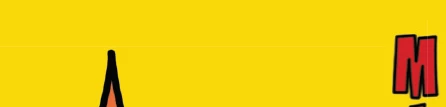
Getting some weird lines on the resulting pdf file (pictured below) that seem to correspond to the bounding boxes of the images.  I've printed it out on my home inkjet and they don't seem to be showing up there, but not sure if a commercial printer will show.

Any thoughts on why this is happening/does it matter/how to fix?

Thanks
This topic has been closed for replies.
Correct answer BobLevine

These are stitching artifacts from flattening and shouldn’t print to a high resolution device such as a press. An ink jet? Entirely possible.

That said, if I know the client needs artwork spec’ed for archaic formats, I design accordingly and avoid transparency.

2 replies

Dov Isaacs
Legend
August 14, 2018

To amplify on Bob Levine's response, PDF/X-1a is a very archaic standard designed as a standard prior to transparency being part of the PDF imaging model. The recommendation by Adobe for a number of years and by virtually all print associations and standards groups is to export PDF/X-4 and to print from that. PDF/X-4 supports live transparency and full ICC color management, i.e. transparency isn't prematurely “flattened” and colors are maintained in their original ICC color spaces until the RIP process.

Every modern day RIP (including those used by IngramSpark) actually produce much higher quality output when presented with PDF content as PDF/X-4 than when presented with PDF/X-1a when the original content is anything other than opaque CMYK content. Requiring conversion of all content to CMYK and flattening of transparency is indicative of a Luddite and “blame the customer” mentality. So sad!

          - Dov

- Dov Isaacs, former Adobe Principal Scientist (April 30, 1990 - May 30, 2021)
Miguel Agawin
Participating Frequently
February 19, 2020

Mr. Isaacs, Thank you for all your insight in this thread! What is your view on flattening and converting colour in-house (Acrobat) for the purpose of having a consistent outcome/proof an ad client can approve?

rob day
Community Expert
Community Expert
February 19, 2020

You do have to be aware of how the client is going to view the PDF.


None of my clients have CC subscriptions, so expecting the review to be in AcrobatPro’s Output Preview might not be possible. It’s worth noting that Acrobat Reader also will use the PDF/X-4 or PDF/X-1a output intent profile to softproof color. Both AcrobatPro and Reader have a Page Display Use Overprint Preview, which will display out-of-gamut RGB color in the output intent’s space if it is turned on—X-1a can’t have out-of-gamut color, so it wouldn’t matter in that case.


This ID page has a mix of CMYK and RGB color, which display’s as document CMYK as long as Overprint/Separation Preview is turned on:


Exported to PDF/X-4 (ISO Coated V2 300%). Acrobat Reader will display all of the color in the output intent profile’s space, but only if the client has Use Overprint Preview turned on, otherwise the unprintable RGB color will soft proof unchanged:


PDF/X-1a:


BobLevine
Community Expert
BobLevineCommunity ExpertCorrect answer
Community Expert
August 14, 2018

These are stitching artifacts from flattening and shouldn’t print to a high resolution device such as a press. An ink jet? Entirely possible.

That said, if I know the client needs artwork spec’ed for archaic formats, I design accordingly and avoid transparency.

Dr Mick Mach
Inspiring
August 14, 2018

Thanks Bob, good words as always