JensPassoth
Participating Frequently
February 22, 2019
Answered

Auto-Generate E-Mail-Addy

  • February 22, 2019
  • 2 replies
  • 730 views

Hey,

is there a possibility to auto-generate a e-mail-address out of first- and last name for business cards?

Example:

TEXTBOX A: You start of on top of the card with the first- and last name: Willy Wonka

TEXTBOX B: And auto-generate this in an other textbox: willy.wonka@8135421.com

Hope you guys can help me!
This topic has been closed for replies.
Correct answer Eugene Tyson

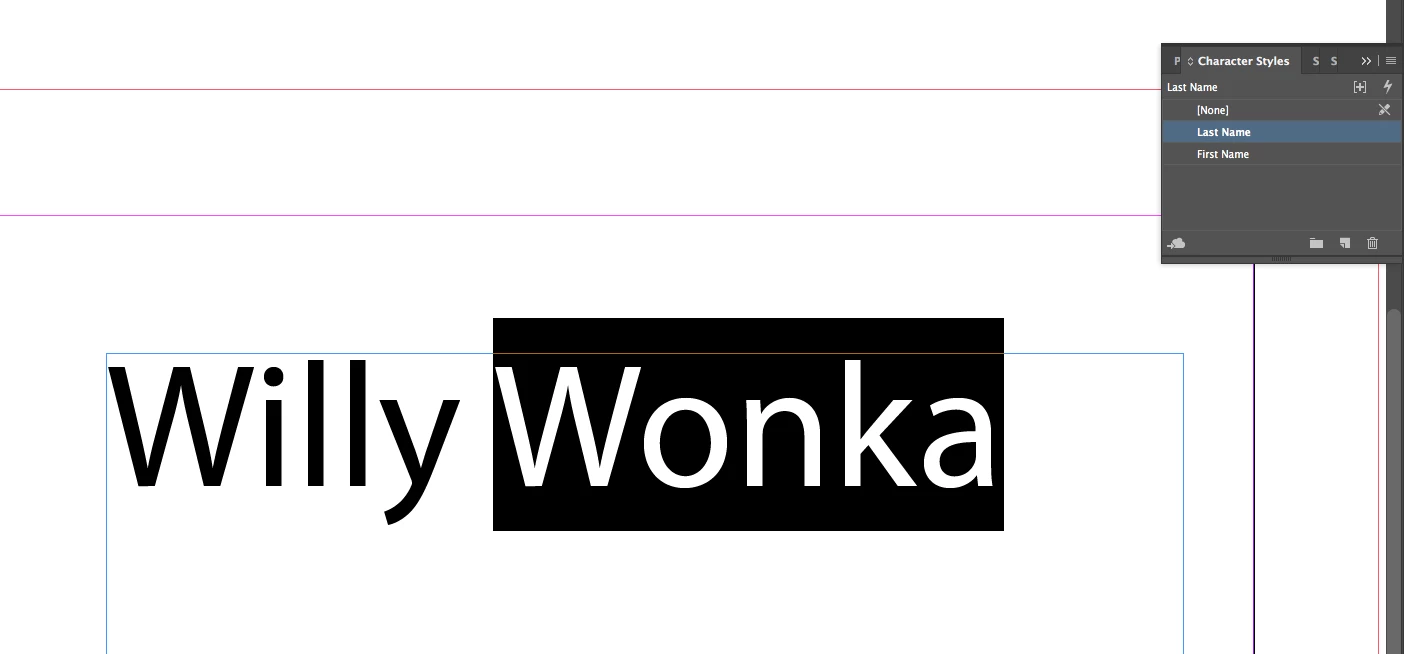
Set your first name to Character Style and call it First Name

Same for 2nd name. And apply them appropriately

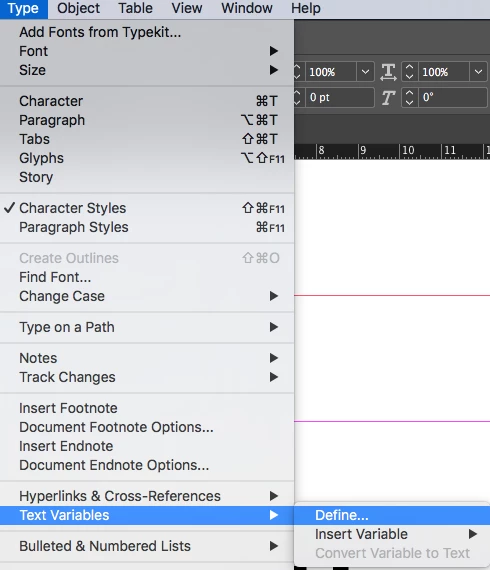
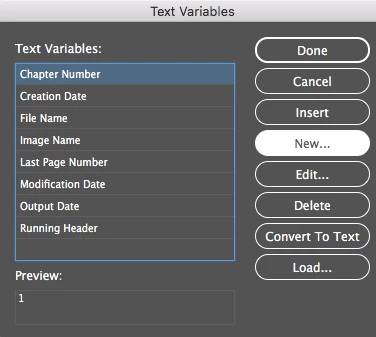
Set up two Text Variables

First Name and Last Name

Click New

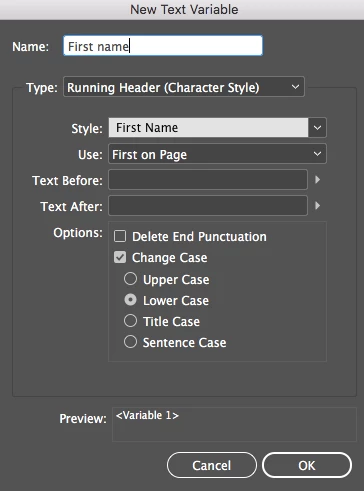
Setup the first name as per below (and change case)

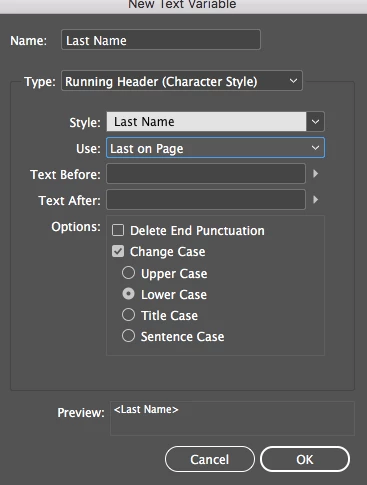
Same for Last Name

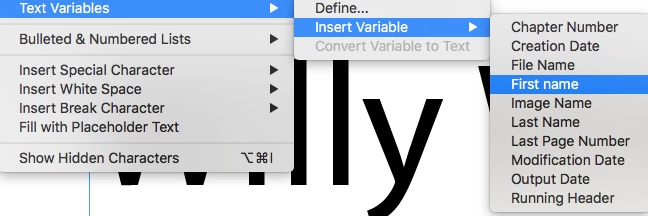
Insert your text variables

And add in the dot and the @wonkafactory as text - so your text variable for FIrst Name sits behind the dot, and Last Name comes after the dot.

Then you can change the name to whatever you want and it will update in the email.

Sample File

Dropbox - Sample Auto Email Address.idml

2 replies

Eugene TysonCommunity ExpertCorrect answer
Community Expert
February 22, 2019

Set your first name to Character Style and call it First Name

Same for 2nd name. And apply them appropriately

Set up two Text Variables

First Name and Last Name

Click New

Setup the first name as per below (and change case)

Same for Last Name

Insert your text variables

And add in the dot and the @wonkafactory as text - so your text variable for FIrst Name sits behind the dot, and Last Name comes after the dot.

Then you can change the name to whatever you want and it will update in the email.

Sample File

Dropbox - Sample Auto Email Address.idml

vinny38
Legend
February 22, 2019

Clever!

BobLevine
Community Expert
Community Expert
February 22, 2019

My guess is that it could be scripted. You might want to pop over to the scripting forum and see if anyone can help you.