Inspiring
January 28, 2022
Question

Auto Numbering Dates on Double Calendar Pages

  • January 28, 2022
  • 2 replies
  • 303 views

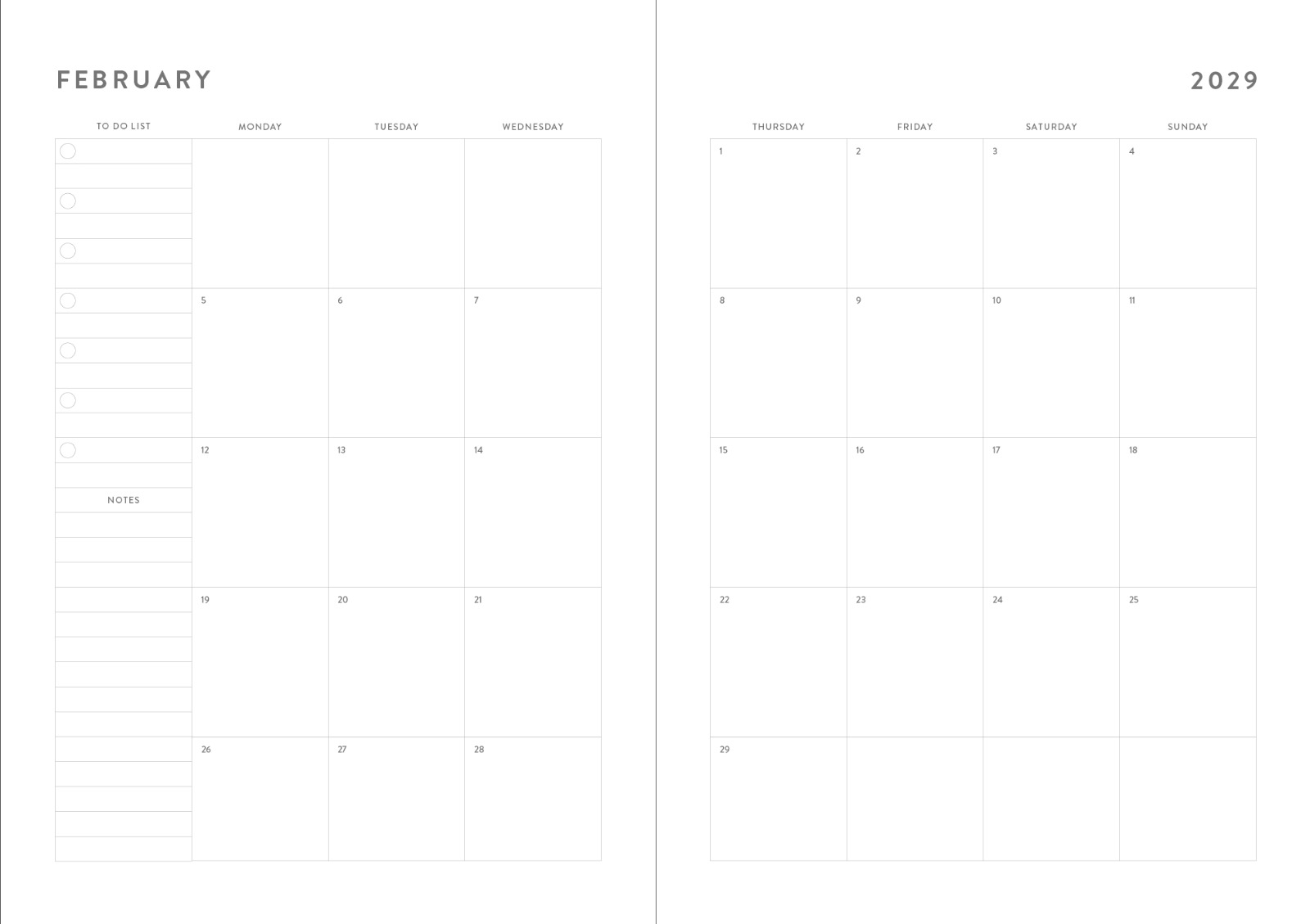
I am working on a calendar layout for the years 2022 to 2032. I need to fill all the boxes with the dates but I don’t want to type them one by one. As it is a 2-page layout I can not use the script that everybody uses to create a calendar layout. Is there any way to make it easier (like exporting from a csv file etc.). The calendars will be in 5 different sizes and have 2 variations for each size (Monday & Sunday start). I have tried to accomplish this task by using calendarwizard and end nested style, however it takes ages 🙂 Is there a quicker way?


Many thanks.

This topic has been closed for replies.

2 replies

Peter Spier
Community Expert
Community Expert
January 28, 2022

I think you could probably do this with the calendar script by starting with a a single-page layout the size of your final two-page spread. Those pages can then be placed into a new facing pages document and positioned across the spreads.

Participant
January 28, 2022
Think more like spreadsheet but simplicity and structural...

jesseodom
Jesse James odom
Participant
January 28, 2022

Find a good overlay featured platform...


Jesse James odom