
Copy link to clipboard
Copied
Hello,
I'm creating a template for my team that we can use to present creative concepts/directions to clients.
My goal is to have the footer (where it currently says "Slide Title") automatically update with "One", "Two" or "Three" whenever a designer places a new page between their respective dividers. i.e. pages placed after divider "One" but before divider "Two" will have their footer automatically update with "One".
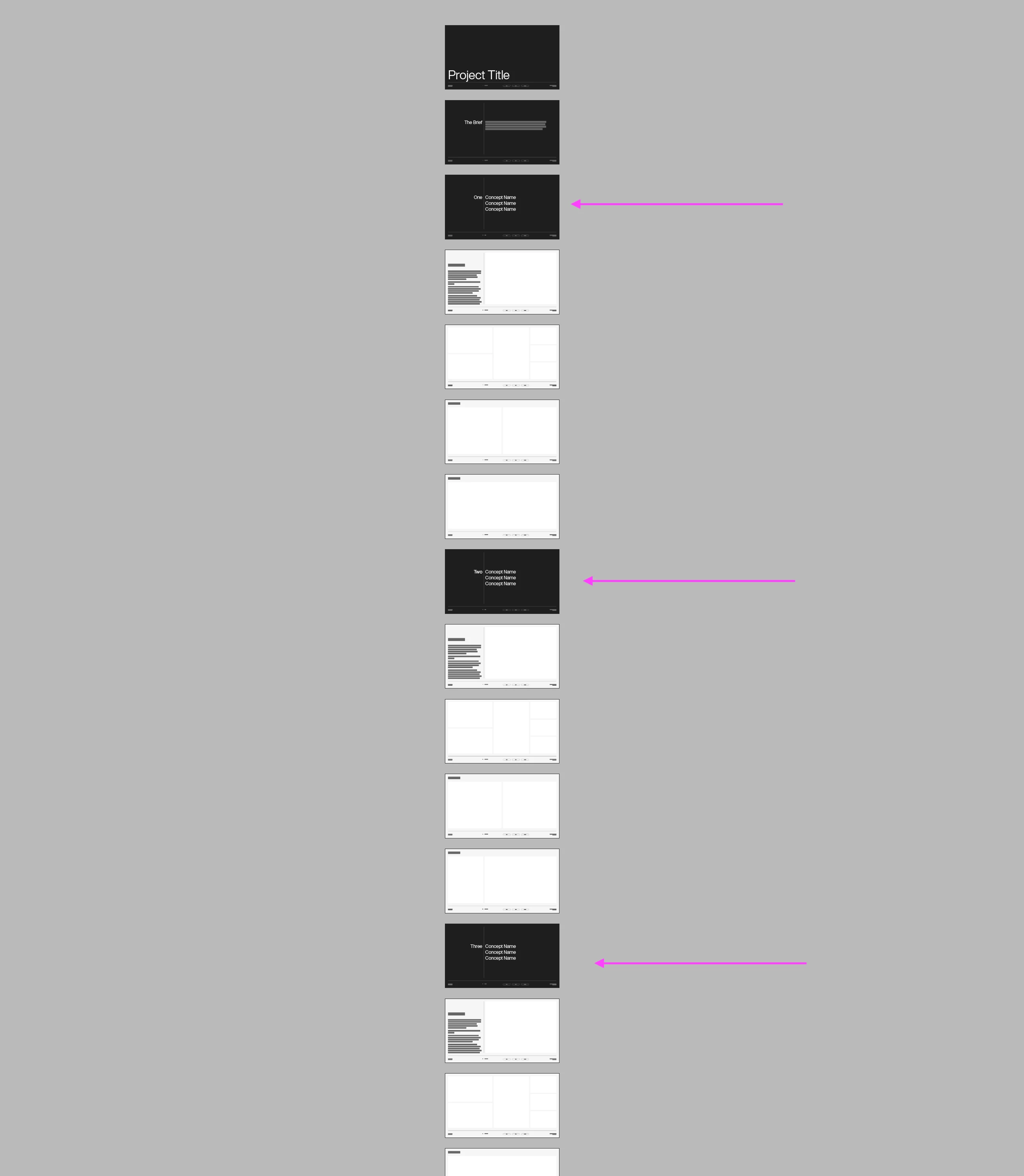
I am assuming this has something to do with chapter or section numbering, but I couldn't find an answer that helped me out.
Thank you all in advance,
Lewis
Copy link to clipboard
Copied
1. Define a Paragraph Style or Character Style and apply to the 'One', "Two' etc. on the dividers.
2. Define a Text Variable (Type > Text Variables > Define…).
3. Click New…
4. Give it a name.
5. Choose Running Header (Character Style) or (Paragraph Style) for Type, depends on which style you have created on step 1.
6. Choose the Character Style or Paragraph Style for Style, depends on which style you have created on step 1.
7. Click OK.
8. On the parent pages where you would like the 'Number' to show up, create a text frame and place cursor into it. Insert a Text Variable (Type > Text Variables > Insert Variable > Your Text Variable).
Pages that use these parent pages, after a divider will have the text variable text appear in the text frame.
Hope this helps.
Copy link to clipboard
Copied
Thanks for this. Do I need to define the dividers as the start of sections? How does InDesign "know" where a new page is being placed?
Copy link to clipboard
Copied
No. You don't need to create InDesign sections. InDesign will replace the text variable with the text that has the specific paragraph/character style applied before the text variable. If there is a new text, e.g. 'TWO', on subsequent pages that has the style applied, the next text variable will be replaced by the word 'TWO'.
Get ready! An upgraded Adobe Community experience is coming in January.
Learn more
