Participant
September 27, 2023
Answered

Automatic line insertion when pressing enter

  • September 27, 2023
  • 2 replies
  • 2407 views

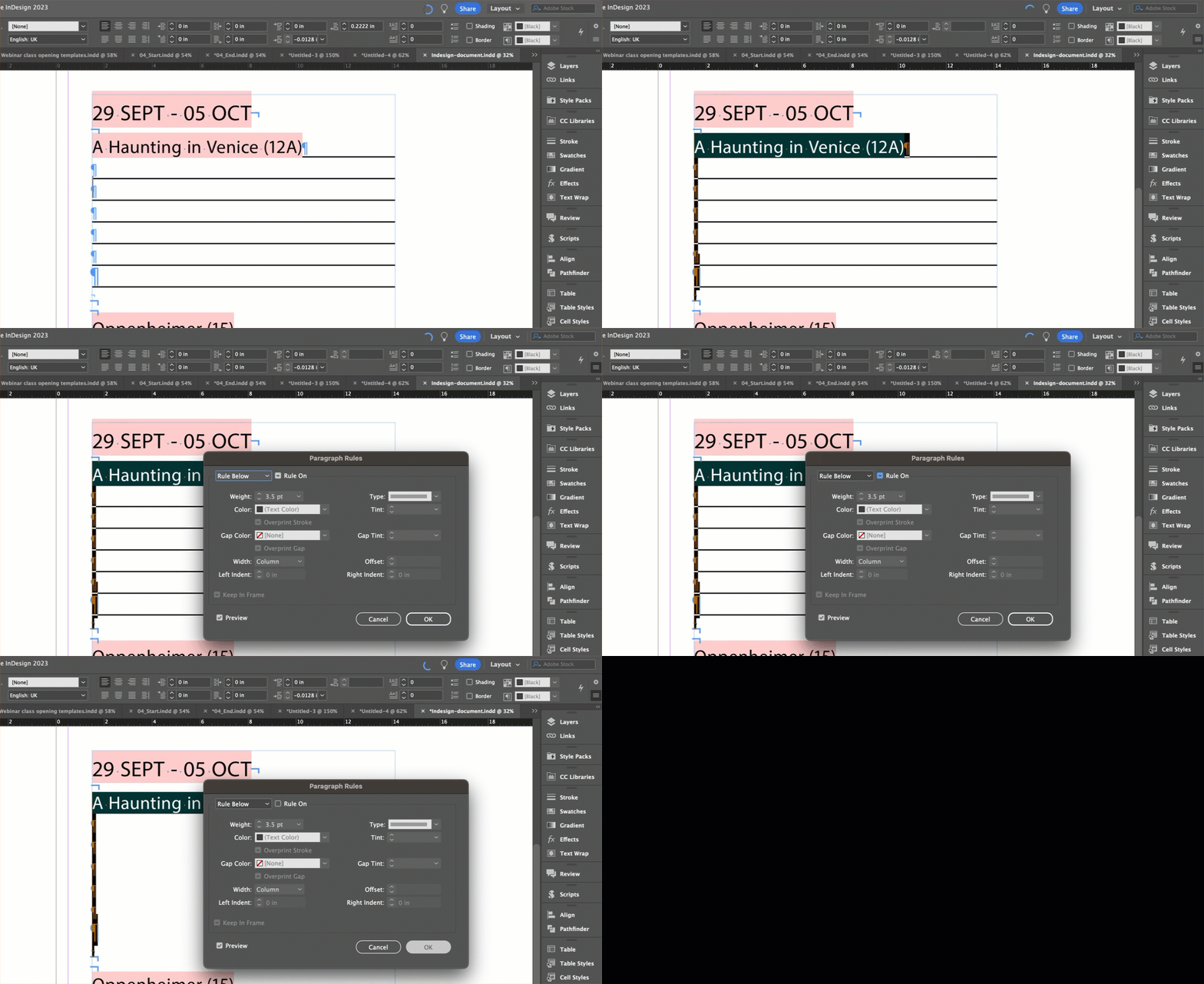
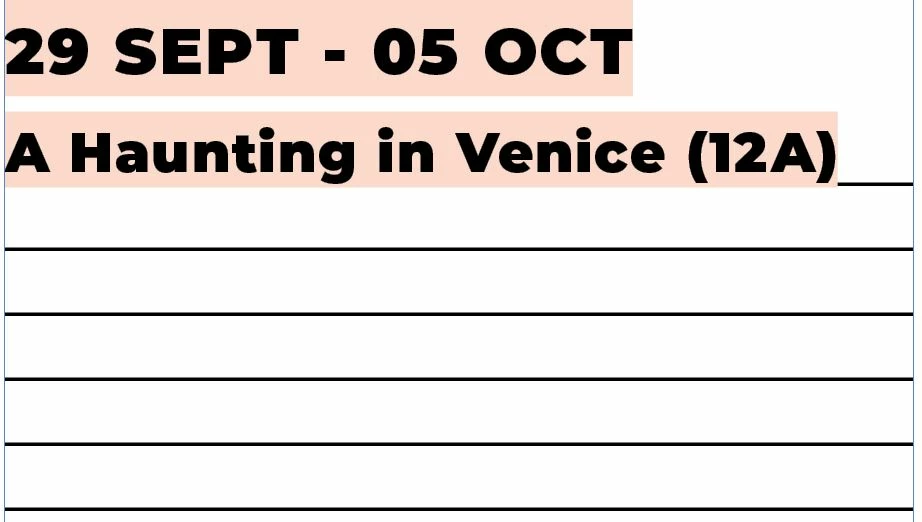
I am attempting to edit an Indesign document and there is lines automatically added when I press the enter key on this document. This only happens for specific text. I believe it is related to a paragraph style which is applied but I am uncertain about what setting would cause this to happen. I have provided a screenshot of what happens when I press enter multiple times. I would like to remove this so a line is not automatically inserted.

Is anyone able to advise how to stop this from happening?

Adobe Indesign 18.4 on Windows 10.
Correct answer Barb Binder

Hi @qaztgb12345:


I will guess that there is a rule defined below paragraph. Right click the style name in the Paragraph Style panel > Edit [Your Style Name] and click on Paragraph Rules in the left column. Choose Rule Below from the first drop down menu and disable the checkbox. 


If this doesn't work, please share a screen shot of the paragraph style definition: right click the style > Edit [Your Style Name] and click on General in the left column. There are a few ways can be accomplished, so if I guessed incorrectly, we will be able to figure it out from your definition.


EDIT: I just realized that you attached your InDesign document so we could take a look at it. I guessed correctly that it is a Ruling Line Below but you aren't actually using styles. so you'll have to turn it off via the hamburger menu on the Control Panel. 


~Barb

2 replies

Barb Binder
Community Expert
Community Expert
September 27, 2023

You can see it is on from my screen recording. Be sure to select the paragraphs with the lines, just as I show you. Then you can turn them off. 


~Barb

~Barb at Rocky Mountain Training
Participant
September 27, 2023

I can locate the mixed paragraph style type but can't find the section to edit this in my version of Indesign with the layout shown in the screenshot.

Are you able to advise?


Peter Spier
Community Expert
Community Expert
September 27, 2023

Show the Control Panel (Window > Control) and it will be inthe hamburger menu on the right end, or itr should also be in the hamburger menu of the Paragraph Panel.

Barb Binder
Community Expert
Barb BinderCommunity ExpertCorrect answer
Community Expert
September 27, 2023

Hi @qaztgb12345:


I will guess that there is a rule defined below paragraph. Right click the style name in the Paragraph Style panel > Edit [Your Style Name] and click on Paragraph Rules in the left column. Choose Rule Below from the first drop down menu and disable the checkbox. 


If this doesn't work, please share a screen shot of the paragraph style definition: right click the style > Edit [Your Style Name] and click on General in the left column. There are a few ways can be accomplished, so if I guessed incorrectly, we will be able to figure it out from your definition.


EDIT: I just realized that you attached your InDesign document so we could take a look at it. I guessed correctly that it is a Ruling Line Below but you aren't actually using styles. so you'll have to turn it off via the hamburger menu on the Control Panel. 


~Barb

~Barb at Rocky Mountain Training
Participant
September 27, 2023

Hello,

I have checked the paragraph rules but there do not seem to be any applied. I have attached a screenshot and there is also a version of the file attached to my original post.