
Automating Fitting Options across multiple pages
I am really very inexperienced with InDesign and use it for one purpose only, and a very simple purpose. As a photographer I use it to produce books and pdf files of photographs. So I set up the pages I need with the frames I need - portrait or landscape orientated as the case may be. I can then place my photographs into each frame.
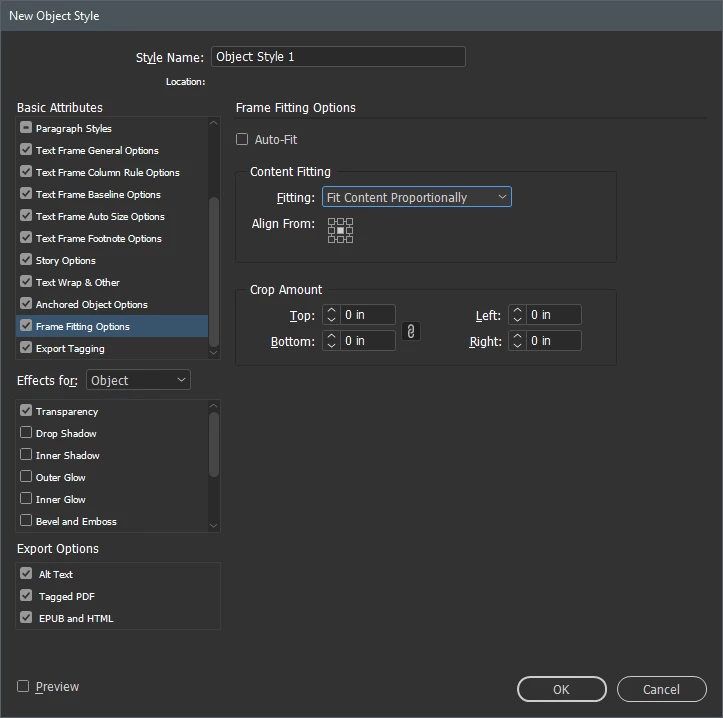
But what I need for each photograph is that the fitting should be Fill Content Proportionately plus Centre Content. I have even managed to create a keyboard shortcut that will do both of these. But what I can't work out (and it may not be possible) is how to select all the pages and with one command get all the images in all the pages to conform to what I want - i.e. Fill Content Proportionately plus Center Content. So I have to go through each page one by one and do this. There must be a way to select all pages and automatically fit them as I want them.
But I can't work out how to do it. Any help on offer?
Thanks
 AdChoices