Participant
October 12, 2021
Answered

Autosize text frame without losing the shape

  • October 12, 2021
  • 2 replies
  • 1387 views

I am quite new to InDesign, and I am currently trying to make a template document for my work. I have made a cover page, and I know that the titles will be in different lengths from time to time so I made a text frame which resizes automatically. Now the problem I came across is that the shape (the angle on the right side) of my text box changes with the size.


How do I make it keep its shape?


This is the original shape I want to keep:
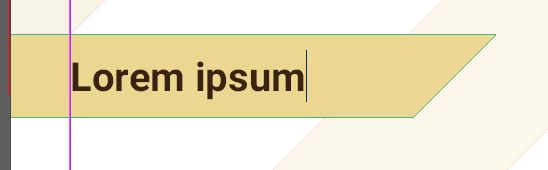
 

This is the changed shape after the autosizing:

This topic has been closed for replies.
Correct answer Laubender

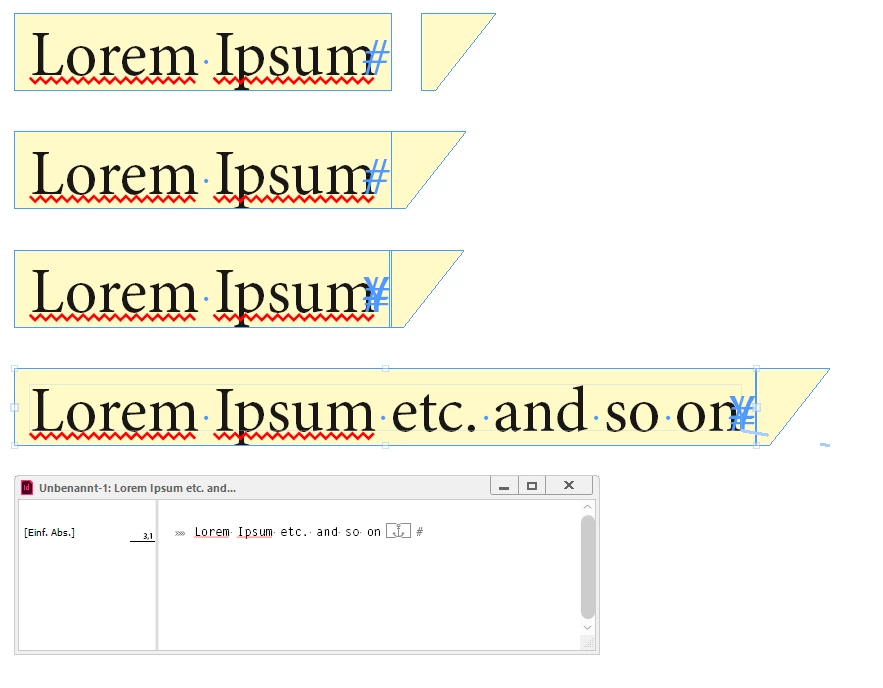
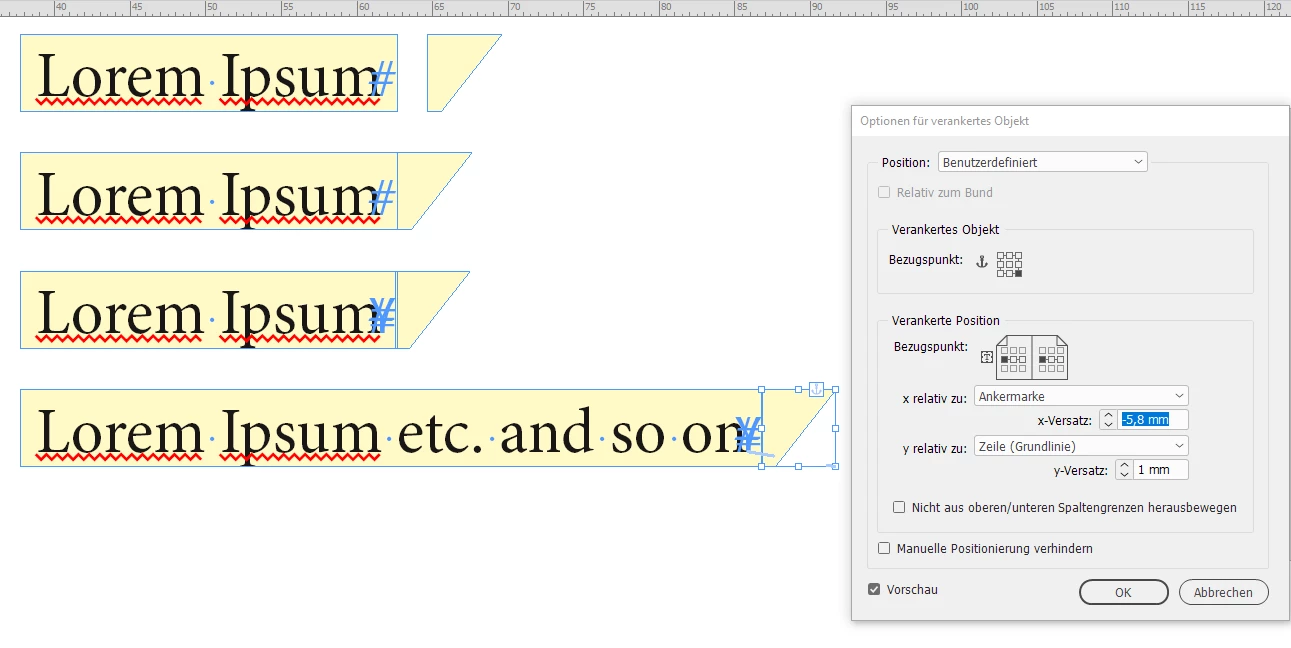
Well, you could do this with a rectangular text frame and a anchored polygon at the end of the text.

It's horizontal reference point should be set relative to the anchor position.

Just like that ( from my German InDesign ) :


Regards,
Uwe Laubender

( ACP )

2 replies

LaubenderCommunity ExpertCorrect answer
Community Expert
October 12, 2021

Well, you could do this with a rectangular text frame and a anchored polygon at the end of the text.

It's horizontal reference point should be set relative to the anchor position.

Just like that ( from my German InDesign ) :


Regards,
Uwe Laubender

( ACP )

Community Expert
October 12, 2021

Hm. Did not see that John already answered.

And yes, relative position to the right edge of the text frame makes more sense perhaps…


Regards,
Uwe Laubender

( ACP )

John Mensinger
Community Expert
Community Expert
October 12, 2021

Yes, that's a limitation of Autosize text frames, and there's no way to prevent it.


To get what you want, you'd have to use a standard, rectangular text frame. Then create the angled "end cap" as a separate object and anchor it to the text frame.


Community Expert
October 12, 2021

Does a small text inset not work?

John Mensinger
Community Expert
Community Expert
October 12, 2021

Not sure exactly what you mean.


If you're asking whether just angling the end of the text frame (per the OP's attempt), would work with a smaller text inset, it makes no difference. As the line length grows, pushing the right end of the frame along, the end-angle changes regardless of the text inset.


If you're asking whether a smaller text inset (than I showed) works with the anchored object method, yes. An inset of 0 will work, if that delivers the desired text position relative to frame boundaries. It looks like Ewe's example might have text insets set at 0.