
Inspiring
March 6, 2020
Answered

Baffled by PDF file size increase

  • March 6, 2020
  • 2 replies
  • 580 views

I'm using Mac OS 10.13.6 and have created a print PDF from an InDesign file containing 520 linked images. That resulted in a 57.9 MB PDF. I am now trying to reduce the size of the PDF to create a fixed page ebook. The images in the original ID doc were all 600 ppi and usually 2–3 times the dimensions that they ended up in the layout, so I cropped the unaltered images within ID for the fit I needed in the layout for the print version of the book.

For the ebook version, I duplicated the set of links and saved as a new ID doc, then painstakingly cropped each image in Photoshop to the size it appeared in the ID file at 100% and reduced the ppi to 300. The original links folder was 4.17 GB in size. After cropping and downsizing, the new links folder is 240 MB—a huge reduction in file sizes; however, after relinking to the reduced-sized images, my new PDF (using the exact same presets as the print version) has grown to 79.9 MB!

Please help me understand why this is happening.
    This topic has been closed for replies.
    Correct answer Mike_WCP

    I'm using ID 15.0.1.

    When I relinked to the new downsided images, I chose the "fit to frame" option so that the images would look similar to those that I had cropped in ID in the original layout. After sleeping on this problem overnight, I realized that the fit to frame option was probably causing some odd size calculations, so this morning I created a two-page spread PDF, then went into each image on those two pages and determined what the exact simage size should be based on the picture frame in ID, then I recropped the linked image to that dimension in Photoshop, then adjusted the image width & height percentage  in ID so that both were set at 100%. I then saved a new PDF and compared the two and found that there was .3 MB file size reduction in the PDF with the 100% images, so my theory of the odd percentage calculations proved to be real


    2 replies

    Legend
    March 6, 2020

    I suspect, from your results, InDesign is cropping invisible parts of an image on export. I also imagine you were using an export preset that reduced to 300 ppi. What happens when you export with a preset suitable for ebook? I'd expect a massive reduction.

    Eric Dumas
    Community Expert
    Community Expert
    March 6, 2020

    Hi

    Can you cornfirm the version of InDesign you are using?

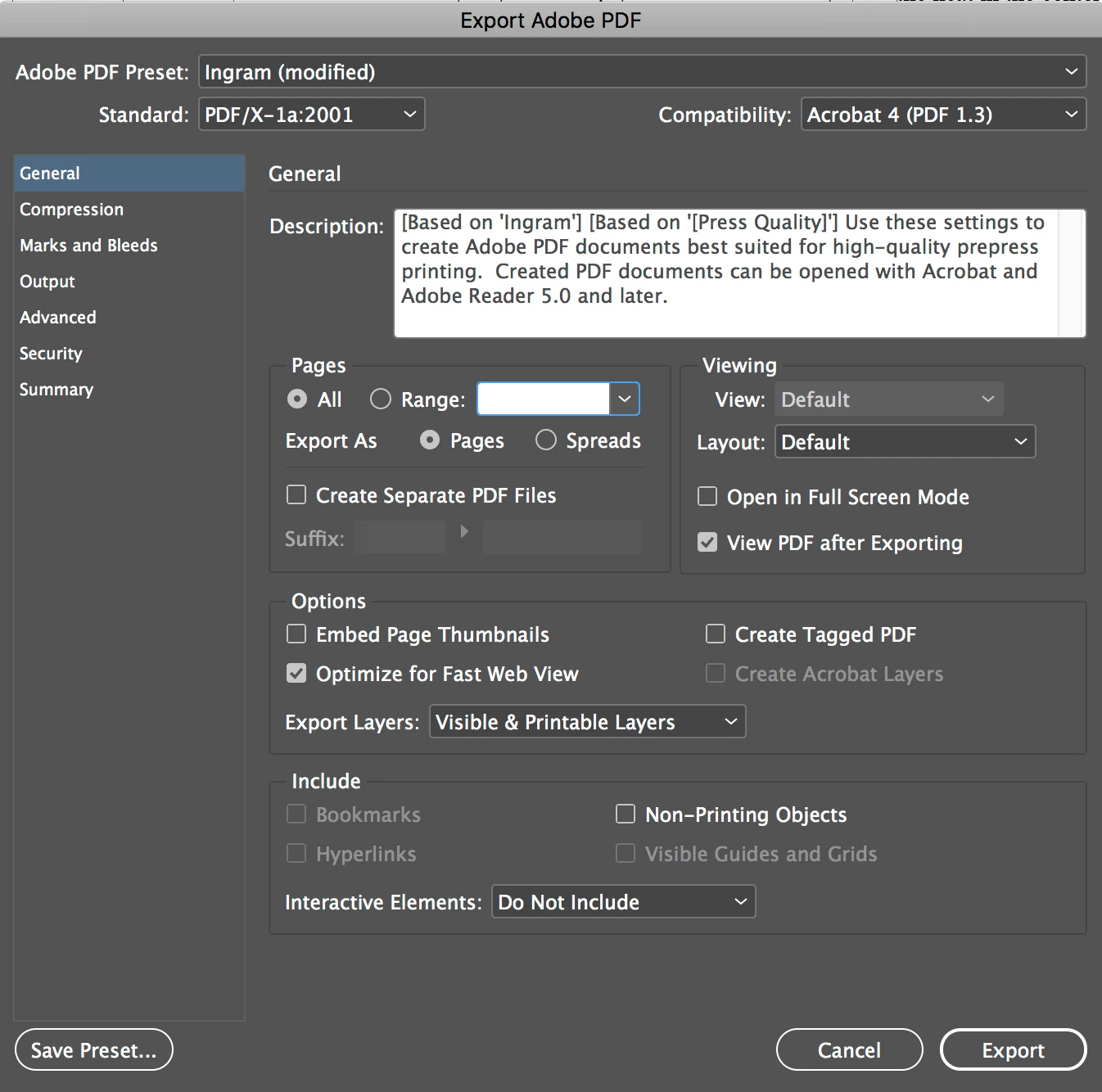
    Also, can you share a screenshot of the export settings you are using?

    Mike_WCPAuthorCorrect answer
    Inspiring
    March 6, 2020

    I'm using ID 15.0.1.

    When I relinked to the new downsided images, I chose the "fit to frame" option so that the images would look similar to those that I had cropped in ID in the original layout. After sleeping on this problem overnight, I realized that the fit to frame option was probably causing some odd size calculations, so this morning I created a two-page spread PDF, then went into each image on those two pages and determined what the exact simage size should be based on the picture frame in ID, then I recropped the linked image to that dimension in Photoshop, then adjusted the image width & height percentage  in ID so that both were set at 100%. I then saved a new PDF and compared the two and found that there was .3 MB file size reduction in the PDF with the 100% images, so my theory of the odd percentage calculations proved to be real