
danielw42205661
Known Participant
July 29, 2021
Question

Big Sur – Script no longer works

  • July 29, 2021
  • 2 replies
  • 1714 views

I have a script which ends in ".scpt" so I guess it's not like all my other js, jsx, jsxbin scripts etc. 


The script now doesnt work on my new computer which is running Big Sur 11.4. When i run it, I get the following error message.
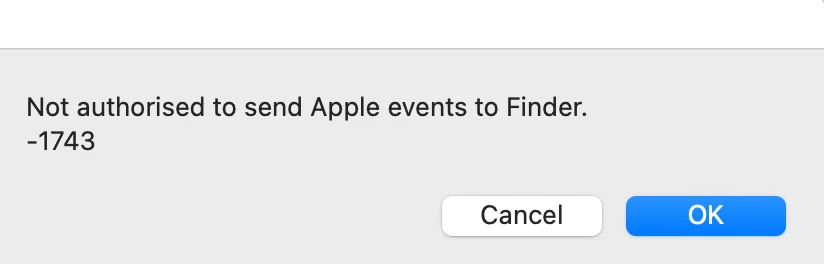
From what I understand, Indesign needs to be checked in the settings Security & Privacy > Automation. When I go there however, Indesign is not listed and there is no "+" button to add any applications to the list. I've also tried dragging it in there and that doesnt work.
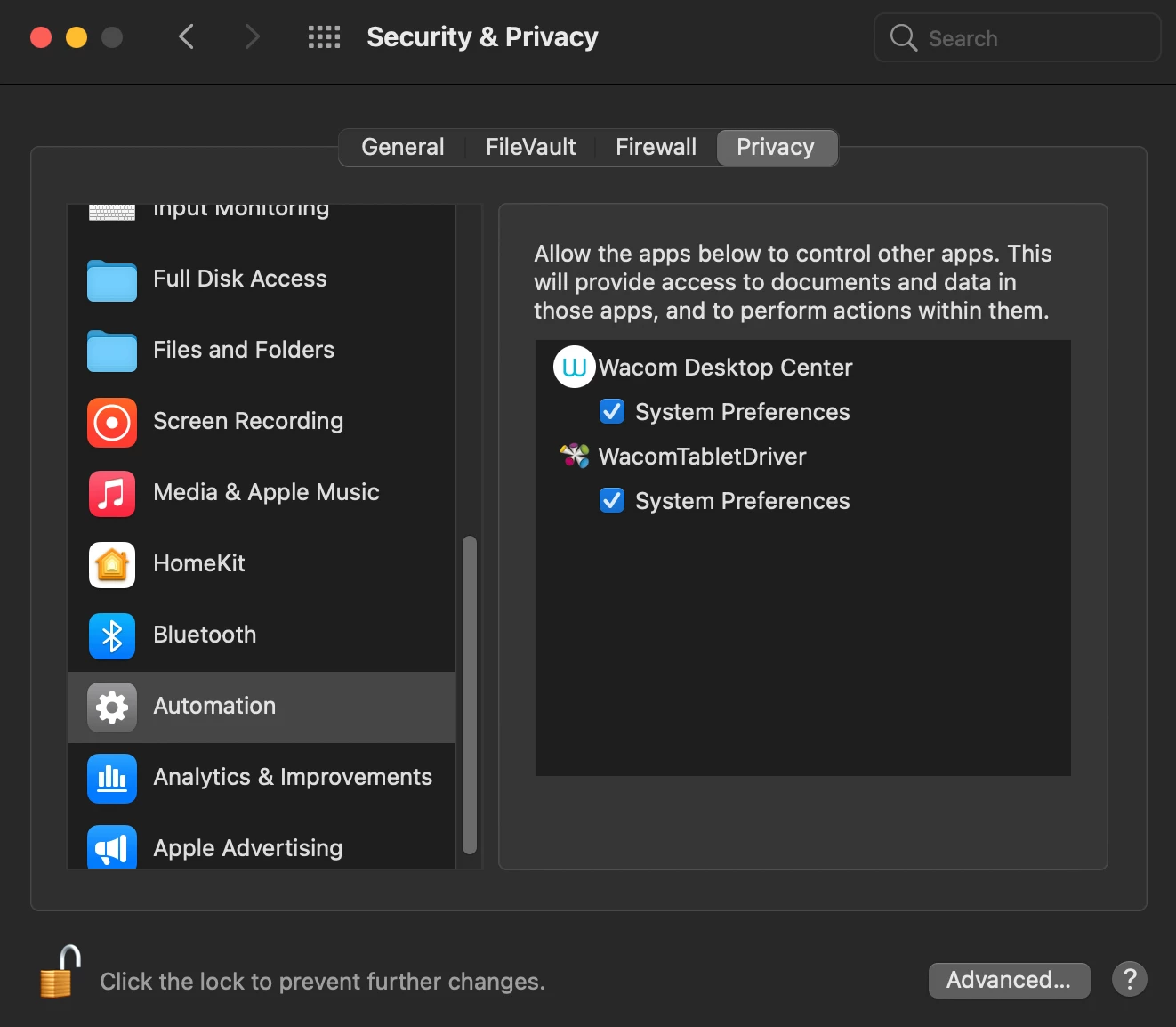


Does anyone know how to resolve this?


Thanks,

Dan


This topic has been closed for replies.

2 replies

Known Participant
August 3, 2021

Hi, i also have the same problem.


I develop Applescript scripts for InDesign that worked in Catalina (on my old MacBook Pro and computers clients) but stopped working on Big Sur (on a new MacBook Pro M1) with the same error as you (Unable to send Apple events to Finder) and the same settings in Security & Privacy > Automation (no InDesign as source and no Apple Events or Finder as target, as my settings in Catalina).


However, those scripts are working if launched inside Script Debugger.


And yesterday i had the same problematic experience with a client iMac with Big Sur. Until then i thought it might be a problem with the Security & Privacy database that could be solved by resetting it (i didn't try it for now), but now i doubt it could be the solution as the same problem arise in at least three different configurations, with Big Sur involved in all three…


To be precise, as i have access to the code of my scripts, the bits that block the execution of the scripts are tell blocks for System Events and Finder (for exemple to get the system user name or getting all files in a folder by file type, move them, etc.). Scripts without those tell blocks launch and work fine inside InDesign… But of course i need them…


What i have understood: what is missing is that at the first launch of the script in a source app, that app should trigger a popup dialog asking you to authorise it to control whatever target app the script needs. It happened when i launched the first script inside Script Debugger on my new computer (it asked for System Events, Finder and InDesign). After that, Script Debugger as source and System Events, Finder and InDesign as targets were added to the Security & Privacy > Automation panel. The thing is that InDesign do not trigger those dialogs and i can't see another way to do it.


So, is it a ponctual glitch in those 3 configurations (yours, mine and my client's) that can be corrected or a general bug with InDesign/Big Sur/Applescript that must be fixed by editors (Apple, Adobe) ?


For now i had to install the editable script on my client computer with a demo version of Script Debugger and instructed him to launch the script form here. Not future proof to say the least…


Thanks for any advice on that matter,

Vincent


Known Participant
August 3, 2021

in my first paragraph the error message should have been the same as in your capture: "Not authorised to send Apple events to Finder"

danielw42205661
Known Participant
August 3, 2021

FYI I raised a helpdesk ticket with my companies IT services people about it. I got an email back saying they had pushed through an update to my computer (they must have remote access to it at all times or something). I had to restart Indesign and after doing so, the script worked. I checked the automation settings and indesign still wasn't listed, so they managed to fix it somehow without doing that. Magic. 

m1b
Community Expert
Community Expert
July 29, 2021

I'm no expert on this, but you could try adding Script Editor.app to Full Disk Access. Whether this is an acceptable security risk you must decide yourself. (If it works for you, that is!)


danielw42205661
Known Participant
July 29, 2021

Thanks for the suggestion. Unfortunately it didn't work. 

m1b
Community Expert
Community Expert
July 29, 2021

I've also added Indesign to File and Folders and given access to Desktop, Document and Downloads. You may need to give Indesign "Full Disk Access" if your script accesses other places. See if that works.