
RedRock2512
Participant
December 2, 2017
Answered

Black bar on screen bottom; blocking view.

  • December 2, 2017
  • 5 replies
  • 3290 views

I have a black bar appear at the bottom of my screen after opening InDesign.

It doesn't move, regardless of what I do with the working window. It doesn't change when I change or reset workspaces. It blocks anything behind it.

Here's a screenshot.
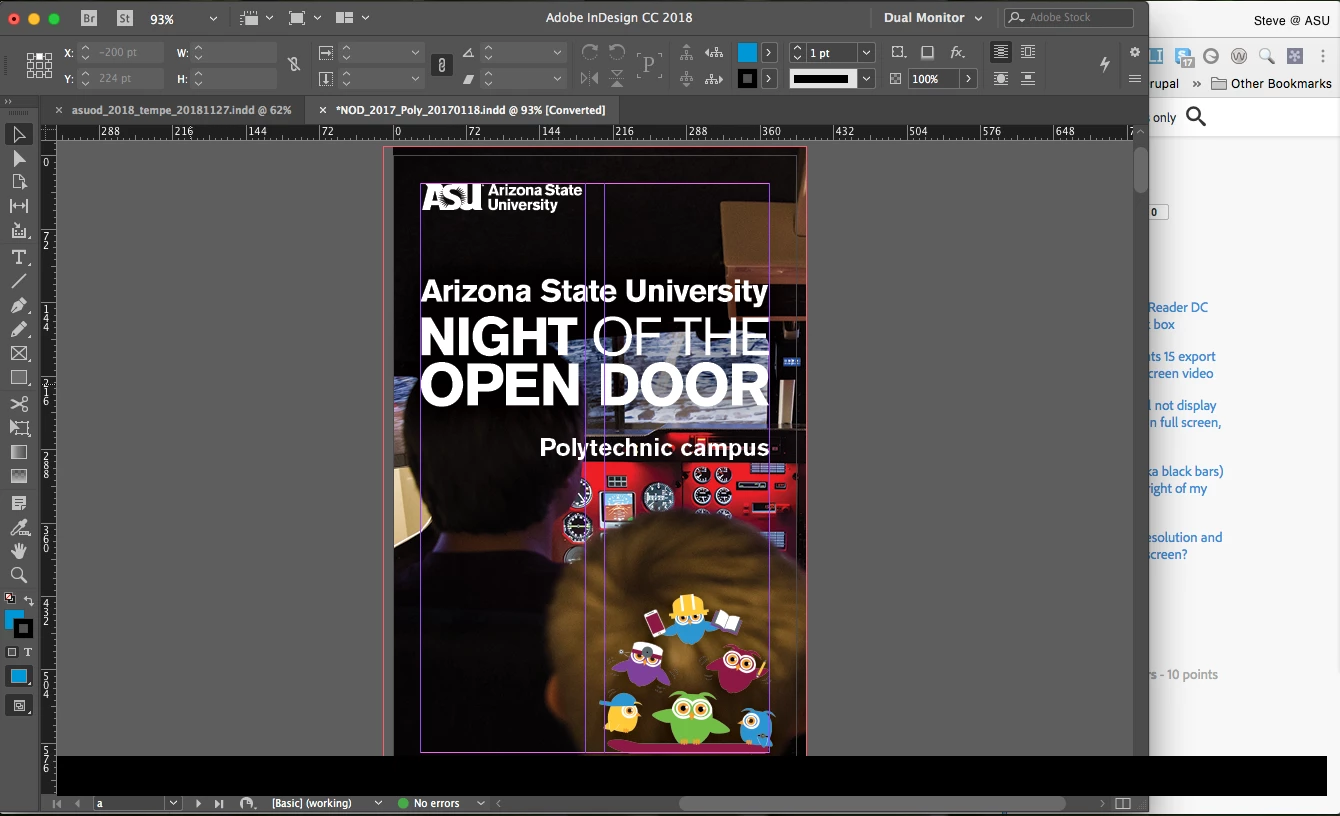
Any thoughts?

Tech Specs:

Mac Pro (early 2009)

2 x 2.26 GHz Quad-Core

16 GB RAM

Mac OS 10.11.6 (El Capitan)

Running Adobe InDesign CC 13.0.1

This topic has been closed for replies.
Correct answer jane-e

In case it is not the GPU:

Is it still there when you Quit and Re-launch?

What if you reboot your computer?

5 replies

Participant
November 2, 2022

Come on.  Give me a real solution rather than connecting me with a thread of complaints.

How do I get rid of this black bar?


Participant
March 12, 2023

The issue pointed out by Juicy Designs Creative is about a banner that explains the changes in the agreement with Pantone colors' company. I closed it many times without being able to make it go away, because, you know, adobe.

Then I upgraded to a new version of the program, now the black bar took its place. Again, because, you know, adobe.

Participant
August 16, 2021

I'm having the same issue. I shut down the computer and opened InDesign again and it is still showing up.

Juicy Designs Creative
Participant
September 24, 2021

I have the same issue. It goes away when I relauch InDesign, but inevitable comes back. Only shows in InDesign.


BobLevine
Community Expert
Community Expert
December 2, 2017

And if it’s none of those things, it may be time to trash your preferences.

RedRock2512
Participant
December 2, 2017

Just for the record: GPU performance not supported.

Closing and restarting seems to have fixed it, but will keep trashing preferences in back pocket in case it returns.

thanks!

jane-e
Community Expert
Community Expert
December 3, 2017

I'm so glad you are fixed for now--please report again if it comes back.

Best,

Jane

jane-e
Community Expert
jane-eCommunity ExpertCorrect answer
Community Expert
December 2, 2017

In case it is not the GPU:

Is it still there when you Quit and Re-launch?

What if you reboot your computer?

BobLevine
Community Expert
Community Expert
December 2, 2017

Does it stay there if you maximize it?

Does that machine support GPU performance? If so, turn it off in your InDesign preferences.