
carolinet87703291
Participant
August 28, 2017
Answered

Black lines appearing when placing MS Word document in InDesign CC

  • August 28, 2017
  • 5 replies
  • 6018 views

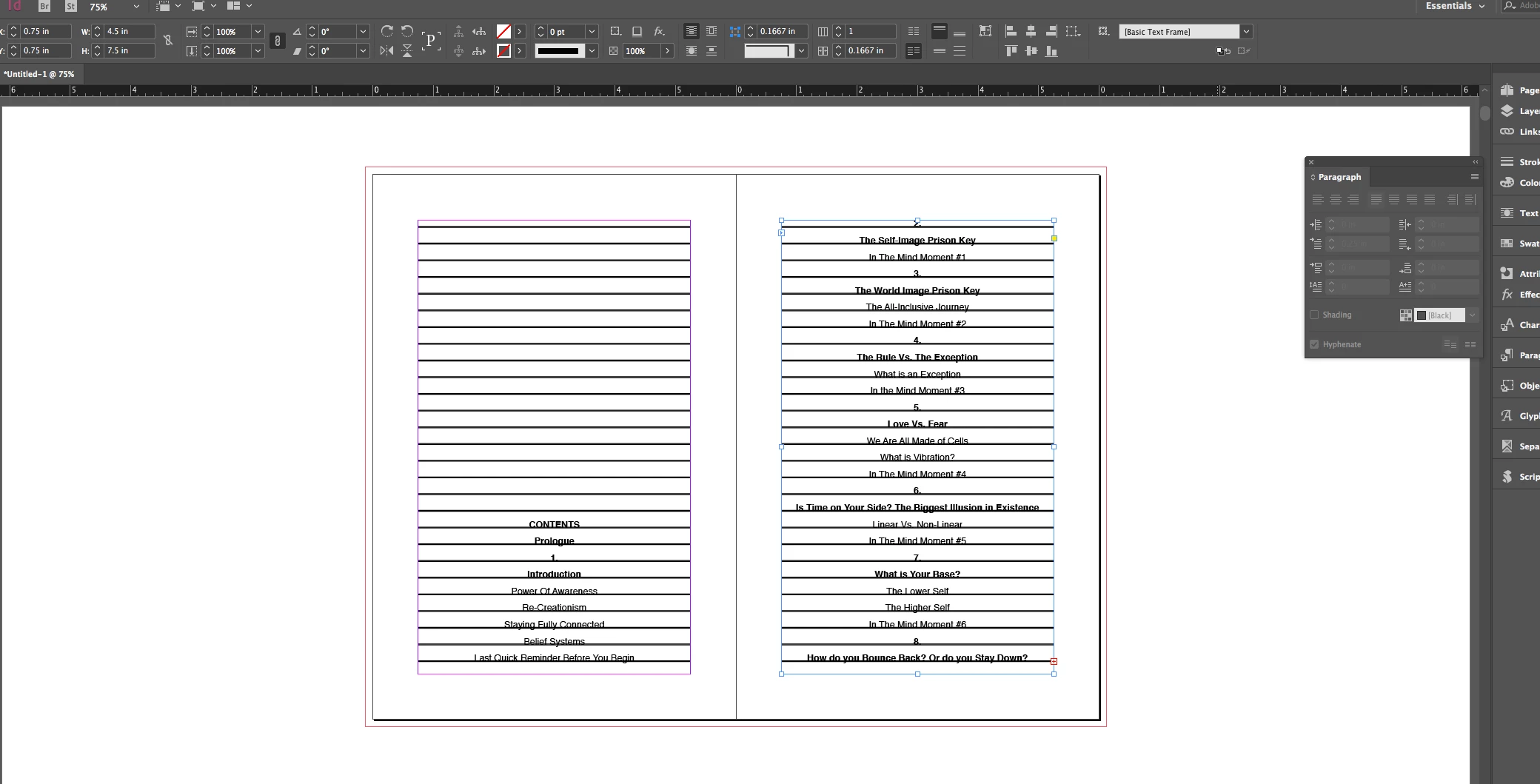
I'm trying to place some book interior text from a MS Word Document into InDesign CC but whenever I do these black lines appear. They aren't visible in the MS Word document itself but even when I clear the formatting they still appear when placed in InDesign. I can't seem to get rid of them! Any ideas? Screenshot below:
Correct answer Barb Binder

So, click in the text with the Type tool

  1. Edit > Select all
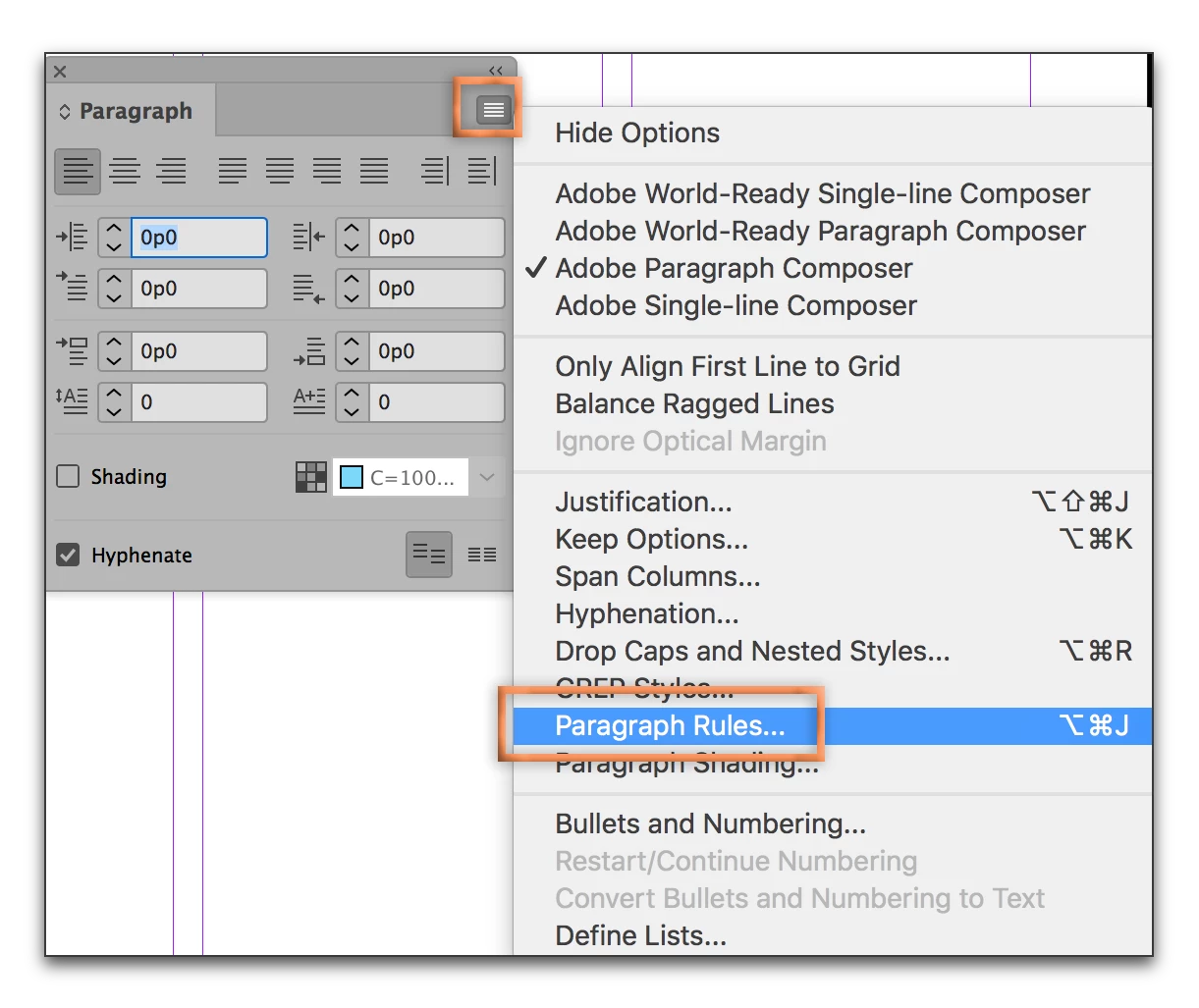
  2. Paragraph panel menu > Paragraph Rules
  3. Disable Rule Above and/or Rule Below:

5 replies

ayoubdebabi
Participating Frequently
March 16, 2025

Sometimes texts can hold both of them: Rule Above & Rule Below.
Make sure remove them all!


dorinem38708703
Participant
May 18, 2018

but where do i find the paragraph menu? i can't find it!

Barb Binder
Community Expert
Community Expert
May 18, 2018

Hi dorinem38708703:

Window > Type & Tables > Paragraph > Paragraph panel menu > Paragraph Rules

~Barb

~Barb at Rocky Mountain Training
Participant
December 1, 2022

It worked! Thanks so much! I imported a program from Word and lines appeared on every page in InDesign.

Barb Binder
Community Expert
Barb BinderCommunity ExpertCorrect answer
Community Expert
August 28, 2017

So, click in the text with the Type tool

  1. Edit > Select all
  2. Paragraph panel menu > Paragraph Rules
  3. Disable Rule Above and/or Rule Below:
~Barb at Rocky Mountain Training
Participant
September 18, 2017

Thank you SO much, this has been driving me INSANE. Any clue what it is about the word doc would turn those on in Indesign?

BobLevine
Community Expert
Community Expert
September 18, 2017

Tough to say without seeing the files but it could be due to the default paragraph setting in InDesign.

BobLevine
Community Expert
Community Expert
August 28, 2017

Those look like paragraph rules.

Inspiring
August 28, 2017

May be there is an Underline character, try to reset the Character Style to [None]