
Inspiring
June 30, 2018
Answered

Black lines with placing text

  • June 30, 2018
  • 3 replies
  • 5327 views

Hello everyone,

My first post here...

I am using command-D to choose a DOCX file and place into InDesign.

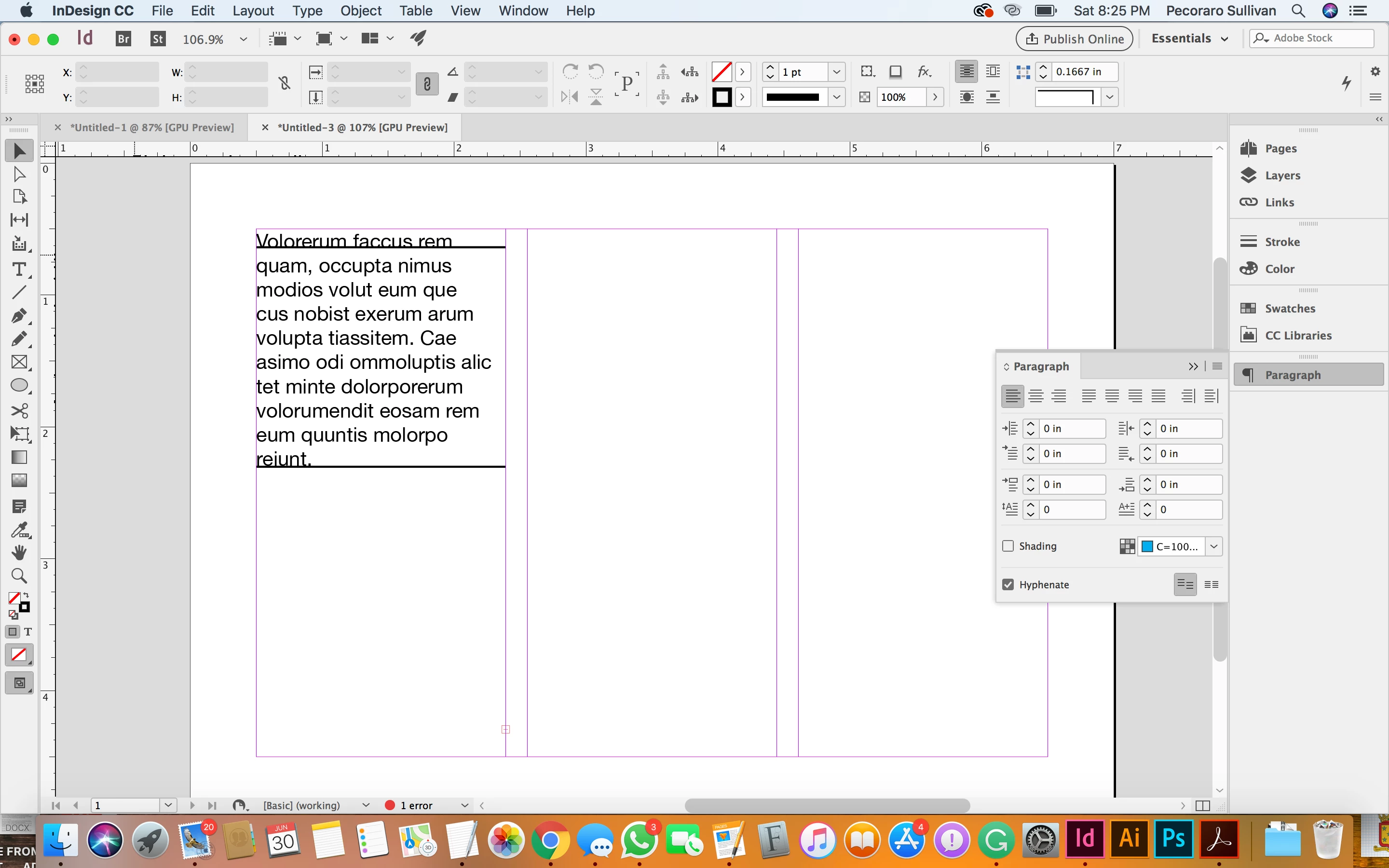
Apparently, its creating two thick horizontal bars and the text stops there even though I know that the DOCX is a pretty lengthy file.

Any help fixing this issue will be greatly appreciated.
    This topic has been closed for replies.
    Correct answer chi wail72431016

    Thanks mate! That worked...

    I just wanted to know if there's some global setting to (1) remove paragraph rules and  (2) enable paragraph starting anywhere so that it applies to anything everything this point onward, even if I start a new file.

    I just don't like doing this over and over again every time I place a docx file. It gets kind of annoying.

    I can live with it, however...

    3 replies

    Inspiring
    June 30, 2018

    Ok, guys I have done everything you asked. I first used command-d to load a docx file. then placed it into my indesign doc. It looked like figure 1. Then I went to paragraph>turned both rules off, and then it looked like figure 2. It wouldn't load the rest of the content of docx file.

    Very frustrated...

    Here's the link to the docx, for whatever it's worth

    indesign docs.docx - Google Drive

    And here is the screencast

    indesign problems.mov - Google Drive 

    Scott Falkner
    Community Expert
    Community Expert
    June 30, 2018

    It did load the rest of the document. If you look at the bottom of the text frame (it is not visible in the screen shots) you will see a red + at the bottom right. This indicates there is overset text. Press Shift when you place the text and InDesign will insert pages until all the text is placed.

    So, why is the text not showing on the page when there appears to be plenty of room? There are too many possible reasons to list all of them, but since I have placed the file and examined the text I can tell you. The Body paragraph style is defined so that each paragraph starts on a new page. Select all the text, open the Keep Options dialogue (⌘-Option-K) and change the Start Paragraph option. Better yet, edit the Body Paragraph Style, as I have done.

    Jongware
    Community Expert
    Community Expert
    July 1, 2018

    Too much text and too little images in my suggestion? Seems a clear case of "too long, didn't read"

    happie_97
    Community Expert
    Community Expert
    June 30, 2018

    Did any of the suggestions help or resolve your issue? If so, please update the forum so that we can assist you further, if needed.

    Steve Werner
    Community Expert
    Community Expert
    June 30, 2018

    It's likely that Paragraph Rules are turned on.

    Click in the paragraph where they're occurring. From the Control panel or Paragraph panel menu, choose Paragraph Rules to check. They could either be a Rule Above or a Rule Below:

    Inspiring
    June 30, 2018

    I tried that, and I am able to uncheck the rules below and above. Although the text still doesn't flow beyond that point. If i import another docx file and repeate, it creates another set of rules. I wish I could turn off those rules by default and have the text just flow....

    BobLevine
    Community Expert
    Community Expert
    June 30, 2018

    Check for paragraph shading, too. I just finished a project where I saw this a lot.