
Participant
October 20, 2023
Answered

Bleed on spreads with facing pages not overlapping

  • October 20, 2023
  • 3 replies
  • 597 views

I'm preparing a book for printing that has images going from one page to another and it's pages are gonna be bound and glued, but the pages are not overlapping in the middle automatically so the images won't get cut. Aparently InDesign should do it when I export/print as PDF, but is just not happening. I tried creating a new document from scratch but still no overlapping. The bleed is 3mm on all sides, I also tested using a inner bleed of 10mm to see if the problem was that it was too small, but no change still. Also tried changing from spreads to pages (as suggested in one of the websites I found) in the export window.... nothing. Not sure what I'm doing wrong.

This topic has been closed for replies.
Correct answer rob day

Also tried changing from spreads to pages (as suggested in one of the websites I found) in the export window.... nothing. Not sure what I'm doing wrong.
 

Correction: folded* and glued, not bound.


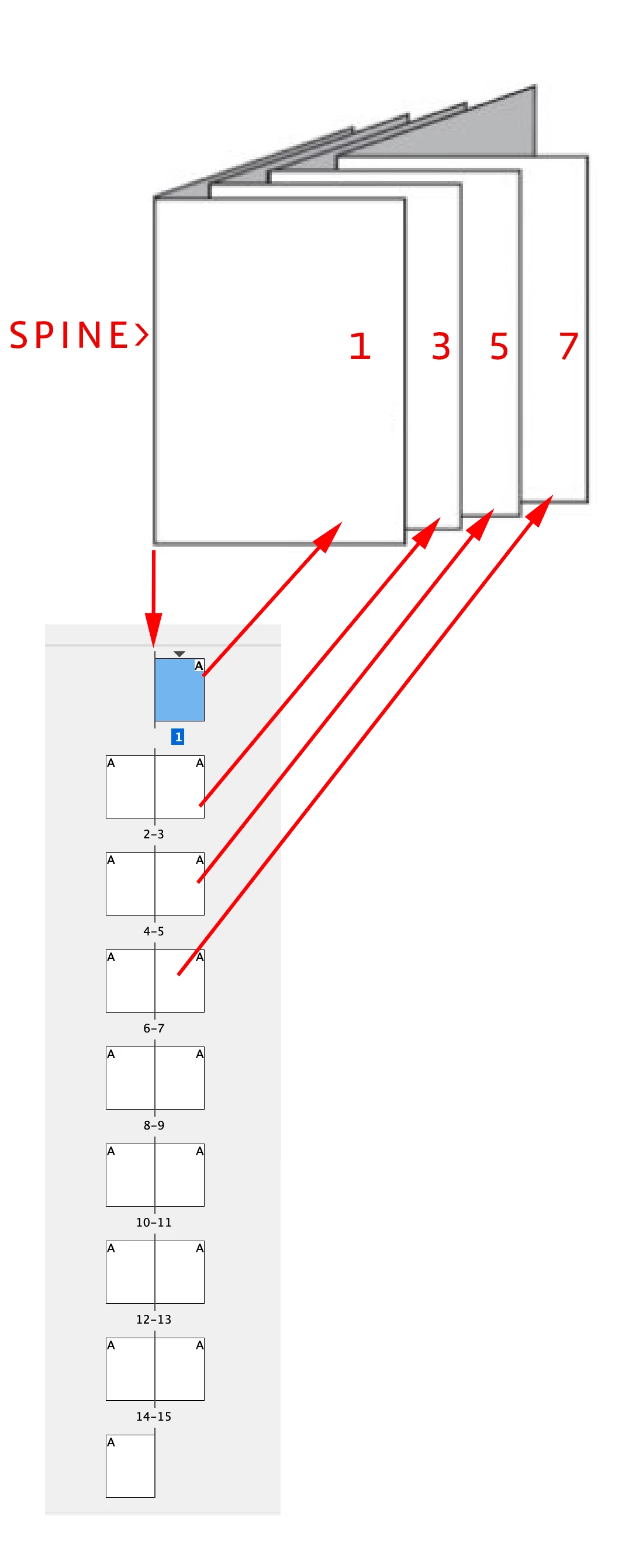
Hi @Zakhrii , With  bindings like saddle stitch and perfect binding where the signatures are folded and gathered, the inside bleed has to be removed when the printer imposes the pages because the fold is on the spine not the bleed.


Also your printer will not want spreads because the pages have to be rearranged with the imposition:


https://en.wikipedia.org/wiki/Imposition


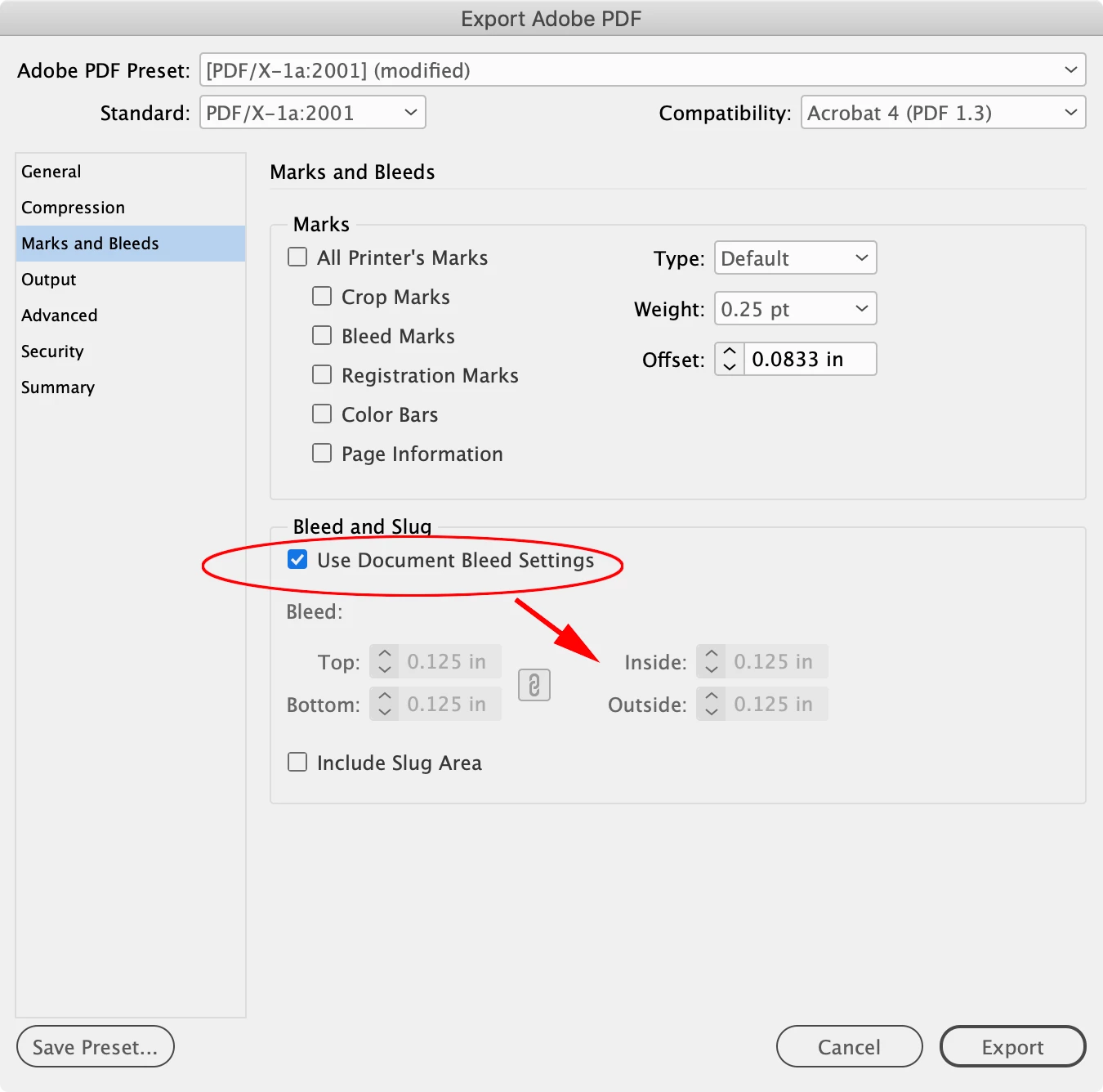
And, when you Export there is an option to use the Document Setup bleeds or a custom setting


3 replies

rob day
Community Expert
rob dayCommunity ExpertCorrect answer
Community Expert
October 22, 2023

Also tried changing from spreads to pages (as suggested in one of the websites I found) in the export window.... nothing. Not sure what I'm doing wrong.
 

Correction: folded* and glued, not bound.


Hi @Zakhrii , With  bindings like saddle stitch and perfect binding where the signatures are folded and gathered, the inside bleed has to be removed when the printer imposes the pages because the fold is on the spine not the bleed.


Also your printer will not want spreads because the pages have to be rearranged with the imposition:


https://en.wikipedia.org/wiki/Imposition


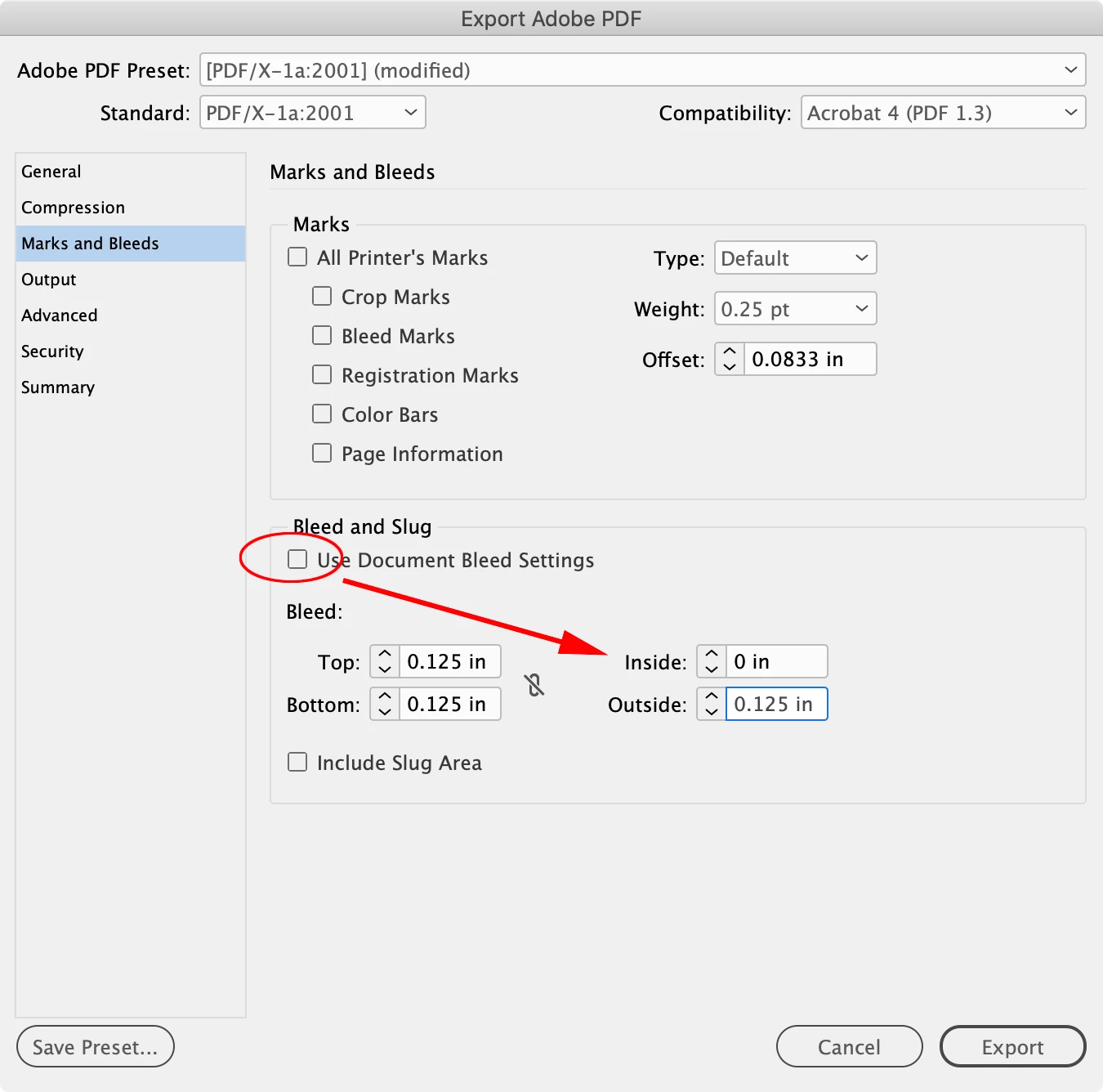
And, when you Export there is an option to use the Document Setup bleeds or a custom setting


Peter Spier
Community Expert
Community Expert
October 20, 2023

First, inner bleed is taken from the edge of the opposite page of the spread.

Second, in most cases inner bleed is really not required.

Third, impossible to tell what you are doing wrong, if anything, without knowing what your export settings are...

ZakhriiAuthor
Participant
October 20, 2023

Correction: folded* and glued, not bound.