Participant
March 4, 2020
Answered

Blurring text in InDesign

  • March 4, 2020
  • 2 replies
  • 21281 views

Hi Everyone!


I'm wondering if there is a way to blur my text in InDesign. I want my design to look intact but the text to be unreadable.

TIA!!!


Erin

This topic has been closed for replies.
Correct answer barbara_a7746676

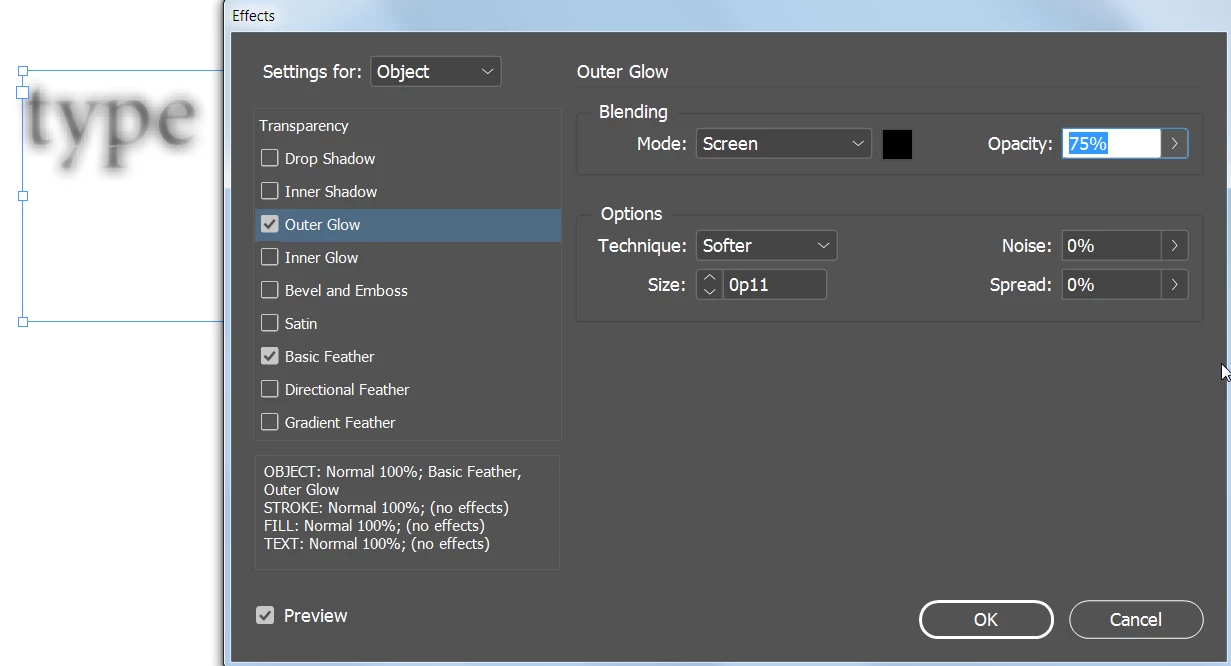
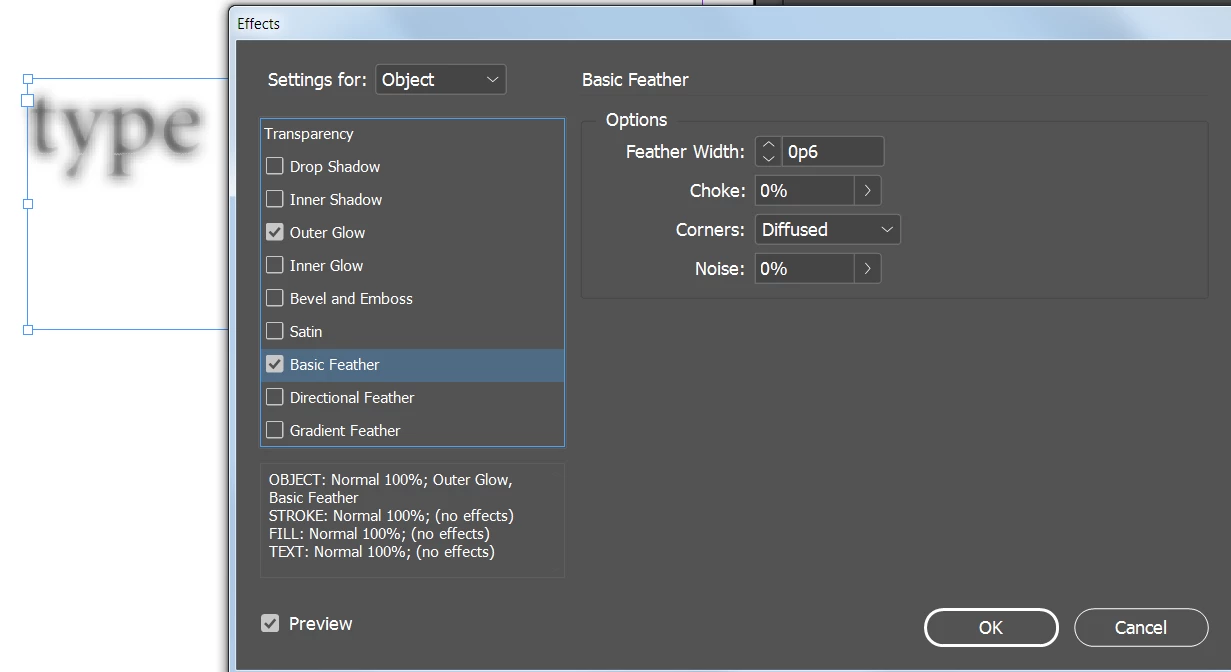
You could select the text with the black arrow Selection tool and try experimenting with settings similar to this. 
2 replies

barbara_a7746676
Community Expert
barbara_a7746676Community ExpertCorrect answer
Community Expert
March 5, 2020

You could select the text with the black arrow Selection tool and try experimenting with settings similar to this. 

grodmohamed
Participant
January 21, 2022

Very helpful, Thanks

Steve Werner
Community Expert
Community Expert
March 5, 2020

Why would you want to do that? Basically, that's not possible in InDesign. You could save an InDesign page/spread as a PDF file, and open it in Photoshop and blur it there.

Participant
August 3, 2020

For example, ad agencies often need to send an example document to a client but don't want them to see the details for confidentiality reasons. Hopefully, you would be smart enough to export the final as a secure PDF in this example so they can't go back and reverse engineer the PDF.

Davezilla, Illustrator
Luke Jennings3
Community Expert
Community Expert
August 4, 2020

Dave makes a good point here, type blurred per Barbara's method will be illegible, but still selectable in Acrobat. I was going to suggest first outlining the type, but if the PDF were opened in illustrator, the original outlines would still appear. Using security to prevent PDF editing can be defeated. So Steve's suggestion to produce an image of the type may be the best option when security is paramount. Other options would be to use bogus names and numbers, or redact the PDF in Acrobat.