
Inspiring
July 11, 2018
Question

Blurry/fat text in Indesign vs Acrobat

  • July 11, 2018
  • 5 replies
  • 9159 views

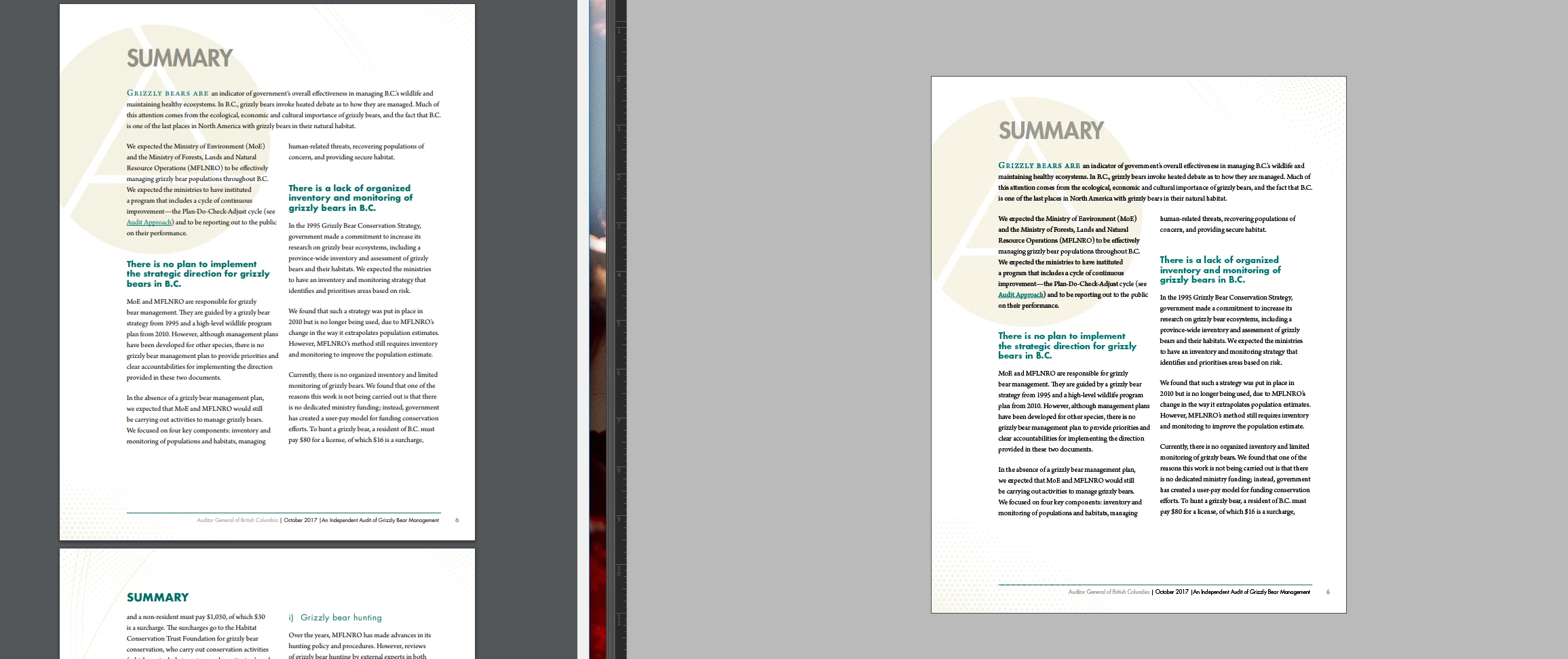
I've found that the text in IndesignCC is fat/blurry. See compared to the same file output in Acrobat. See photo, Acrobat on the left and Indesign on the right.

IndesignCC 13.1
Windows 10
NVidia Graphic

Any idea why this would be happening and how to fix it?
This topic has been closed for replies.

5 replies

Participant
April 21, 2021

Having the same problem...   ...almost!

On all, ALL, InDesign project that I do everything is fine until my last page. The text on those last page seem non-anti-aliased. When I export those documents, the fonts on the last page are all weird/fuzzy. I've search solution and tried all of them, and nothing work!


I'm working on Windows10!

Jeff Witchel, ACI
Community Expert
Community Expert
July 13, 2018

Can you upload screenshot the is more zoomed in on the text? I see no difference in the screenshot you uploaded before.

Inspiring
July 14, 2018

Here it is at 150%.

Jeff Witchel, ACI
Community Expert
Community Expert
July 15, 2018

So, is there anything that can be done about anti aliasing? I guess I want to know if there is something wrong with Indesign or my computer's settings or is that just the way it is? I'm used to an iMac 5K at work and maybe I'm just spoiled by that? Are my expectations for crisp text on a 2560x1440 out of line? If I was to get a higher resolution monitor  (say 3840 x 2160) would that make the text more crisp? I'm just concerned that because I'm running Windows 10 that it can't take advantage of those pixels and it's money wasted?


You can turn Anti-aliasing on and off in the Display Performance section of Preferences.

BobLevine
Community Expert
Community Expert
July 11, 2018

Do you have any scaling set in the operating system? Is the monitor running at its native resolution? Is it a single monitor or dual monitors? Finally, what version of Windows 10 are you running?

Inspiring
July 12, 2018

Scaling is set at 100% and the monitor is running at native resolution 2560x1440 pixels. It is a single monitor and it is Windows 10 Pro (most recent build)

Is 2560x1400 just a bad resolution for a 32 in monitor???

BobLevine
Community Expert
Community Expert
July 12, 2018

I have two Dell QHD monitors running at that resolution. My second one is set to 125% but the main monitor is set to 100%. When I drag panels or a file to the second monitor it’s noticeably blurry.

In your InDesign prefs, do you have UI scaling turned on?

Colin Flashman
Community Expert
Community Expert
July 11, 2018

A client of mine had a similar issue last year. This thread may help:

InDesign runs at a weird resolution - Microsoft Community

If the answer wasn't in my post, perhaps it might be on my blog at colecandoo!
Inspiring
July 11, 2018

Well this was certainly something I didn't know about so thank you for pointing it out. I tried a couple of the setting suggested but nothing seemed to change! I'm starting to wonder if I'm just crazy.

Derek Cross
Community Expert
Community Expert
July 11, 2018

Try this in InDesign: View > Display Performance > High Quality Display.

If that works, do it with no documents open and it will become the default setting.

Inspiring
July 11, 2018

Hi there,

Thanks for the suggestion but I think that command only impacts images and not the actual text. (I tried it and it did not impacts the text at all) The text really seems to be the problem here.

Derek Cross
Community Expert
Community Expert
July 11, 2018

Go to the Layers panel, and ensure the text Layer is moved to the top (you can use the twirl down to reveal the layers).