Participant
October 25, 2022
Answered

Blurry PNG/TIF in PDF after exporting from indesign

  • October 25, 2022
  • 3 replies
  • 2503 views

I have created signage for an event, and the logo is comprised of vector and png files. 

Until today it was exprtong for print beutifully. I open it today, and the png files are all blurry apon export. in the id file they are clear and linked. 

please help. 

This topic has been closed for replies.
Correct answer Elky267851342yl6

I called adobe and they helped me, the answer was that the downsampling.
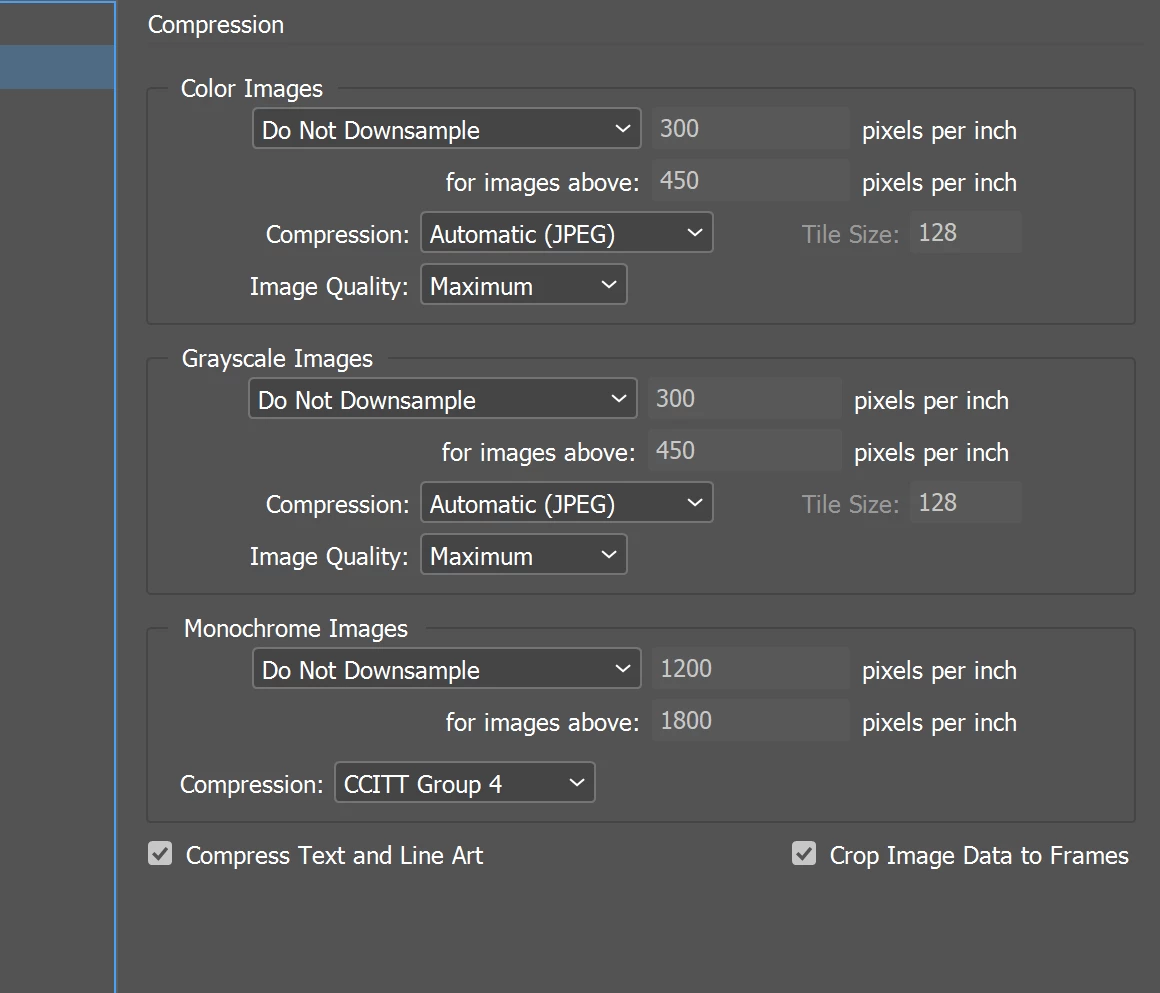
 

Should look like this not, Bicubic which is the standard setting.

Thanks all for your help!


3 replies

Elky267851342yl6AuthorCorrect answer
Participant
October 25, 2022

I called adobe and they helped me, the answer was that the downsampling.


Should look like this not, Bicubic which is the standard setting.

Thanks all for your help!


Willi Adelberger
Community Expert
Community Expert
October 25, 2022

The image comes from Illustrator. Don't place a PNG, place the AI file.

Inspiring
October 25, 2022

Hi @Elky267851342yl6,
Kindly cross-check the Export Adobe PDF setting.

Especially color images PPI and image quality.


Participant
October 25, 2022

my setting are exactly the same and still coming out blurry.

Thanks tho

Bill Silbert
Community Expert
Community Expert
October 25, 2022

Your screenshot shows that you have modified the default High Quality preset. What did you modify? I compared your compression tab that you showed to the default for that preset and don't see any deviation there. So could you either say what has been modified or post screenshots of the other tabs of your Export Adobe PDF dialog so your full process can be shown?
