
neoguy32
Known Participant
June 24, 2019
Answered

Book Export help

  • June 24, 2019
  • 3 replies
  • 962 views

I am looking for a script that will enable me to export an Indesign book to single pdfs but keep their file names.

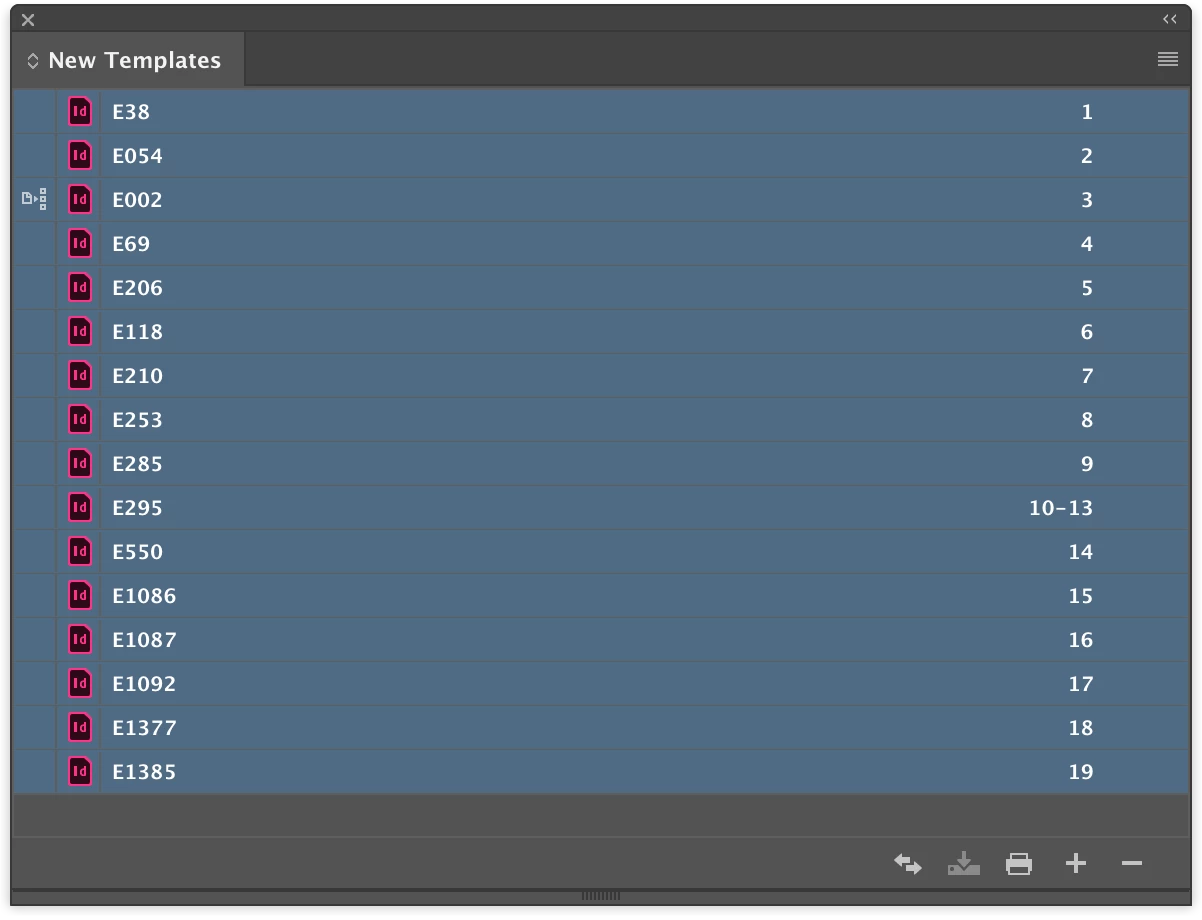
I want a group of documents to be in a book, but when I export the book the documents are outputting as the file name they are with any prefixes or suffixes.

So the indesign document is:

E38.ind

goes to

E38.pdf

But for an entire book
This topic has been closed for replies.
Correct answer Sunil Yadav

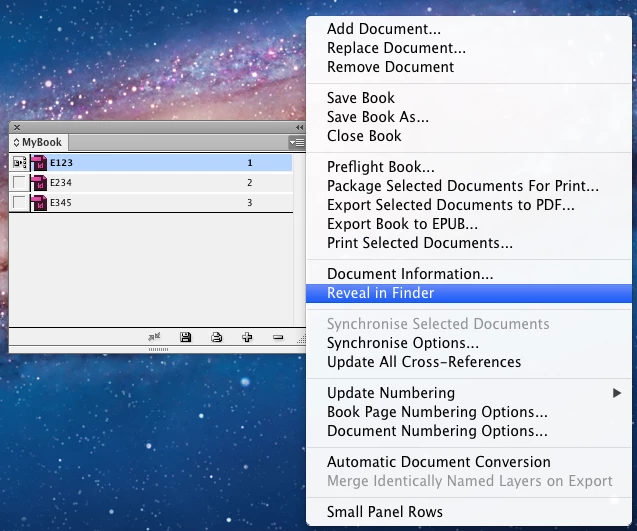
If you select all document or any document inside book,

Options for exporting will change from above screenshot to this below screenshot.

So If you are willing to export from application only, try not to select any of the document.

Or else try that code.

Code will work independent of your selection whether you've selected any document or not

Best

Sunil

3 replies

Community Expert
June 29, 2019

Here another script by Peter Kahrel: pdf_individuals.jsx

Export individual book documents to PDF | Peter Kahrel

That should do perfectly what you want.

Regards,
Uwe

Community Expert
June 27, 2019

Hi ,

see into this script by Peter Kahrel:

Export individual book documents to PDF | Peter Kahrel

A quote from Peter's website:

Book or document

If there's a document open, the script assumes you want to export that document, even if there is a book open.

If there are one or more books open and no documents, the script assumes that you want to export the book.

So open just some documents or all documents of the book file and the script will export the open documents of the book one by one as single PDFs. My assumption, not tested.

Regards,
Uwe

Sunil Yadav
Legend
June 24, 2019

Hi neoguy32​,

Instead of seleting, don't select any document.

Don't select any document inside your book, and you will find the option to export book as pdf just like the below screenshot.

Using this you can easily export all document in single pdf.

Otherwise you can this below code as well for your reference:

app.books[0].exportFile(ExportFormat.PDF_TYPE, File(app.books[0].filePath + "/" + app.books[0].name.replace(".indb",".Pdf")), false);

Best

Sunil

Sunil Yadav
Sunil YadavCorrect answer
Legend
June 24, 2019

If you select all document or any document inside book,

Options for exporting will change from above screenshot to this below screenshot.

So If you are willing to export from application only, try not to select any of the document.

Or else try that code.

Code will work independent of your selection whether you've selected any document or not

Best

Sunil

neoguy32
neoguy32Author
Known Participant
June 27, 2019

What do I do with the code?