
Inspiring
February 21, 2021
Answered

bookmarks from TOC not visible across the book

  • February 21, 2021
  • 2 replies
  • 609 views

Hi guys,


I have a book, containing 5 documents. The first document has a TOC with the options: create PDF bookmarks and Include book documents switched on.

So my TOC covers chapters from all documents.


I need to jump between documents to certain chapters. (Eg from document 4 to doument 2, chapter x)

My idea was to create a button in the "starting" document and use bookmarks generated by TOC automatically.


To my suprise however, the TOC bookmarks from the first document are not visible in other documents.

That means there is no bookmarks in the bookmarks panel, and correspondingly no bookmarks in the destination field of the buttons and forms panel.


It is a bit weird, beacause when I create a bookmark manually (in doc 2), it is being visible in doc 4.

So what is the reason TOC is not visible !? (question no 1)


Anyway I was playing a little and made TOC with the option make text anchor ion the source paragraph ON.

And I got sth like this;
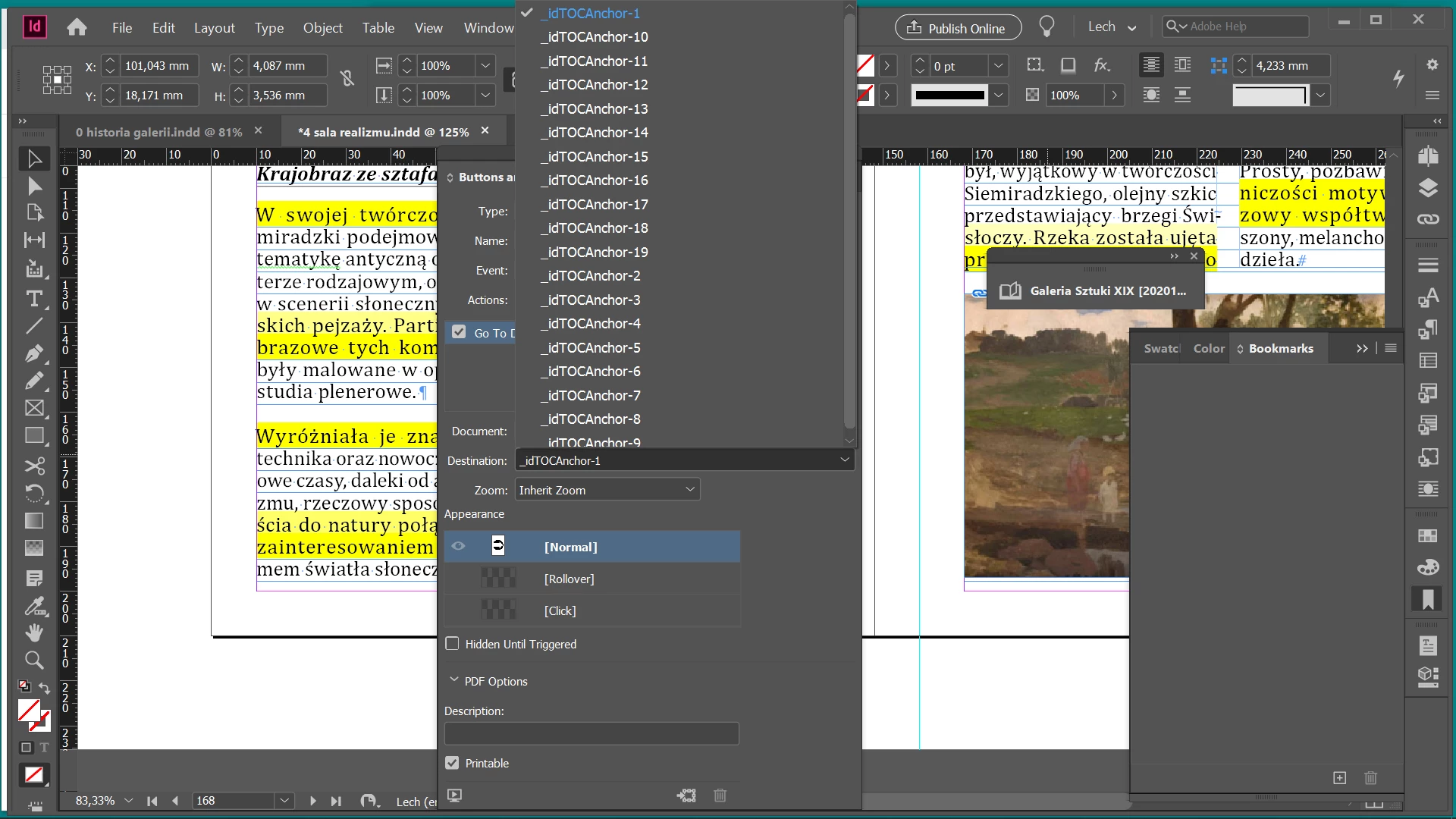


Whai is this and how can I delete this? (question 2)


I decided to create TOC in all of my docs, placing it on a pastebord.

But even if I see the bookmarks in the bookmarks panel, I still cannot see these bookmarks in the destination field of buttons and form panel. Why? (question 3)
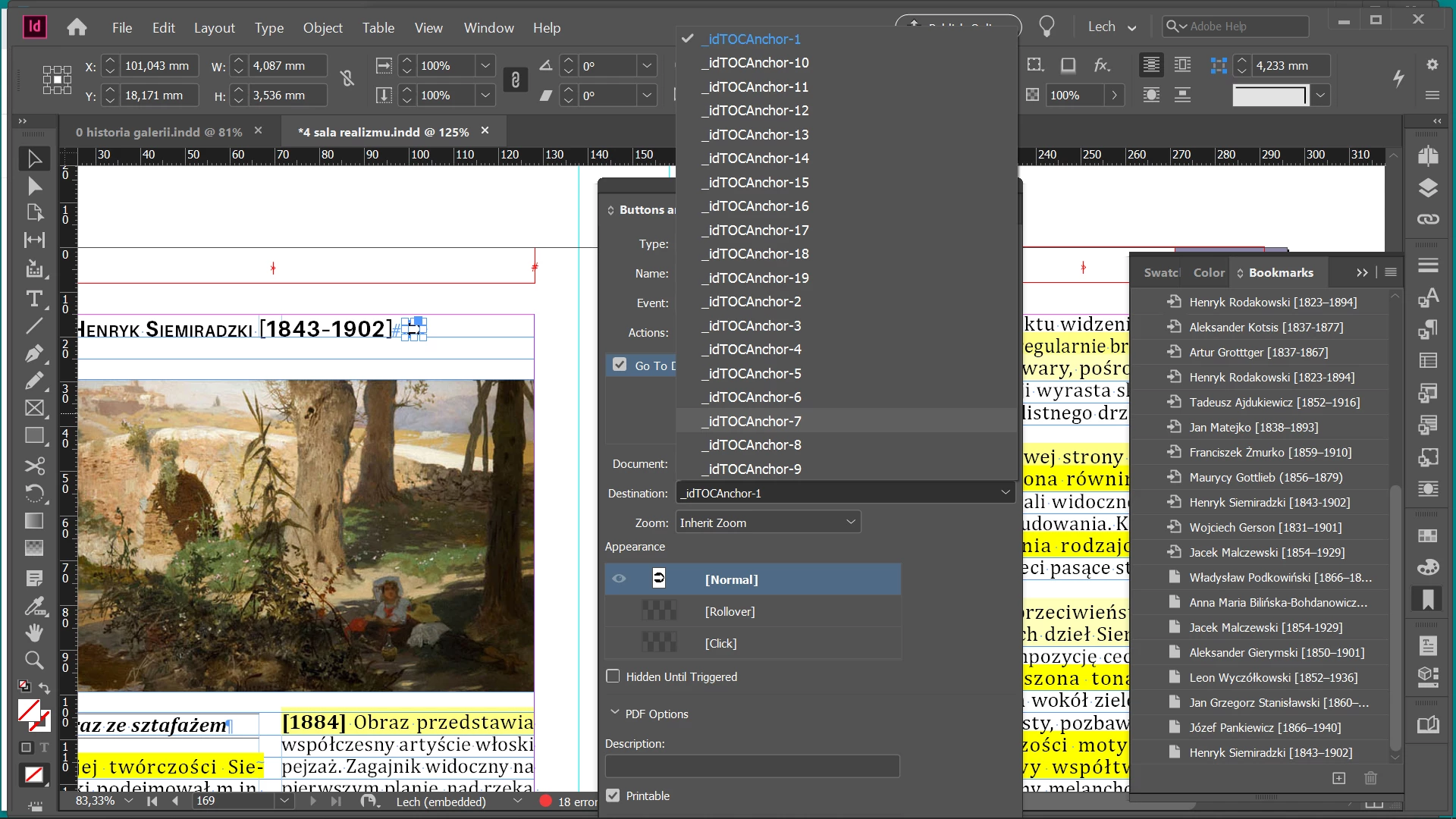


Is there a way to use the TOC bookmarks across the book rather then creating them manually?

thanks.

This topic has been closed for replies.
Correct answer Laubender

Mike said: "I need to jump between documents to certain chapters. (Eg from document 4 to doument 2, chapter x)

My idea was to create a button in the "starting" document and use bookmarks generated by TOC automatically."


Hi Mike,

what should work: use hyperlinks instead of bookmarks.

First create page destinations in all documents of your book using the Hyperlinks Panel.

Then create hyperlinks with text selected that point to the page destinations you created in the other documents.


When in the Hyperlinks Panel with a hyperlink selected you could jump to the destination of that hyperlink, in your case a page in one of your documents you organize with your InDesign book file.


From the help pages, scroll down to:

Create a hyperlink to a page
https://helpx.adobe.com/in/indesign/user-guide.html/in/indesign/using/hyperlinks.ug.html


Also see:

Go to a hyperlink source or anchor

if you scroll further.


Regards,
Uwe Laubender

( ACP )

2 replies

LaubenderCommunity ExpertCorrect answer
Community Expert
February 23, 2021

Mike said: "I need to jump between documents to certain chapters. (Eg from document 4 to doument 2, chapter x)

My idea was to create a button in the "starting" document and use bookmarks generated by TOC automatically."


Hi Mike,

what should work: use hyperlinks instead of bookmarks.

First create page destinations in all documents of your book using the Hyperlinks Panel.

Then create hyperlinks with text selected that point to the page destinations you created in the other documents.


When in the Hyperlinks Panel with a hyperlink selected you could jump to the destination of that hyperlink, in your case a page in one of your documents you organize with your InDesign book file.


From the help pages, scroll down to:

Create a hyperlink to a page
https://helpx.adobe.com/in/indesign/user-guide.html/in/indesign/using/hyperlinks.ug.html


Also see:

Go to a hyperlink source or anchor

if you scroll further.


Regards,
Uwe Laubender

( ACP )

Inspiring
February 23, 2021

Thanks Uwe, appreciate your suggestion.


What still remains is what is the sense of make text anchor on the source paragraph option, and weird behaviour of TOC bookmarks anyway

Inspiring
February 23, 2021

No any tips ? 8-0