Participant
August 11, 2020
Answered

Bullets Return Tab Question

  • August 11, 2020
  • 3 replies
  • 389 views

Hi!


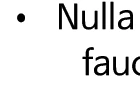
I am working on Indesign and have no idea how to resolve this issue..


I would like to use ^/ option for Text After option but have no idea how to apply same option to Return Tap.


Below is the image..


Thank you so much for your help

Have a great day 🙂 
 

This topic has been closed for replies.
Correct answer hammer0909

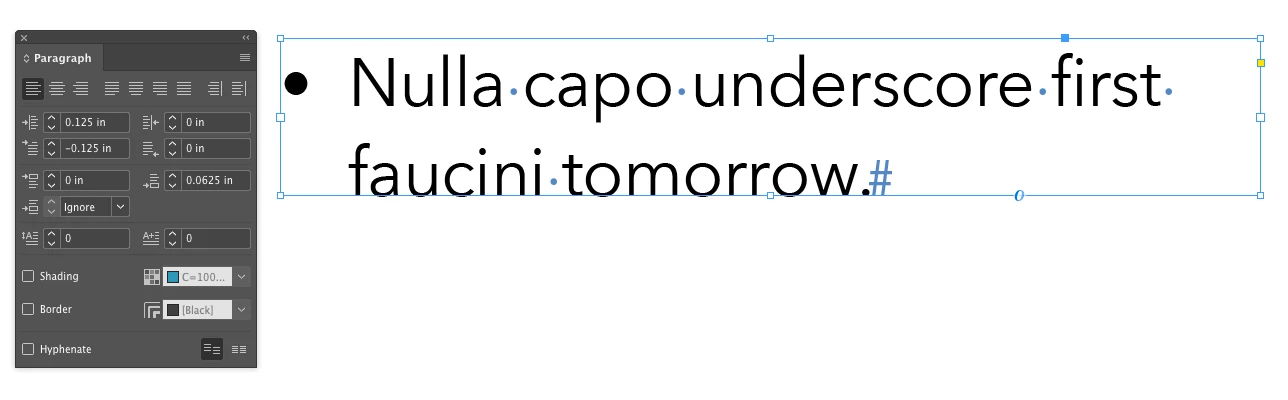
The information you provided is a bit vague but I think you're trying to use cmd/ctrl + \ to align the second line of a bulleted item with the text above. This is an old-school QuarkXpress approach and is no longer needed. To get the bullet aligned properly, you'll want to apply a positive left indent to the paragraph which will push all of the text to the right. Then use a negative first line indent to push the text of the first line back to the left getting the text to align. Typically the values are the same but one value (left) is positive, and the other (first line) is negative. See screen shot below.


3 replies

hammer0909
Community Expert
hammer0909Community ExpertCorrect answer
Community Expert
August 11, 2020

The information you provided is a bit vague but I think you're trying to use cmd/ctrl + \ to align the second line of a bulleted item with the text above. This is an old-school QuarkXpress approach and is no longer needed. To get the bullet aligned properly, you'll want to apply a positive left indent to the paragraph which will push all of the text to the right. Then use a negative first line indent to push the text of the first line back to the left getting the text to align. Typically the values are the same but one value (left) is positive, and the other (first line) is negative. See screen shot below.


Participant
August 17, 2020

Hi!

Thank you so much for understanding my vague question and helped me out.

Now I know how to use it 🙂


Have a great weekend!!

vladan saveljic
Inspiring
August 11, 2020

I did not understand the question.
Could you please explain better your issue?

Community Expert
August 11, 2020

Can you rephrase the question as I don't know what you mean?