

Lordrhavin
Inspiring
February 12, 2024
Question

Can I let InDesign remove implicit text frame padding?

  • February 12, 2024
  • 1 reply
  • 317 views

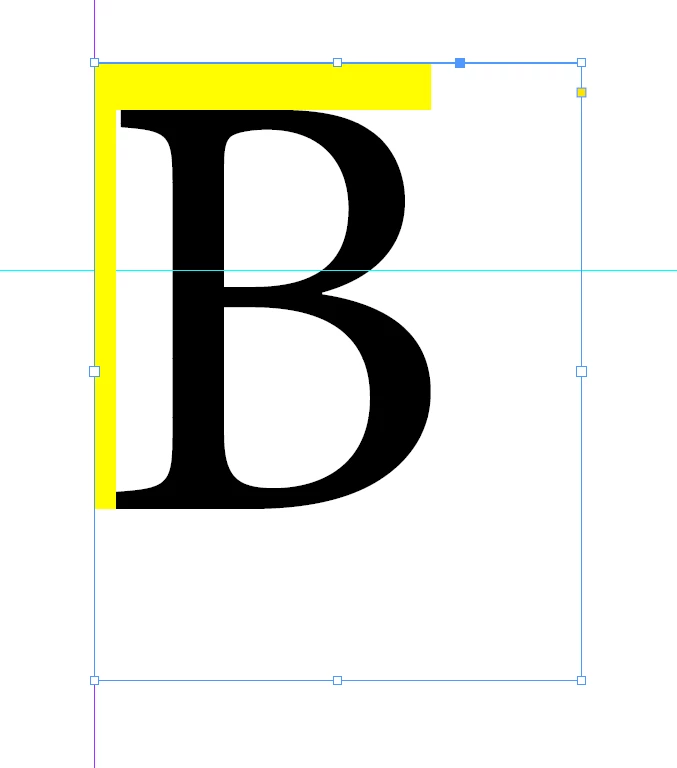
Is there an easy way to get rid of implicit text padding in text-boxes, without making the text a curve or nudging with the offset-settings?
I know that this comes from the Font itself, but it would be nice if there would be a setting to let the box look for the actual glyphs.
This topic has been closed for replies.

1 reply

Willi Adelberger
Community Expert
Community Expert
February 12, 2024
  1. You should never outline any text in InDesign. It is a no-go except for graphical reasons.
  2. At the top you can choose the baseline settings in the text frame properties (cmd+B). Use Cap Height to start with.
  3. To the left or the right use optical alignment in the story panel.
  4. Did you consider to use paragraph frames if you want to get visible frames with curves close to letters.
Lordrhavin
Inspiring
February 12, 2024

I dont understand your answer 😄

It is the yellow areas, the implicit padding, that I want to get rid of. And as this might later be an automatically filled in text, it would be nice if it would be on base of the real glyphs. What you mean with "You should never outline any text in InDesign" in the context of my question eludes me.

Cap heigt works with B but then not with Ä for example.