
Can I modify how a link is created in InDesign?
OK, I had trouble wording the title so it made sense. Here's the issue. I create documents in InDesign. At the top of each page, is a list of "chapters" that are links. So in InDesign, I create hyperlinks that take you to a different page in the document, depending on what link you click on. When I export the document as a pdf, these links work fine. However, someone else then takes that pdf and merges it (using a program called "Select PDF," if that's relevant). When that happens, the links no longer work.
We did a test, and realized that if I create the links in Acrobat when the InDesign file has already been exported as a pdf... THOSE links work. So I found the "style" or "type" of links are different, when you look at them (see image below). The ones created by Acrobat are "cleaner."
Putting in all the links on all pages by hand in Acrobat is not a good solution. It would take me a long time to do ONE report... and I have to do many reports. So my question is, how can I create "cleaner" links from InDesign... that are similar to the ones created in Acrobat.
I'm using the Creative Cloud Suite on an iMac, just FYI.
julie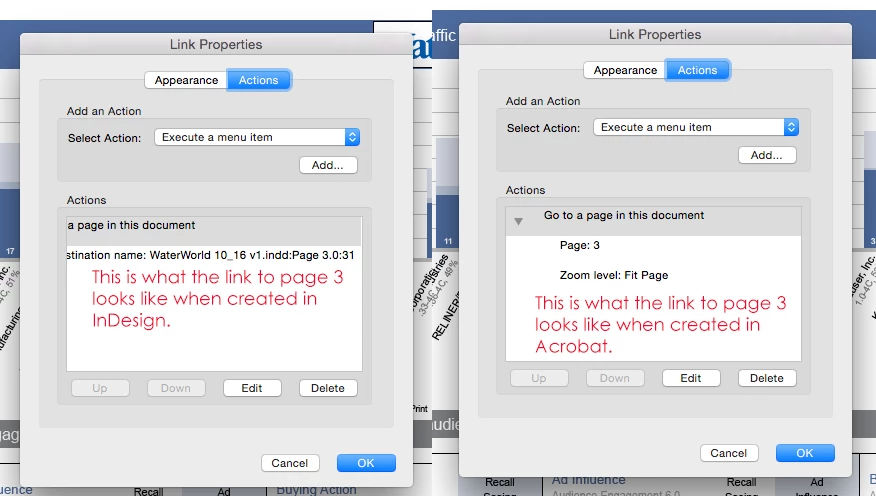
 AdChoices