
.Buko.
Known Participant
November 28, 2017
Answered

Can ID 2018 rotate the canvas/artboard yet?

  • November 28, 2017
  • 1 reply
  • 8314 views

Can ID rotate the canvas/artboard yet?

    This topic has been closed for replies.
    Correct answer Laubender

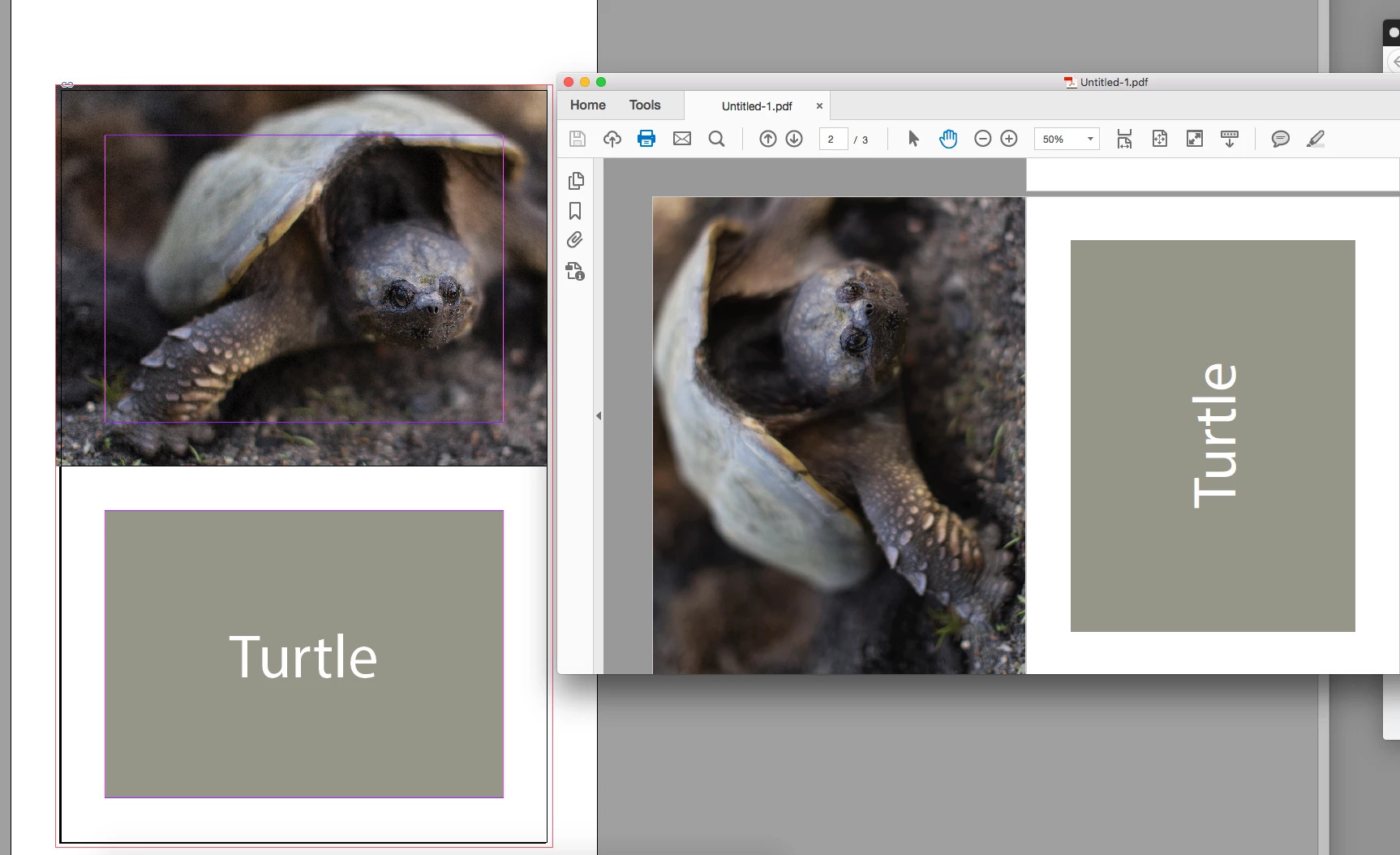
    Just in case it isn't clear when you rotate a page via the pages panel or view menu, you aren't actually rotating the page, just the page view—so it's useful for something like a calendar where the spine is on the top edge.

    The page view rotation was added to CS4 in 2008.

    If you export the pages will be at the 0 degree rotation:

    Hi together,

    it's also possible to rotate the actual page:

    1. Select a page with the Page Tool

    2. Then use menu command: Object > Transform > Rotate

    Regards,
    Uwe

    1 reply

    Barb Binder
    Community Expert
    Community Expert
    November 28, 2017

    InDesign uses pages. You can change the page size and orientation of one or more pages with the Page tool, but it doesn't rotate the content. However, you can easily select the contents and rotate it. And you can temporaily rotate the spread via the Pages panel for ease in editing.

    What's the goal here?

    ~Barb at Rocky Mountain Training
    .Buko.
    .Buko.Author
    Known Participant
    November 28, 2017

    yeah thats what I thought they haven't included it yet. something we've been asking for since version 2.

    LaubenderCommunity ExpertCorrect answer
    Community Expert
    November 29, 2017

    Just in case it isn't clear when you rotate a page via the pages panel or view menu, you aren't actually rotating the page, just the page view—so it's useful for something like a calendar where the spine is on the top edge.

    The page view rotation was added to CS4 in 2008.

    If you export the pages will be at the 0 degree rotation:


    Hi together,

    it's also possible to rotate the actual page:

    1. Select a page with the Page Tool

    2. Then use menu command: Object > Transform > Rotate

    Regards,
    Uwe