
Participant
January 27, 2020
Answered

Can't adjust line spacing in table of content

  • January 27, 2020
  • 1 reply
  • 600 views

Hi

I'm trying to make a TOC and want to adjust the line spacing to the same level as the rest of the document. But I can't adjust it gradually. It seems like there is only to options: No line spacing or a lot. 


The rest of the document has font size 12 og line spacing 16. As soon as i raise the line spacing at the toc just a little bit, it makes the line spacing what seems to be double. What is wrong?


This topic has been closed for replies.
Correct answer vladan saveljic

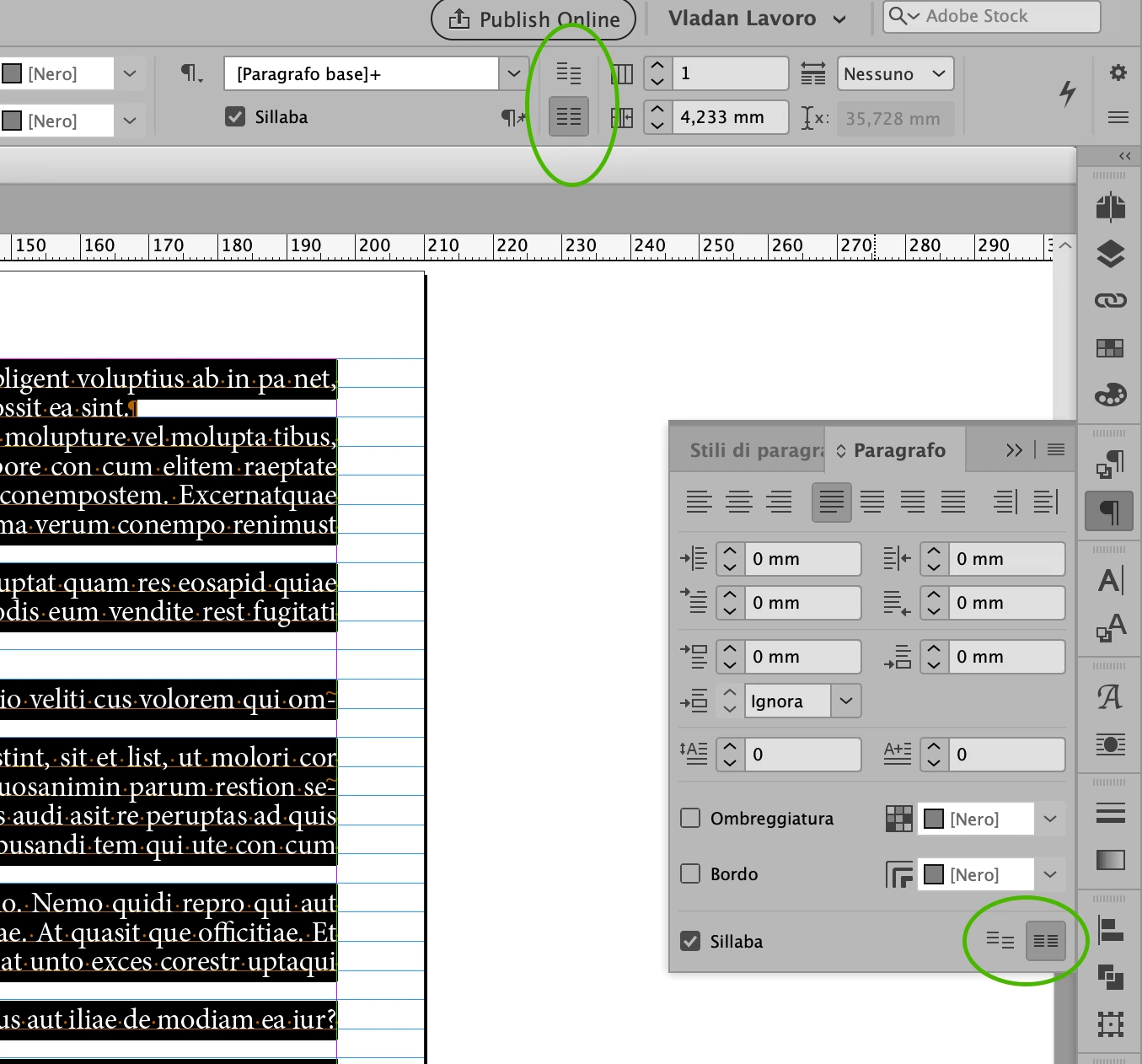
for this text you have activated the option "Align paragraph to the baseline grid".

Select your text and in the paragraph panel or control panel tick "Don't Align to baseline grid"

1 reply

vladan saveljic
vladan saveljicCorrect answer
Inspiring
January 27, 2020

for this text you have activated the option "Align paragraph to the baseline grid".

Select your text and in the paragraph panel or control panel tick "Don't Align to baseline grid"

Participant
January 27, 2020

That's it. It worked. Thanks a lot. you saved my day 🙂