
Can't Export Page Range in Indesign 2023
- August 8, 2023
- 4 replies
- 6236 views
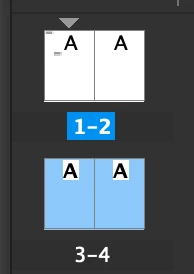
I have a document with a 4 pages, laid out as one continuous spread. It's for a big print add, so the actual (total) size is quite large (W 220” H72”). When I try to export the entire document into PDF as a spread (single page, or single page continuous), I get an error saying the The document page size exceeds the page size range supported in PDF files. So my exported PDF is cut off (the width seems to be cut off, but not the height).
Then, if I try to export only the first two pages (so, split my export in half), I am unable to choose a page range successfully. When I select Range, the only option I have in the drop down is "All Pages." And when I highlight "All Pages" and type 1-2 into the box, Indesign accepts the change but still tries to export all 4 pages anyways, resulting in the same error as above.
Can anyone help me? How do I export a design at the proper size for my printer?
 AdChoices