
Inspiring
November 25, 2020
Question

Can't get dot leaders aligned properly in INDD

  • November 25, 2020
  • 5 replies
  • 3995 views

I've put together a Table of Contents using InDesign's dot leader function, and the right indent feature (Type - Insert - Special Character - Other - Right Indent Tab). All the dots align properly on the right side, immediately before the page numbers. However, there is inconsistency with the spacing of the dots immediately following the text.
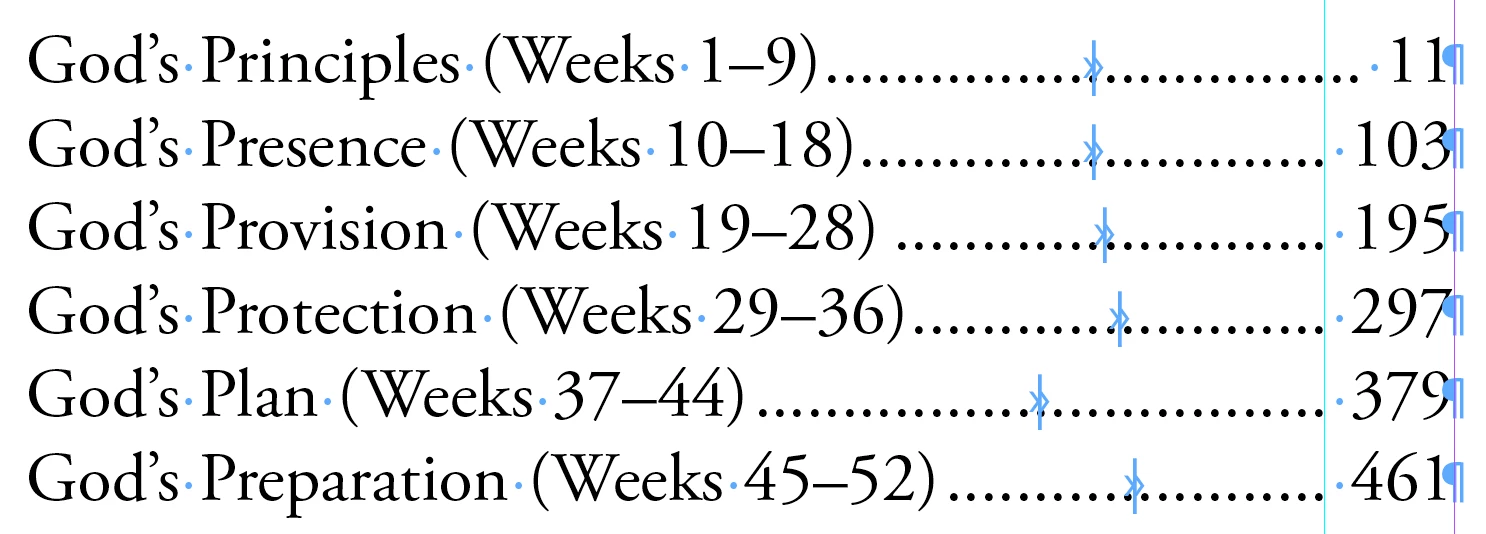
 

As you can see, some of the leader dots begin very close to the closing parentheses in the text, other have more space. 


How can I make this consistent?

This topic has been closed for replies.

5 replies

James Gifford—NitroPress
Legend
August 17, 2023

If it's of enough concern to you, you can use a tiny bit of tracking on the TOC items to adjust their width and thus their spacing from the first dot. This is only practical for fairly short TOCs, but it may be worth the tweak time as a last-step solution.

onep1xel
Participating Frequently
August 17, 2023

I have the same (similar) thing happen with lined leaders.

It's annoying – this is a design program. 

Robert at ID-Tasker
Legend
August 17, 2023

Have you tried @rob day answer?


Barb Binder
Community Expert
Community Expert
November 25, 2020

Sorry—I was lining up the right side (which is the more common concern), but you are asking about the left.


The dots need to line up in columns (see how the right side of each dot is aligned with your ruler guide), so they start closer or further from the end of the text depending on the actual characters. Mine are only lining up because I used the same words four times. That's just how it works. 


~Barb


~Barb at Rocky Mountain Training
rob day
Community Expert
Community Expert
November 25, 2020

Tab leader dots line up with each other from line to line so the space before and after the leader can’t be consistent—if the dots line up something has to give on either end:


If your preference is the have the before and after spaces be consistent, you can set a dotted underline to the Right Indent Tab. Here the before and after spacing is consistent, but the leader dots no longer line up vertically:


Barb Binder
Community Expert
Community Expert
November 25, 2020

Add a second tab. The first one (right align) will have dot leaders, the second one (also right align) won't. Note: these are right-align tabs, not right indent tabs. 


~Barb 


First right align tab with leaders:

Second right align tab without leaders:

Final with hidden characters hidden:

~Barb 

~Barb at Rocky Mountain Training