Exit
  • Global community
    • Language:
      • Deutsch
      • English
      • Español
      • Français
      • Português
  • 日本語コミュニティ
  • 한국 커뮤니티
0

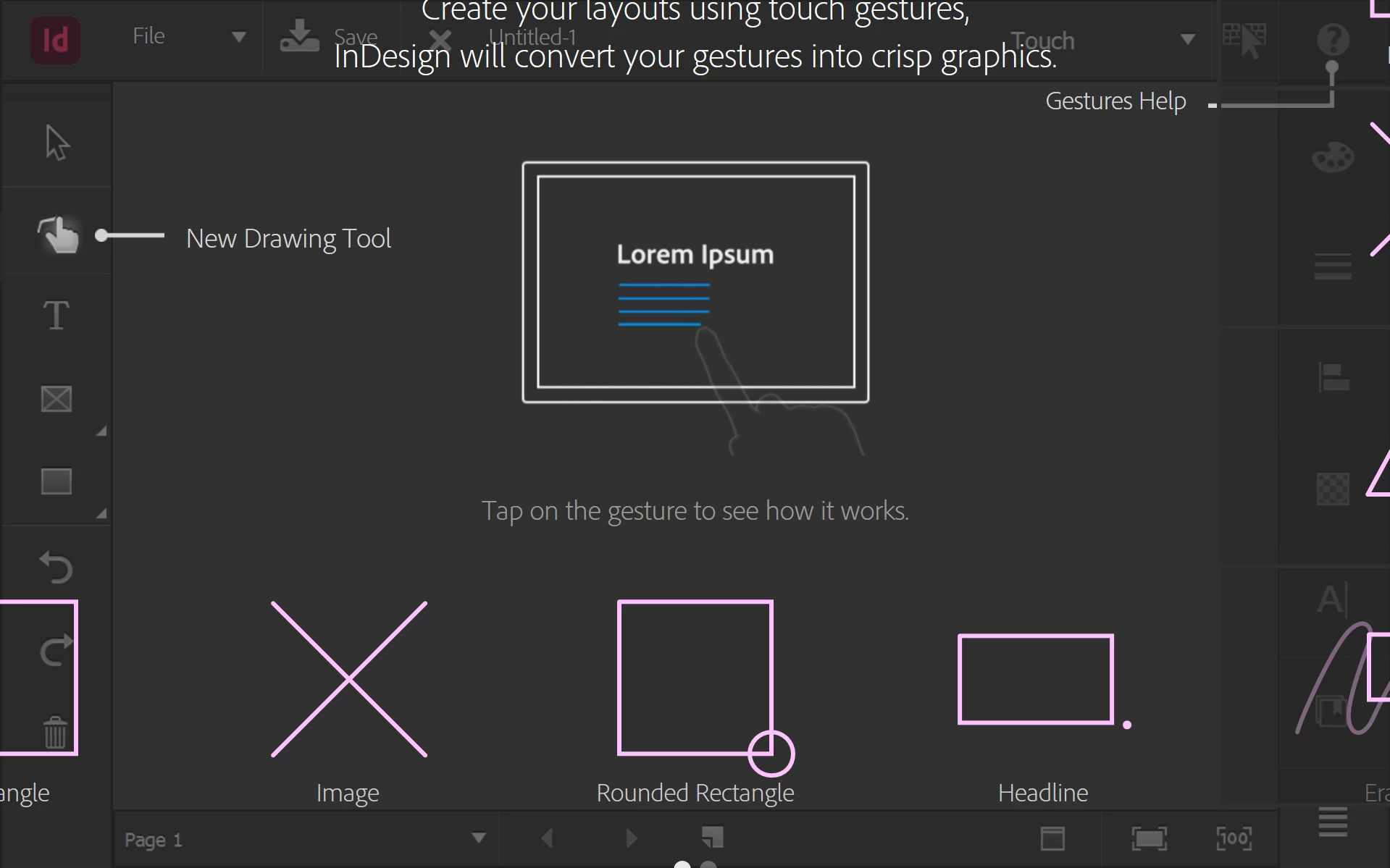
Can't get past touch mode introduction
Participant ,
Feb 04, 2025 Feb 04, 2025

Charlie329572228uvx_0-1738677376494.png


I cannot click anything. I have tried rebooting and opening an INDD file directly. Adobe, why.

TOPICS
Bug
278
Translate
Report
Community guidelines
Be kind and respectful, give credit to the original source of content, and search for duplicates before posting. Learn more
community guidelines

correct answers 1 Correct answer

Participant , Feb 04, 2025 Feb 04, 2025

thanks for the suggestions. what I had to do was scroll down on the trackpad and there was an option to skip the tour.

Translate
Community Expert ,
Feb 04, 2025 Feb 04, 2025

Open an existing INDD file (from the file manager), then change the interface mode. Known bug; there's a long topic about it here.

Translate
Report
Community guidelines
Be kind and respectful, give credit to the original source of content, and search for duplicates before posting. Learn more
community guidelines
Community Expert ,
Feb 04, 2025 Feb 04, 2025

Hi @Charlie329572228uvx ,

see my reply here from September 2023:

InDesign Stuck in "Touch" Workspace on First Launch, Unable to Click or Use Shortcuts

https://community.adobe.com/t5/indesign-discussions/indesign-stuck-in-quot-touch-quot-workspace-on-f...


So you quit InDesign by using the Task Manager?

And you tried to start-up InDesign a second and a third time without being able to end the tutorial or change the workspace to something else?

Open a document does not work in this state you see InDesign after start-up?


Hm. I would try to change the resolution of your screen in the system to more pixels.

Maybe then you could reach out for a different workspace or you could end the tutorial to set different prefernces within InDesign.


Regards,
Uwe Laubender
( Adobe Community Expert )

Translate
Report
Community guidelines
Be kind and respectful, give credit to the original source of content, and search for duplicates before posting. Learn more
community guidelines
Participant ,
Feb 04, 2025 Feb 04, 2025
LATEST

thanks for the suggestions. what I had to do was scroll down on the trackpad and there was an option to skip the tour.

Translate
Report
Community guidelines
Be kind and respectful, give credit to the original source of content, and search for duplicates before posting. Learn more
community guidelines