

Document Geek
Community Expert
Community Expert
August 3, 2021
Answered

Can't install plugins because Apple can't check them for malicious software

  • August 3, 2021
  • 2 replies
  • 2104 views

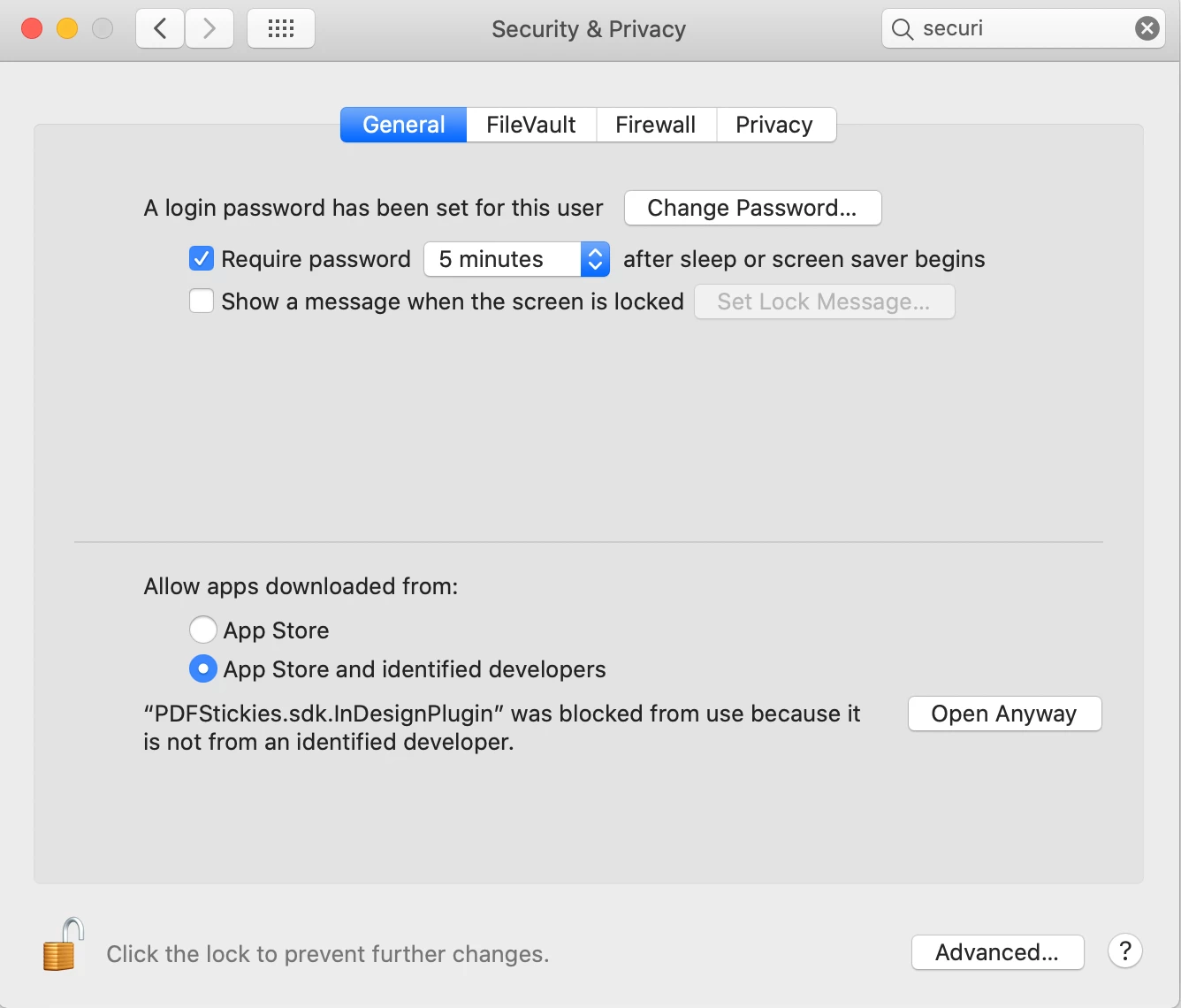
I am trying to install a couple of plugins, but my computer won't let me because I got them directly from the developer, and not from the app store. I tried going into my system prefrences . Security and Privacy > General and allowing install from App Store and identified developers. Then I clicked "Open Anyway." But nothing happens.

I have already reached out to the developer to see if he can help, but I thought I would try asking here as well. It's a somewhat time-sensitive issue, as I cannot export my PDFs without this plugin installed.
 

This topic has been closed for replies.
Correct answer Manan Joshi

Hi @Document Geek,

Seems the issue that you are facing is because the plugin is not signed and notarised by the developer. This is in breach of Apple security and hence while downloading the plugin it is quarantined and won't load. As a workaround you can unquarantine the plugin. See the following post on how to do that

https://community.adobe.com/t5/indesign/plugin-error-with-mac-os-catalina/m-p/10660103#M155909

-Manan

2 replies

Manan JoshiCommunity ExpertCorrect answer
Community Expert
August 4, 2021

Hi @Document Geek,

Seems the issue that you are facing is because the plugin is not signed and notarised by the developer. This is in breach of Apple security and hence while downloading the plugin it is quarantined and won't load. As a workaround you can unquarantine the plugin. See the following post on how to do that

https://community.adobe.com/t5/indesign/plugin-error-with-mac-os-catalina/m-p/10660103#M155909

-Manan

-Manan
J E L
Community Expert
Community Expert
August 3, 2021

@Document Geek Well, someone may come along who has had this problem with some help but this is an issue with either Apple or your plug-in, not InDesign. In the meantime, if you haven't tired this, you could search Kerntiff's Twitter feed to see if anyone else had the same problem and they offered a solution. Kerntiff Publishing (@KerntiffPublish) / Twitter