
Participating Frequently
February 28, 2025
Question

Can't place Illustrator file in Indesign

  • February 28, 2025
  • 9 replies
  • 2026 views

Hi!


I'm working in an InDesign file where some illustrations are imported from an Illustrator file. This file is linked in the links tab. For some weird reason, the file suddenly says they can't open PDF. But it isn't a PDF it's an Illustrator file. And so I try to place or link my Illustrator file again, but the same pop-up that says can't open this PDF keeps coming up.
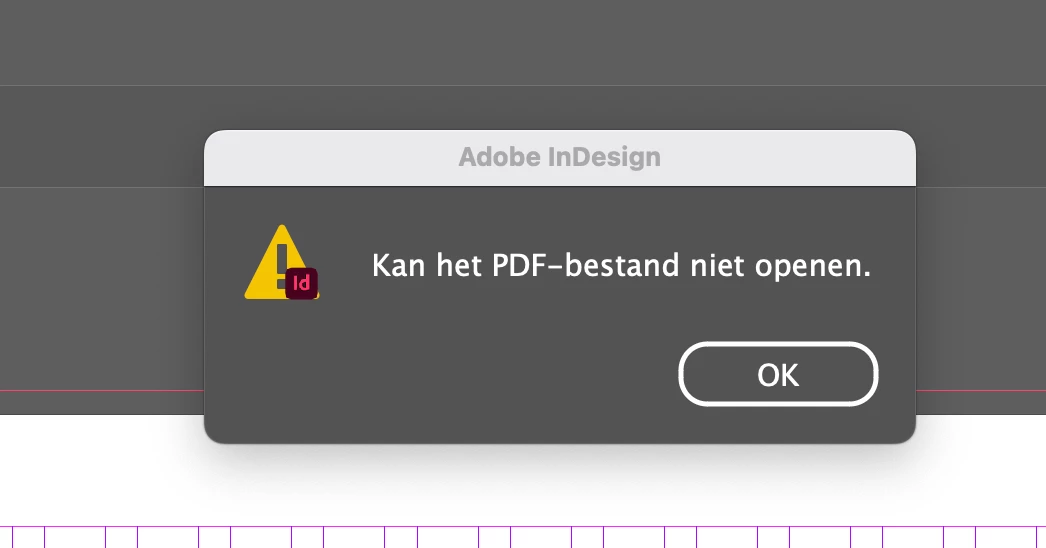


Does anybody know what's going on? 

Thanks! 


Cheers,

Han

9 replies

Mike Witherell
Community Expert
Community Expert
April 23, 2025


I was not aware that any other software could make .ai files. I will have to learn more about that.

At the very least, I would wash those Rhino3D files thru a SaveAs in Illustrator, saving them with PDF compatibility, before placing into InDesign.


Further, can you avoid using anything EPS? That filetype is long deprecated.

Mike Witherell
Mike Witherell
Community Expert
Community Expert
April 21, 2025

Ashley, your comment is intriguing: what other software are you using to make .ai files?

Mike Witherell
ashleyc86467363
Participating Frequently
April 23, 2025

Hi Mike.  I use Rhino3d to make architectural/design drawings.  Sometimes export them as .ai, then in Illustrator duplicate the artboard a few times, add annotations etc. to each.  Then drop them into InDesign where I have the page templates and the rest of the presentation content.  Limiting the way that InDesign handles legacy .ai files seems unnecessary and was a hassle to solve.  


I can only remember 2 occasions in the last 10 years where updating a piece of Adobe software brought a benefit rather than pain.

leo.r
Community Expert
Community Expert
April 24, 2025
quote

Hi Mike.  I use Rhino3d to make architectural/design drawings.  Sometimes export them as .ai, then in Illustrator duplicate the artboard a few times, add annotations etc. to each.  Then drop them into InDesign...  Limiting the way that InDesign handles legacy .ai files seems unnecessary and was a hassle to solve.  


By @ashleyc86467363


I'm still not sure what you mean by "legacy .ai files". Does Rhino3d create what you call "legacy .ai files"? Plus, you're saying that you open them in Illustrator and resave from there anyway. So how is your final file any different from a regular .ai file then?

ashleyc86467363
Participating Frequently
April 8, 2025

Same problem here.  I've just updated to 2025, and the import options are for EPS when importing illustrator.  Just imports all my artboards as one image.


This is probably one of those clever Adobe things that they do to improve UX and customer experience.

leo.r
Community Expert
Community Expert
April 8, 2025
quote

Same problem here.  I've just updated to 2025, and the import options are for EPS when importing illustrator.  Just imports all my artboards as one image.


This is probably one of those clever Adobe things that they do to improve UX and customer experience.


By @ashleyc86467363


Can you post some screenshots that illustrate the problem, as well as more info regarding the file type you're placing (.ai, .eps etc.) Also, what's your operating system version?

ashleyc86467363
Participating Frequently
April 21, 2025

I've worked it out.  It seems that now Legacy format Illustrator files are now imported as EPS instead of Illustrator, which is why there is limited functionality in the import options.


Looks like we have to make sure we are paying for that subscription to Illustrator and not using any other software to generate .ai files.  Another happy Adobe UX experience.

Abhishek Rao
Community Manager
Community Manager
March 3, 2025

Hi @han_7184,


I hope the suggestions from the experts helped! Were you able to resolve the issue by ensuring the Illustrator file has an embedded PDF or using File > Place with Show Import Options checked?

If it's fixed, could you confirm the solution here? It’ll be helpful for others facing the same issue. If not, let me know what’s still not working, and we can assist further!

Looking forward to your update. 


^

Abhishek

han_7184Author
Participating Frequently
March 3, 2025

Hi! 

No, I already tried all these suggestions before posting my problem here. Still no idea what is going wrong. 


Cheers, 

Han

Abhishek Rao
Community Manager
Community Manager
March 6, 2025

Hi @han_7184,


Thanks for getting back! I tried reproducing the issue on my end, but everything worked fine without errors. Could you confirm the version of InDesign you’re using and your OS details? Also, is this happening only in this particular InDesign file?

Try creating a new InDesign document and placing the same Illustrator file there. Does the error still appear? Also, try placing a different AI file in the same document and see if that works. Let me know what happens, and we’ll do our best to resolve this.


Looking forward to your update.


^

Abhishek 

Scott Falkner
Community Expert
Community Expert
March 1, 2025

Illustrator files can be saved without the embedded PDF resource. Those files can only be read by Illustrator. You cannot place them or rasterize them in Photoshop. Try re-saving from Illustrator with Save As and see if the PDF portion was disabled.


han_7184Author
Participating Frequently
March 3, 2025

Hi, 

Thanks for helping. unfortunately it didn't work.  I checked it on, but it didn't work. I checked it off, but it also didn't work. 🥲

leo.r
Community Expert
Community Expert
March 1, 2025

InDesign refers to Illustrator files as "PDF", which indeed can be misleading if you're not aware of this.

han_7184Author
Participating Frequently
March 3, 2025

Hi, 

That definitely was misleading me, yes. Good to know! 


Community Expert
February 28, 2025

Make sure to select "Show Import Options" when you place.

han_7184Author
Participating Frequently
March 3, 2025

Hi, 

Thanks for helping. I always do this when placing Illustrator files in InDesign, so unfortunately this didn't work.

Community Expert
February 28, 2025

Are you using File>Place?


han_7184Author
Participating Frequently
March 3, 2025

I tried file > place. I also tried just dropping it in. Both don't work unfortunately. 

Willi Adelberger
Community Expert
Community Expert
February 28, 2025

If you can place an Illustrator AI file, it must have a PDF fork. InDesign can only use the PDF.

Can you save the file as PDF directly and place this?

But you wrote that you cannot open the PDF. Did you accedently try to open instead of placing/importing the file? This would cause this message.

han_7184Author
Participating Frequently
March 3, 2025

Hi, I can open the PDF if I make it a PDF, but I don't want to do that. I used to always be able to place an Illustrator file in InDesign so don't understand why it's not working now. It worked Thursday and then on Friday I got the issue. I want to keep it an Illustrator file so I can easily update it. 


Thanks for helping tho!