

Inspiring
Jan 29, 2025 7:14 PM UTC
Answered

Can't publish interactive pdf?

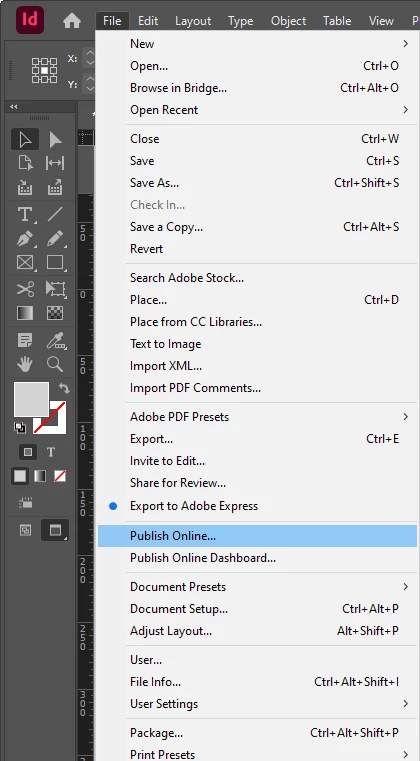
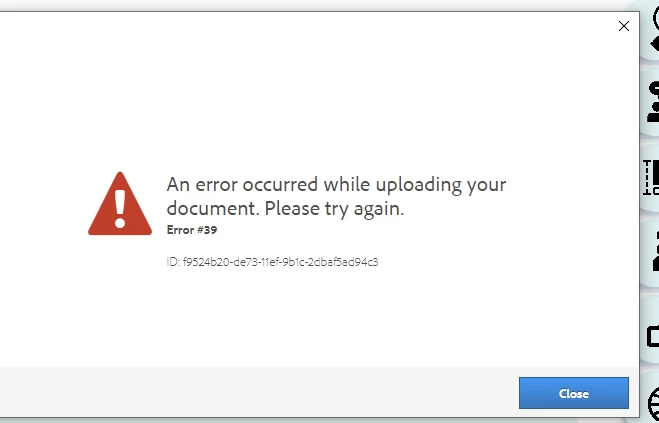
I want to publish my interactive pdf file online, but i get this error message everytime when i do so, anyone know how i can fix it?


burgerqingCorrect answer
Inspiring
Feb 2, 2025 5:13 AM UTC

Thank you so much! i think i figured it out, once i turned off company firewall it started working!!! thank you so much!

7 replies

Participant
Oct 21, 2026 7:30 AM UTC

동일한 오류 발생. 해결 안됨…..ㅠㅜㅠㅜㅠ 인디자인 2026 버전입니다


Translate
Valentin Guiod
Participant
May 17, 2026 7:09 PM UTC

FOUND THE SOLUTION !

I had exactly the same problem (Error 18 and Error 33) and spent one day trying to figure out the solution. And I finally did!

I had too many published project on my dashboard. I didn’t even know there was a limit… and it has nothing to do with storage capacity.

You have to access you “Publish Online Dashboard” where you’ll see all the projects you published online, and you have to delete most of them to clear space : https://indd.adobe.com/dashboard

You can also access it in the InDesign app : File > Publish Online Dashboard 

And it now works again perfectly…

Translate
leo.r
Community Expert
Community Expert
Jan 29, 2025 7:43 PM UTC
burgerqingAuthorCorrect answer
Inspiring
Feb 2, 2025 5:13 AM UTC

Thank you so much! i think i figured it out, once i turned off company firewall it started working!!! thank you so much!

Translate
Robert at ID-Tasker
Legend
Jan 29, 2025 7:43 PM UTC

@burgerqing


Try making some space on your account. 


Remove some old published files. 


Translate
leo.r
Community Expert
Community Expert
Jan 29, 2025 7:41 PM UTC
quote

I want to publish my interactive pdf file online

By @burgerqing


Just to make sure you don't have this terminology mixed up: you're not publishing an "interactive PDF"; Publish Online creates an online version of your InDesign document, which has nothing to do with PDF.

Translate
Community Expert
Jan 29, 2025 7:20 PM UTC

Try logging out of Creative Cloud website

Log out of your Creative Cloud Desktop

In inDesign go to Help>Log out


Reboot (I don't know why but seems to help)

Then log back in online

Log back in desktop app
Open indesign and ensure you got Help> and ensure you're logged in


Does it work now?

Translate
