

milansdesign
Participant
June 19, 2022
Answered

can't remove a guide in InDesign

  • June 19, 2022
  • 4 replies
  • 2261 views

Hi!

I have a file from which I cannot remove guides. I can move it but I can't remove it.

I know of 2 types of guides: Spread guide and Page guide. But the Spread guide exceeds the spread margin and the Page guide ends at the edge of the page. It ends at the margins.

What kind of guide is it and how can I remove it?
This topic has been closed for replies.
Correct answer Barb Binder

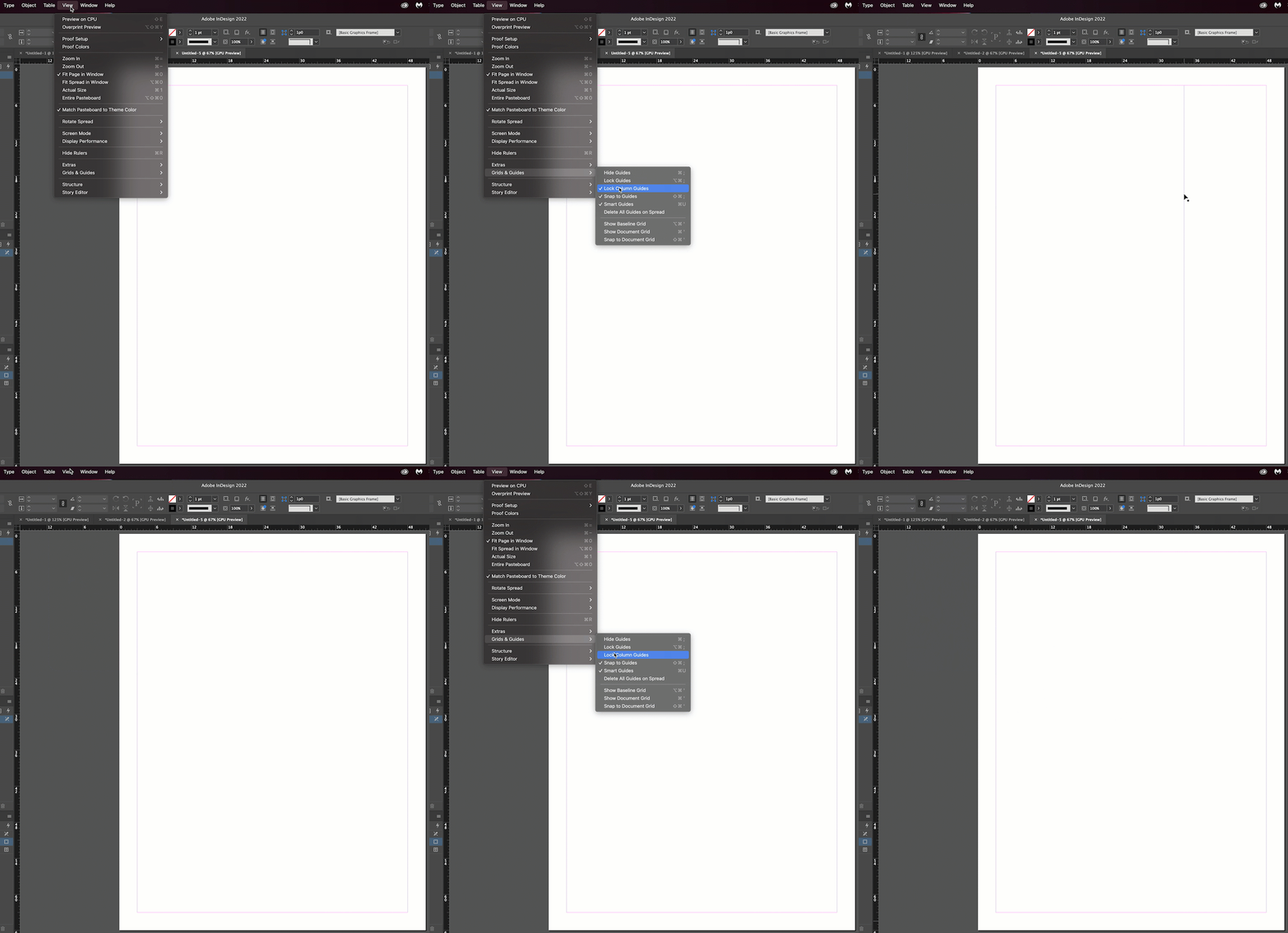
That is an inadvertently unlocked Column Guide. Normally the column guides are locked, but if you unlock them you can move them. Just move it back and relock it.


You can also just change the number of columns from Custom back to 1.


~Barb


4 replies

Barb Binder
Community Expert
Community Expert
June 19, 2022

We are always happy to help, @milansdesign.


~Barb

~Barb at Rocky Mountain Training
Barb Binder
Community Expert
Barb BinderCommunity ExpertCorrect answer
Community Expert
June 19, 2022

That is an inadvertently unlocked Column Guide. Normally the column guides are locked, but if you unlock them you can move them. Just move it back and relock it.


You can also just change the number of columns from Custom back to 1.


~Barb


~Barb at Rocky Mountain Training
milansdesign
Participant
June 19, 2022

Thank you very much!

I receive the file from client and this Column Guide are it was very close to the right margins but not over it and it complicate me when I wanted to snap object at the edges by resize.

Diane Burns
Inspiring
June 19, 2022

Try Layout menu > Create Guides, then click "Remove Existing Ruler Guides." 

If it's a ruler guide, this should remove it. 

Not sure why you can't select it, regardless of what it is, unless it's on a locked layer?

Jumpenjax
Community Expert
Community Expert
June 19, 2022

Are you sure it is a guideline? Is it possibly a text box or just a box? Can you just click on it and delete it?

Lee- Graphic Designer, Print Specialist, Photographer
milansdesign
Participant
June 19, 2022

I can't selet it, but can move. I don't know what is it but is not a box, or text box, or stroke, or any object. I hide all layes and has not disappeared. When I "Hide Guides", then it disappears. That's why I think it's a guide.

Thank you!