Known Participant
April 26, 2017
Answered

Can you Change Individual Footnote Numbering Style?

  • April 26, 2017
  • 1 reply
  • 3391 views

Hello,

I need my first footnote on the first page of each section to be an asterisk rather than "1". After the first one, the footnotes need to continue normally (1,2,3...)

Is this possible?
    Correct answer Barb Binder

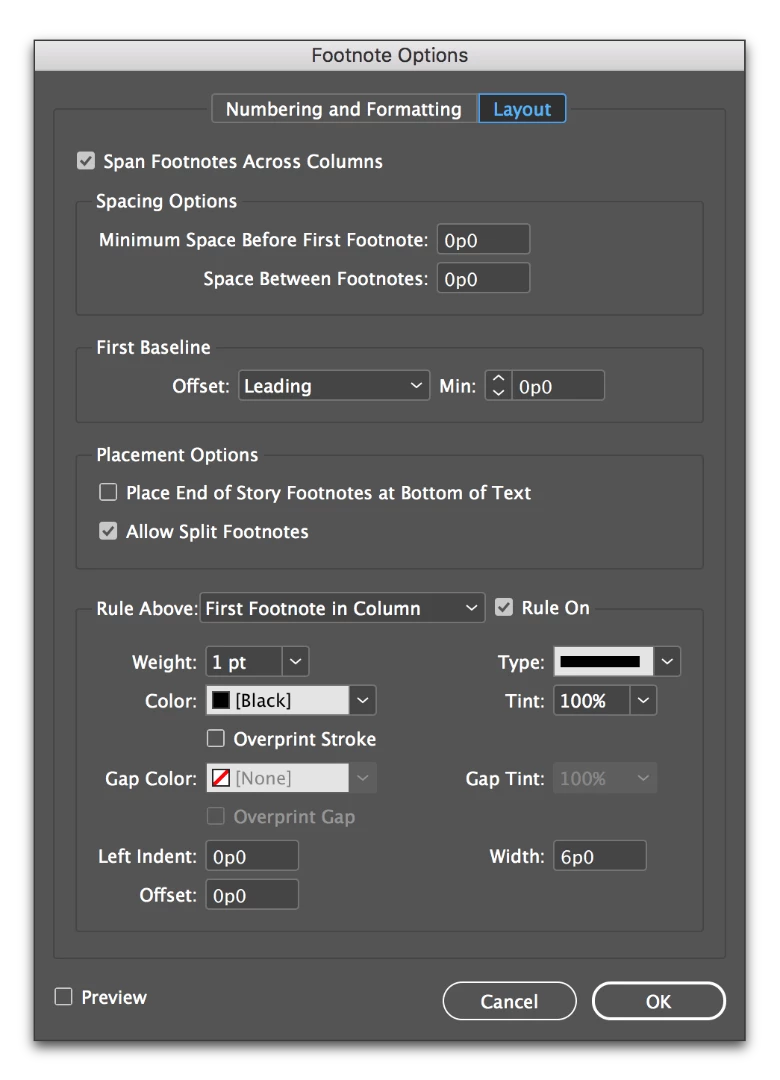
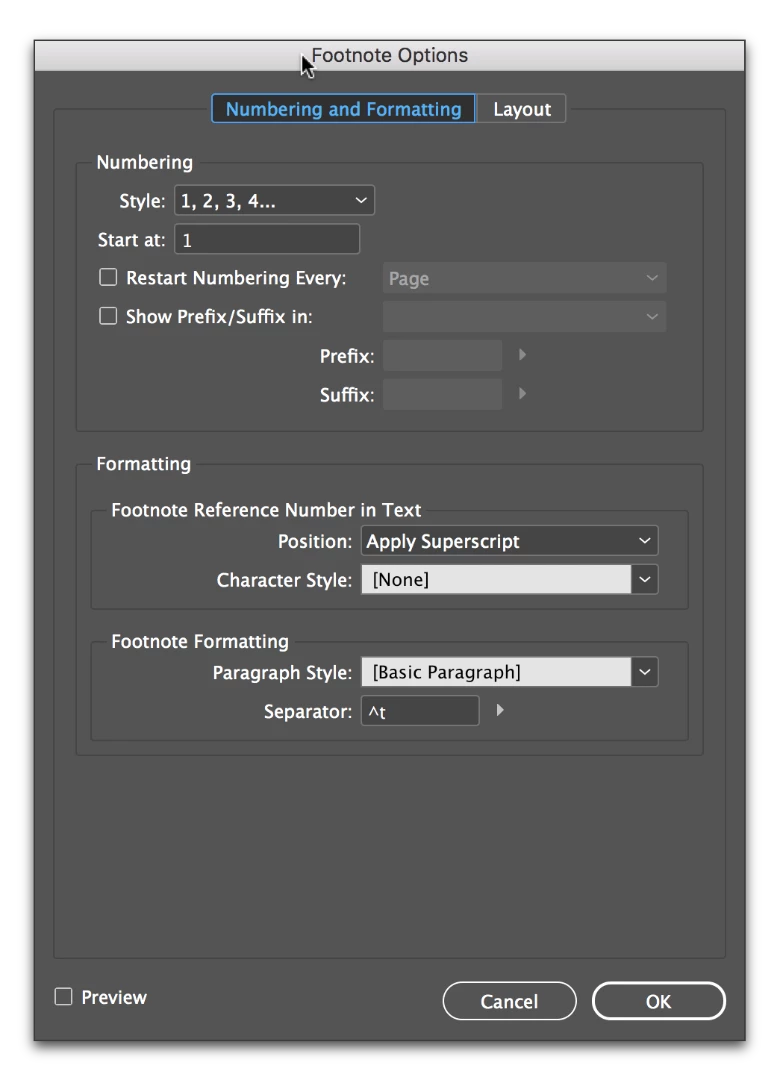
    Sadly, no legitimate way using InDesign's feature set. (I'm sure scripting these steps would work to speed it up, and you might explore plug-ins—though I looked and didn't find one.) These are the footnote controls as of today, and while you can change the numbering style for all the footnotes, you can't change it mid-way through.

    You can request this feature however, for a future release: Wishform - Adobe InDesign

    1 reply

    Barb Binder
    Community Expert
    Community Expert
    April 26, 2017

    Here's how I handle this...

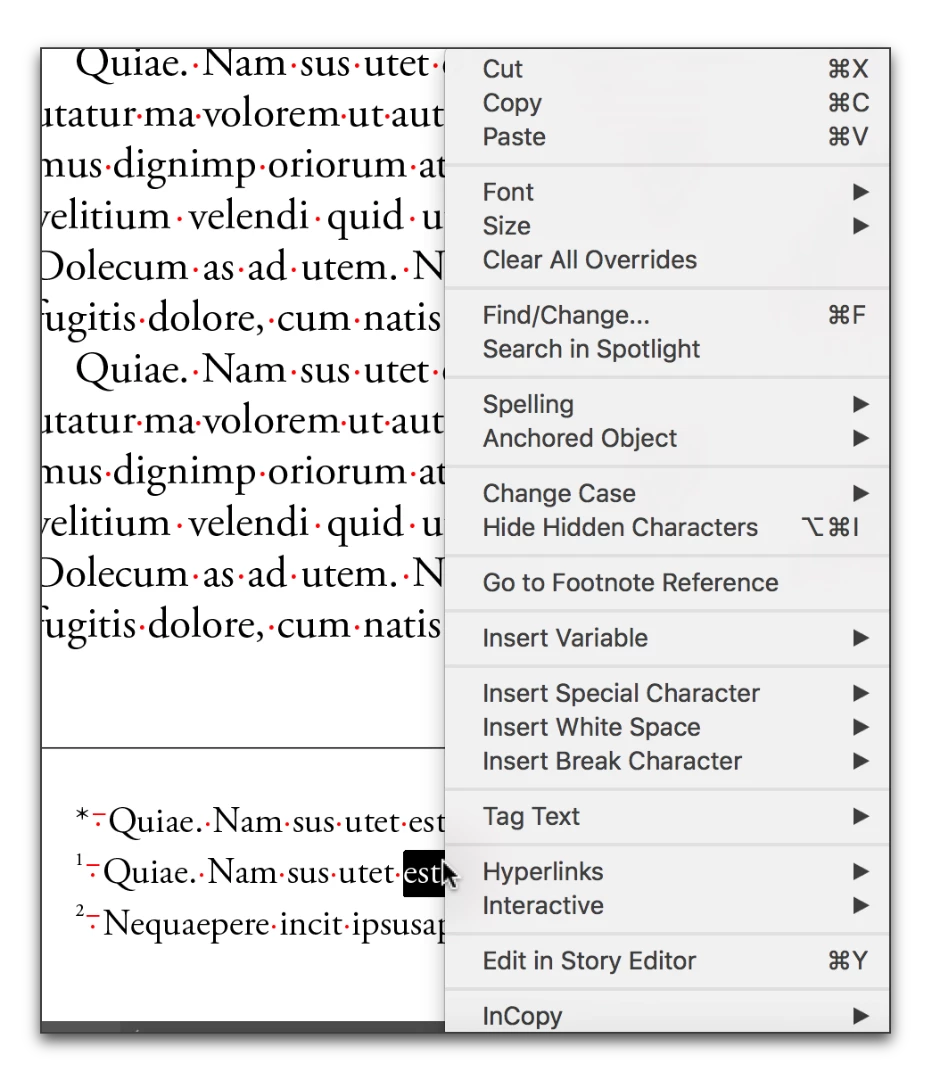
    1. I have the client use a * for the first footnote in Word, and then number the rest normally. (This is important in my legal journals, because footnotes cross-reference other footnote numbers so they need to numbered correctly prior to importing into InDesign.)
    2. In InDesign, they come in numbered 1- whatever.
    3. I cut the first note to the clipboard.
    4. I delete the 1 reference in the body of the text. The footnotes renumber.


    5. I click in front of the 1 in the footnote, press enter, arrow up and paste.
    6. I add the * and the en space in front.
    ~Barb at Rocky Mountain Training
    Known Participant
    April 26, 2017

    I see.

    So there is no proper way to change individual numbering styles?

    My solution so far was to just create a small text box just for the first footnote. Your's seems easier.

    I'll wait a while in case there is a more "legitimate" way to do this, and if not, i'll mark your answer as correct.

    Thank you for replying.

    Barb Binder
    Community Expert
    Barb BinderCommunity ExpertCorrect answer
    Community Expert
    April 26, 2017

    Sadly, no legitimate way using InDesign's feature set. (I'm sure scripting these steps would work to speed it up, and you might explore plug-ins—though I looked and didn't find one.) These are the footnote controls as of today, and while you can change the numbering style for all the footnotes, you can't change it mid-way through.

    You can request this feature however, for a future release: Wishform - Adobe InDesign

    ~Barb at Rocky Mountain Training