ZSY_KY
Participant
April 19, 2017
Answered

Cannot find the Vertical text tools in InDesign CC 2017.1

  • April 19, 2017
  • 1 reply
  • 10258 views

I need to design a Chinese book in old style, in which the text goes vertical in lines from the right to the left side on page.

I knew the East Asia version of InDesign can support it, but I cannot find the vertical tools anymore in CC 2017.1.

I tried a couple of times: install it by setting the default APP language to English, to Simplified Chinese, uninstall it and then install again, nothing happen.

How can I get the vertical text tools back? It's critical to the making of the book.

Thank you!
This topic has been closed for replies.
Correct answer ZSY_KY

There is no clip below in your posting. To insert a photo or video, you just come to the forum and use the buttons on the forum editor.


Sorry didn't notice that for I sent the reply from within an Email client.

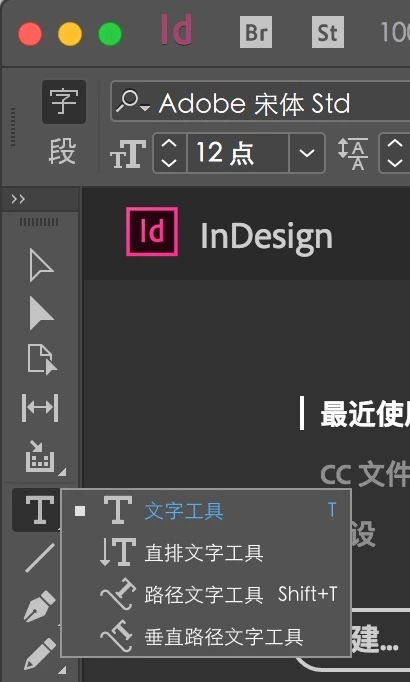
Before taking any further action, You might notice as shown below that even the UI language is Chinese, there is NO vertical text tool.

So I moved on to the steps as below

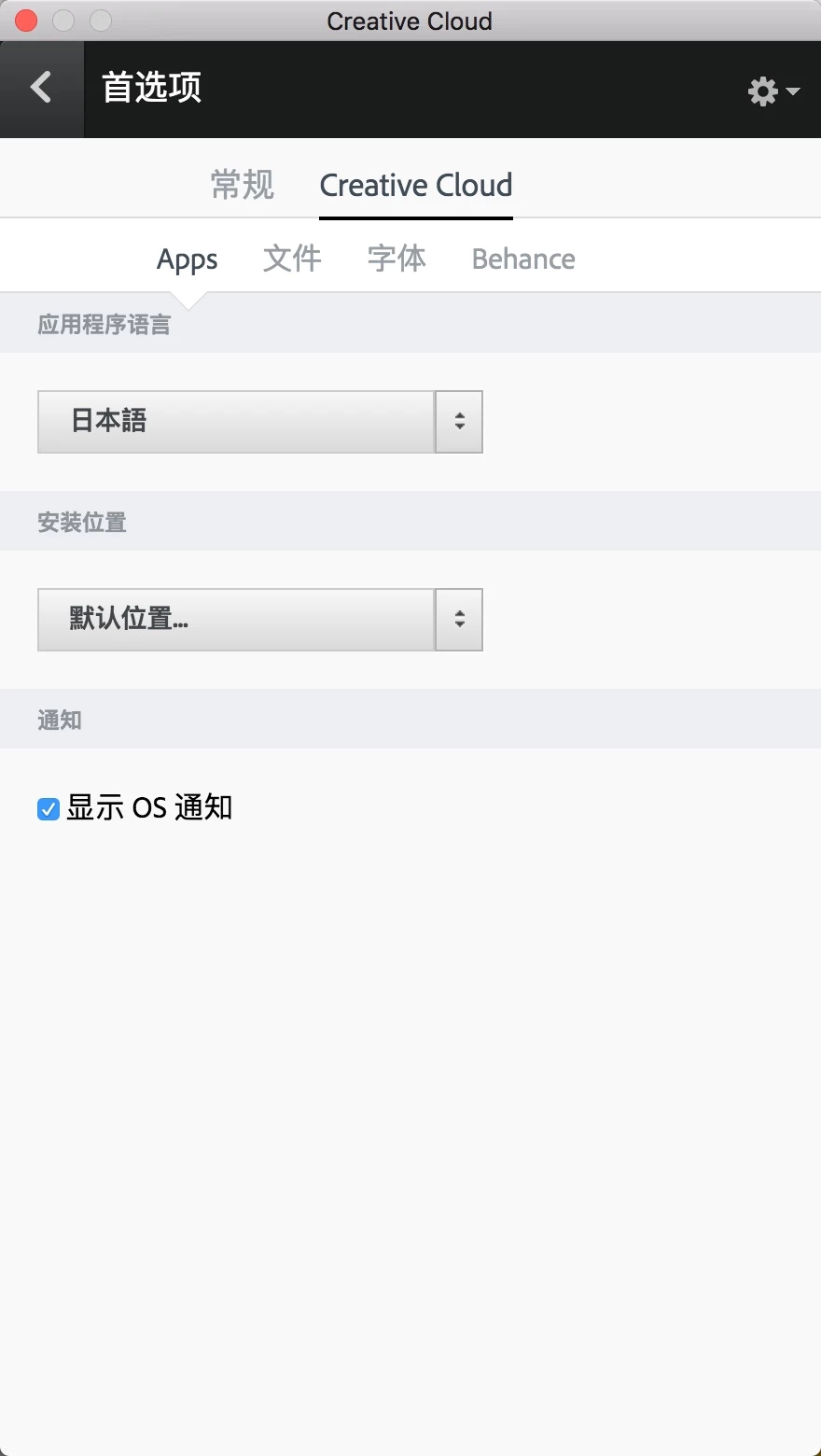
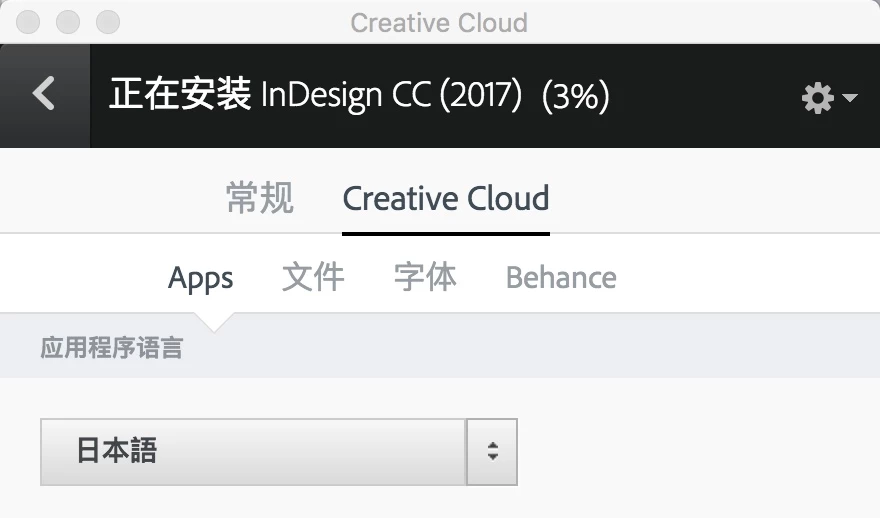
1) change the lan of APP

2) and install InDesign. You might see that the UI language is still Chinese even I changed the APP lan to Japanese!

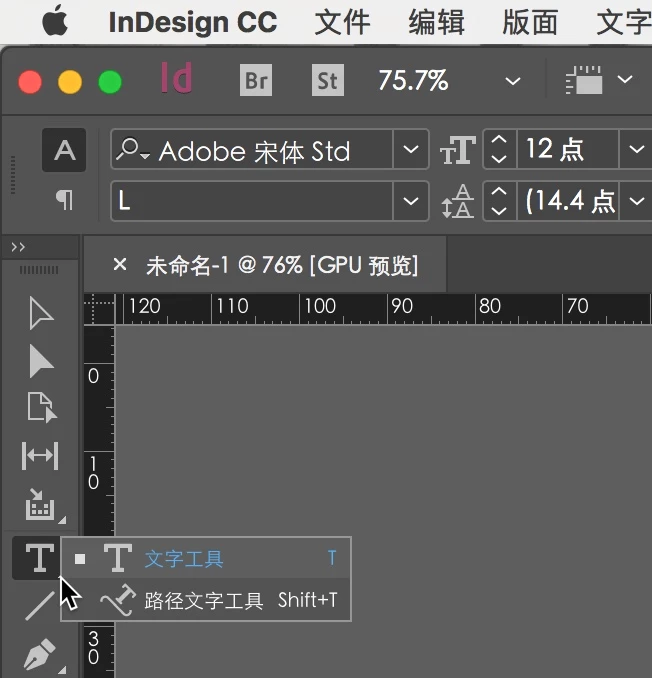
3) Run it. DONE!

Thank you wrensauer​, thank you @ Steve Werner            !

Hope this is helpful to the people who encountered the same problem.

1 reply

wrensauer
Community Manager
Community Manager
May 11, 2017

Hi ZSY_KY,

To download InDesign CC in Chinese or Japanese, you'll need to navigate to your Creative Cloud Desktop app preferences, change the language, and install InDesign in that language. Full instructions on how to do this can be found in this article: Change the language setting of your Creative Cloud apps

After you've downloaded this version, you should have access to vertical character composition: Compose CJK characters in InDesign

Please let me know if you are still facing difficulties with getting vertical type tools to work correctly.

Best,

Wren

ZSY_KY
ZSY_KYAuthor
Participant
May 22, 2017

Hi Wren,

Hope this return address can reach you directly. I appreciate your time answering my question.

Frankly I did exactly what you told me twice at least: the first time was when I found a similar instruction online, and the second after the first time failed. You can see from the clip below I am using the Chinese version, BUT...

What should I do now? Uninstall and try again? Thank you for your further suggestion.

Steve Werner
Community Expert
Community Expert
May 22, 2017

There is no clip below in your posting. To insert a photo or video, you just come to the forum and use the buttons on the forum editor.