
Participant
January 4, 2021
Answered

Cannot hide baseline grid

  • January 4, 2021
  • 4 replies
  • 979 views

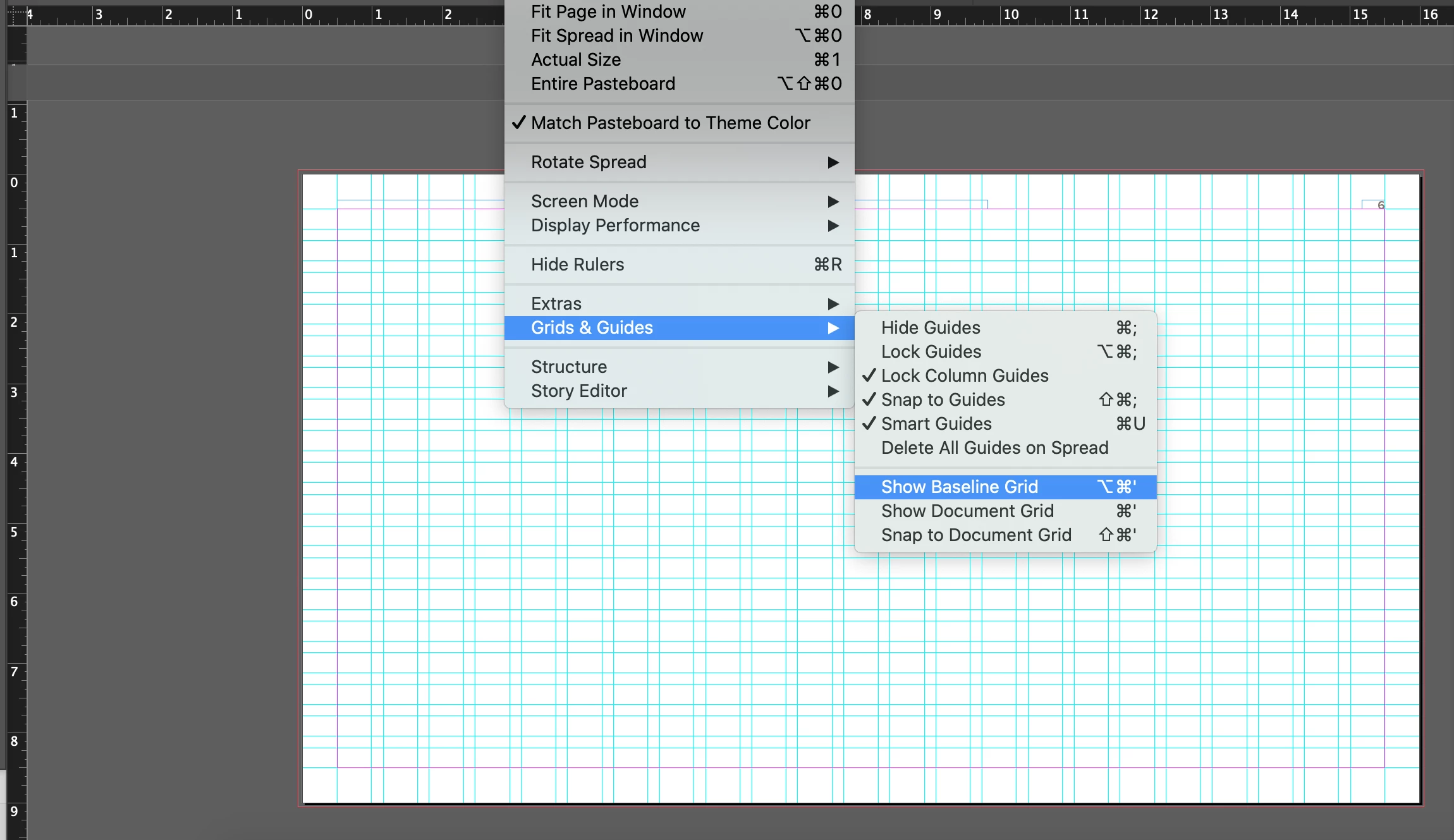
I would like to set my InDesign document to where I can see the bounding boxes and the guides that I make for each page without the baseline grid, but when I go to View > Grids & Guides there is only the option to SHOW the baseline grid, even though it's already visible. Any thoughts? Thanks!


[ attachment inserted as inline image by moderator ]

This topic has been closed for replies.
Correct answer Devin5D22

So, this file was created by a different user that created their own guides on the Master page (Layout > Create Guides). Once I saw this I was able to remove them by checking Remove Existing Ruler Guides. Thanks for all your help!

4 replies

Devin5D22AuthorCorrect answer
Participant
January 4, 2021

So, this file was created by a different user that created their own guides on the Master page (Layout > Create Guides). Once I saw this I was able to remove them by checking Remove Existing Ruler Guides. Thanks for all your help!

pixxxelschubser
Community Expert
Community Expert
January 4, 2021

Or create your "own" guides on a new layer. Hide or remove the other layer.

pixxxelschubser
Community Expert
Community Expert
January 4, 2021

Hide Guides should be the answer.

Devin5D22Author
Participant
January 4, 2021

The problem is that I want to see other guides that I create, but I can't get these to go away. Any other suggestions?

jmlevy
Community Expert
Community Expert
January 4, 2021

Check if the guides/grid you want to delete are not on a locked layer.


Edit: if you want to hide them, move them to a dedicated layer and hide this layer.

jmlevy
Community Expert
Community Expert
January 4, 2021

What you are showing does not seem to be a baseline grid: there is no vertical lines in a baseline grid. It looks like a custom construction using both vertical and horizontal guides.

Devin5D22Author
Participant
January 4, 2021

Thanks for your response! The weird thing is that I didn't create the grid, and when I select Delete Grids & Guides on Spread, nothing happens.