
Participant
July 24, 2024
Answered

Cannot insert discretionary hyphens

  • July 24, 2024
  • 3 replies
  • 456 views

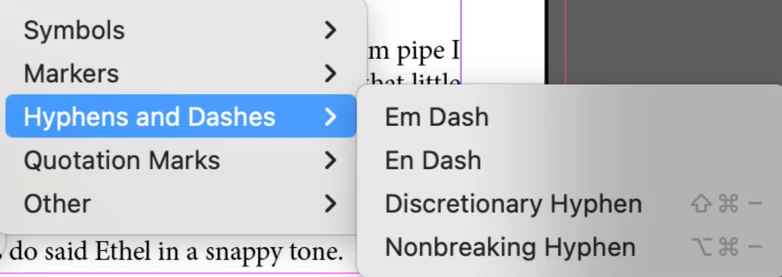
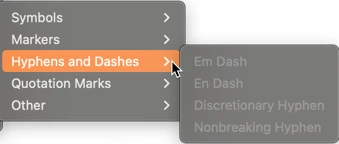
I cannot insert discretionary hyphens. When I type in the appropriate command or select it from the Type menu, nothing happens. The option appears grayed out. What is causing this?

This topic has been closed for replies.
Correct answer Barb Binder

By the way—the command isn't grayed out in your screen shot—it appears in black. The shortcuts appear in gray on macOS. When a command is grayed out, the shortcuts don't appear. 


~Barb


3 replies

Barb Binder
Community Expert
Barb BinderCommunity ExpertCorrect answer
Community Expert
July 25, 2024

By the way—the command isn't grayed out in your screen shot—it appears in black. The shortcuts appear in gray on macOS. When a command is grayed out, the shortcuts don't appear. 


~Barb


~Barb at Rocky Mountain Training
Joel Cherney
Community Expert
Community Expert
July 24, 2024

It's possible that something is happening that you're not seeing. I'd suggest that you turn on Type -> Show Hidden Characters, so you can see if a discretionary hyphen is actually being inserted. Because, since it's discretionary, it won't show up unless the word breaks at the spot where you inserted the discretionary hyphen. It'll only break there if there's good reason, as this little GIF demonstrates:


See? I inserted the discretionary hyphen, which was invisible until I made that word long enough to trigger hyphenation according to the current settings in the Justification panel and the Hyphenation panel. I think that's what is happening to you, but there's no way for us to know for sure, unless you turn HIdden Characters on and see for yourself. 

Robert at ID-Tasker
Legend
July 24, 2024

Doesn't look like grayed out?