Inspiring
November 15, 2018
解決済み

Cannot open .indl file with Indesign CC 2019

  • November 15, 2018
  • 返信数 1.
  • 2783 ビュー

Greetings, I cannot open my library of items ( an .indl file) with Indesign CC 2019. It was opened and updated without issue in the previous updates. Is there some new method of usage that I should be aware of?

このトピックへの返信は締め切られました。
解決に役立った回答 GlennStefanovics

Hm. There is at least one library file InDesign CC 2019 should be able to open.

It comes with every InDesign installation and did not change for years:

/Presets/button library/ButtonLibrary.indl

Direct access to that library is through the Buttons and Formfields panel.

From my German InDesign CC 2019:
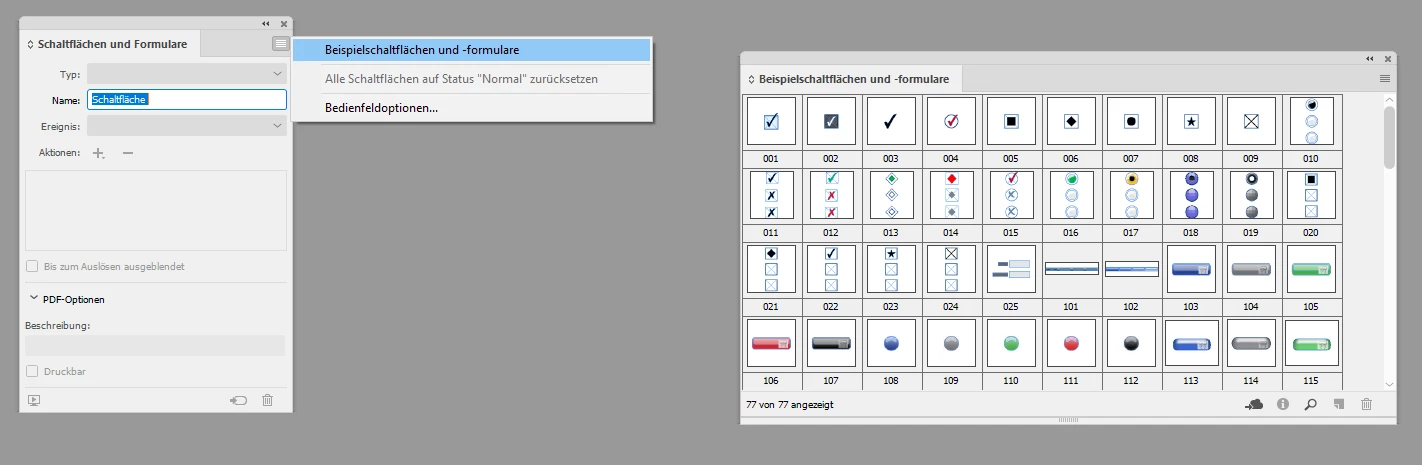
One could try to move out ButtonLibrary.indl from its folder and replace it with the version that comes with InDesign CC 2018.1.

If you are able to open the version from CC 2018.1 you have no technical problem with indl files per se.

Regards,
Uwe


The system does not allow me to remove that file since I am not an administrator. Anyway, the buttons panel is darkened and does not offer access to the library. Seems like a dead-end, at least for me.

But its all moot now. I just clicked on the library now and it magically opened! Perhaps shutting down on Friday and starting this morning helped it take effect, as opposed to normal restarts I undertook last week.

返信数 1

Community Expert
November 16, 2018

Hi Glenn,

are you still able to open the library file with an older version of InDesign?
Hope, you have some backups of the file.

Regards,

Uwe

Inspiring
November 16, 2018

I do, yes. If worse comes to worst, I'll have to copy all of the items from the library to a blank 2018 indd file, save it, and then create a new library from indd 2019. But honest, why do I have to go through so much work just because Adobe updated indesign?

Community Expert
November 16, 2018

Does this issue happen to all of your library files?
Or is it just a specific one?

I'd test that with a indl file with only a couple of assets first.

Maybe there is one kind of asset InDesign CC 2019 has a problem with?

You see, that I'm just guessing here…

Regards,
Uwe