
Participating Frequently
October 18, 2023
Answered

Cannot overwrite InDesign 2023 files after updating to InDesign 2024

  • October 18, 2023
  • 3 replies
  • 3729 views

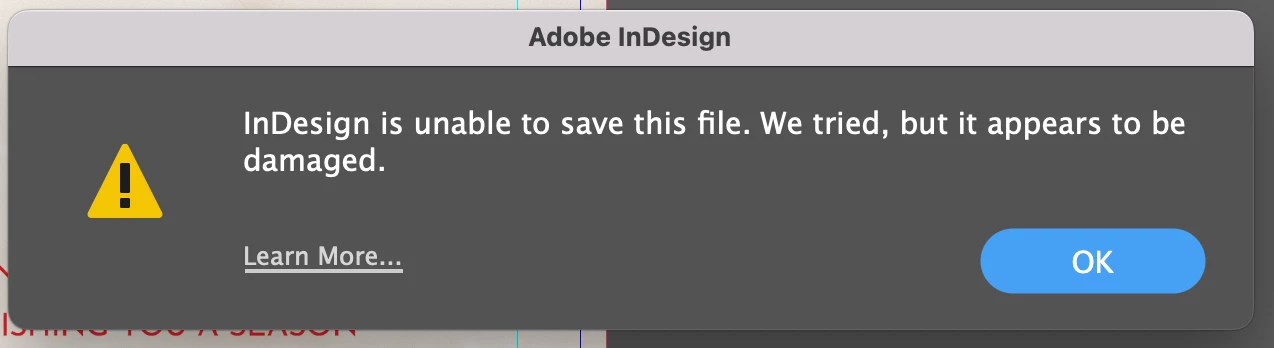
I updated to Adobe Indesign 2024 this morning and now cannot save over my Indesign files that were created with 2023 version. Every time I try to save over I get an error message that it is damaged. If I save under a new name it saves fine, but we rely on overwriting/updating files that are made in different departments across the company and it is a real drag on workflow to go in, delete the old file and then rename the newer file.  We have uninstalled and reinstalled several times as well as restarting the computers. Any suggestions would be very helpful.
 

This topic has been closed for replies.
Correct answer riedi

Hi Jeff,

No I did not, it's an Adobe issue not a you issue, as per usual.


Hey Erin,


* * * Solved * * *

I believe in my case the problem I was having had to do with me getting my File Sharing settings correct. As I can now write, overwrite, save, save as, my old Indesign 2021 fies, as Indesign 2024 files, and store them where ever I want.


As stated by Robert at ID-Tasker (and maybe others)  " . . . are you sure you've writing rights set correctly? To folders and your INDD files?"


If you haven't done so already, check your File Sharing settings and make sure you've set the folder(s) where you want to store your files, and give those folders Read & Write privileges.


Good Luck.

Jeff

3 replies

Participating Frequently
June 9, 2024

Similar but different problem over here. I just got a new Macbook Pro 16-inch (Sonoma OS) and I'm using InDesign as before. When I try to "save as" (which as a designer I'm in the habit of using; it's engrained in me to NEVER just press "save") to make a PDF of my work, it says it's overwriting the old file, but when I open the file, it's the same PDF as before. The time-stamp has changed so it should be the recent updated, but it's still showing the previous iteration of the PDF. What is going on? Anyone else having this problem?

Robert at ID-Tasker
Legend
June 9, 2024

@defaultql86e42gcovh


In order to get PDF - you should Export. 


Save As is to save INDD file. 


Participating Frequently
June 9, 2024

Thanks for your response! I'm sorry, I wasn't paying attention. I was actually going to:

File > Adobe PDF presets > [High Quality Print] and the PDF that usually 'exports' over the old one doesn't seem to be overwriting it anymore, ever since I updated my computer/operating system/Adobe. Does that make more sense?

BobLevine
Community Expert
Community Expert
October 19, 2023

Sounds like a permissions issue. Have you checked with your IT folks?

Participating Frequently
October 19, 2023

It isn't a permissions issue. IT has been involved. 

Participant
November 2, 2023

Ditto, same issue, and saving over a file is actually normal, not that "around your elbow..." method of saving as.

Robert at ID-Tasker
Legend
October 18, 2023

A bit strange workflow - overwriting live files... 


Anyway, if that's only for using the same names - why can't you select destination file - to get it's name in InDesign - then switch to the folder and delete the file - then go back to InDesign and finish the save? 


Participating Frequently
October 19, 2023

Not really. Saving the final by overwriting an existing file isn't really that strange. Multiple people are not working on the file at the same time. Rather than just hitting save, going through all of the extra steps just to save the file is a pain. Adobe should make sure that when they release a new version that it is compatible with previous versions.