Participant
January 21, 2020
Answered

Cant export Indesign book to PDF. Pre-flight errors for all documents.

  • January 21, 2020
  • 1 reply
  • 517 views

Hi guys,


Using InDesign 2020 on the  Macbook pro


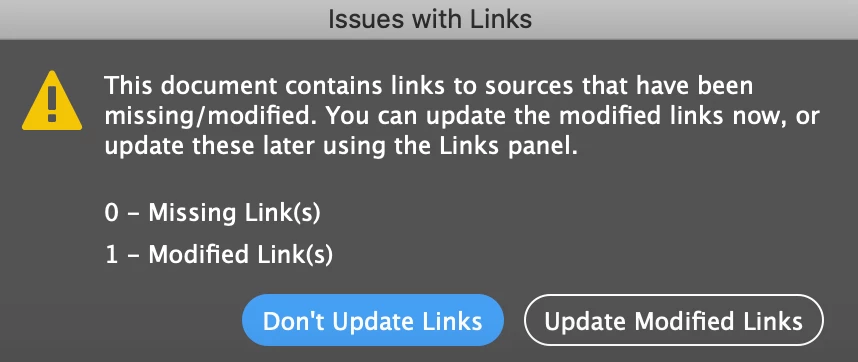
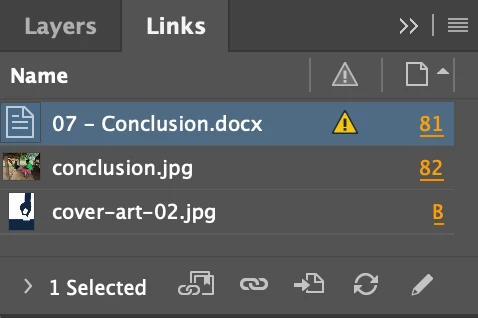
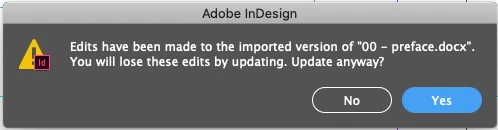
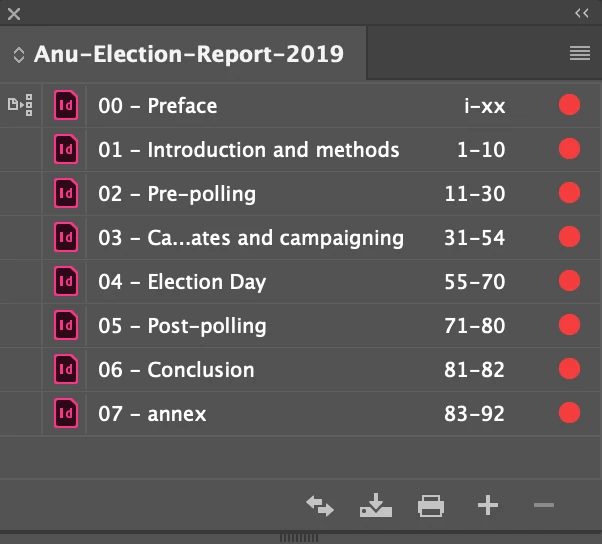
I have a .docx linking error in all my indiviudal documents. If i update the links, the entire document completely changes with font and spacing changes. Inspite of that (the linking error), I can export them all individually, but when i try to export them together as part of the book, it fails. The pre-flight is all red too. 


When my colleague tries to export the same file on her MacBook, it does it fine. Can't figure out wha thte issue is.


PLS HELP.


Attaching pics for reference.


T
This topic has been closed for replies.
Correct answer BobLevine

Hi federico,


Yes, the error msg says 'Failed to export PDF'.


The pre-flight error is also about the missing link (.docx link).


How do I unlink the docx file? I did not quite get you.


I can't even export 2-3 of the documents together from the book, but if I open them separately, it is possible.


Right click the DOCX in the links panel and choose unlink.

1 reply

DesiOzzieAuthor
Participant
January 21, 2020

Just to note, that all the other links except the .docx ones update just fine. I just leave the .docx eorror as is and continue working. Individual documents export fine.

Legend
January 21, 2020

Does an error message shows up whe trying to export the complete book?

Which errors show the Preflight panel?

You can export as PDF the first document, the second,... Have you tried to export two or three of them?


To avoid messages about updating links of modified Word documents you may select a text frame of it and in the Options menu of Links panel select Unlink.

(Usually is advised to uncheck linking text and worksheet files in Preferences panel)

DesiOzzieAuthor
Participant
January 21, 2020

Hi federico,


Yes, the error msg says 'Failed to export PDF'.


The pre-flight error is also about the missing link (.docx link).


How do I unlink the docx file? I did not quite get you.


I can't even export 2-3 of the documents together from the book, but if I open them separately, it is possible.