
Cell Styles not pasting from InDesign 2023 to Illustrator
Hello,
I have a table I colored using Cell Styles. In InDesign 2022, I could copy that table with cell styles and paste it into Illustator 2023 and it would retain the cell stlyes and all the other formatting.
With InDesign 2023, it only pastes in the Table styles. It looks like it pastes as a table in Illustrator 2023 from InDesign 2023, but in InDesign 2022 it pastes with all styles retained (but not as a table).
I have tried the Clipboard setting to allow all formatting for both InDesign and Illustrator when pasting, but that did not solve it.
Can you please help me figure out how to paste from InDesign 2023 to Illustrator while retaining the table's entire format, including cell styles? This workflow is critical to how I work day-to-day. For now, I will use ID 2022 until this issue is resolved or feature is added back. Thank you!
ID 2023 pasting to Ai 2023
Indesign 2023
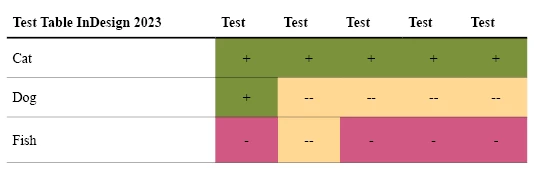
Pasted in Ai 2023

ID 2022 pasting to Ai 2023
Indesign 2022
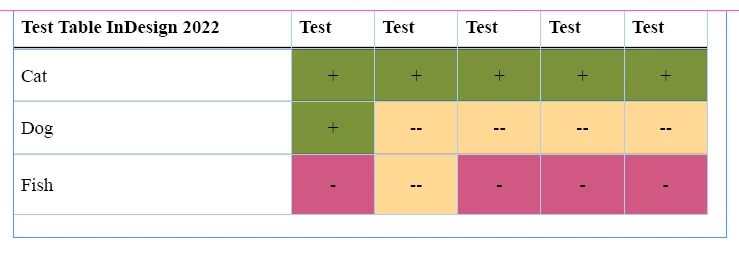
Pasted in Ai 2023
 AdChoices