


- Inicio
- InDesign
- Hilos de conversación
- Re: Centering Left-aligned Text On Longest Line Pe...
- Re: Centering Left-aligned Text On Longest Line Pe...

Copiar vínculo al Portapapeles
Copiado
I am working on a book of poems. I need to make sure that the (left aligned) text running within each page is centred on the longest line. As far as I am aware there is no mechanism for doing this automatically in inDesign and besides, the optical centre will always be different from the actual centre.
So I need to manually add an indent to every page to indent the text until it feels centred on the page. My problem is that some of the stanzas/paragraphs run between two pages which each need different indentation. I can only apply indent to a whole paragraph, meaning it will effect the beginning of the paragraph on one page and the end on another. If the second page requires a different indent this means the end of the paragraph that has run over from the previous page will indented correctly for the previous page and not the current page or vice-versa.
Is there any sensible solution to this problem?


 1 respuesta correcta


I've had some good fun setting poetry in the past. Most of it can be scripted. As Ariel and Bill mentioned, each line should be a separate paragraph. Then you can left-align the lines and centre the page on the longest line using the following script:
Select a text frame, then run the script
...if (app.selection.length && app.selection[0] instanceof TextFrame) {
frame = app.selection[0];
longest = Math.max.apply (null, frame.lines.everyItem().endHorizontalOffset);
indent = (frame.geometricBounds[3

 34
réplicas
34
34
réplicas
34


Copiar vínculo al Portapapeles
Copiado
Screenshots!
(^/)
Copiar vínculo al Portapapeles
Copiado
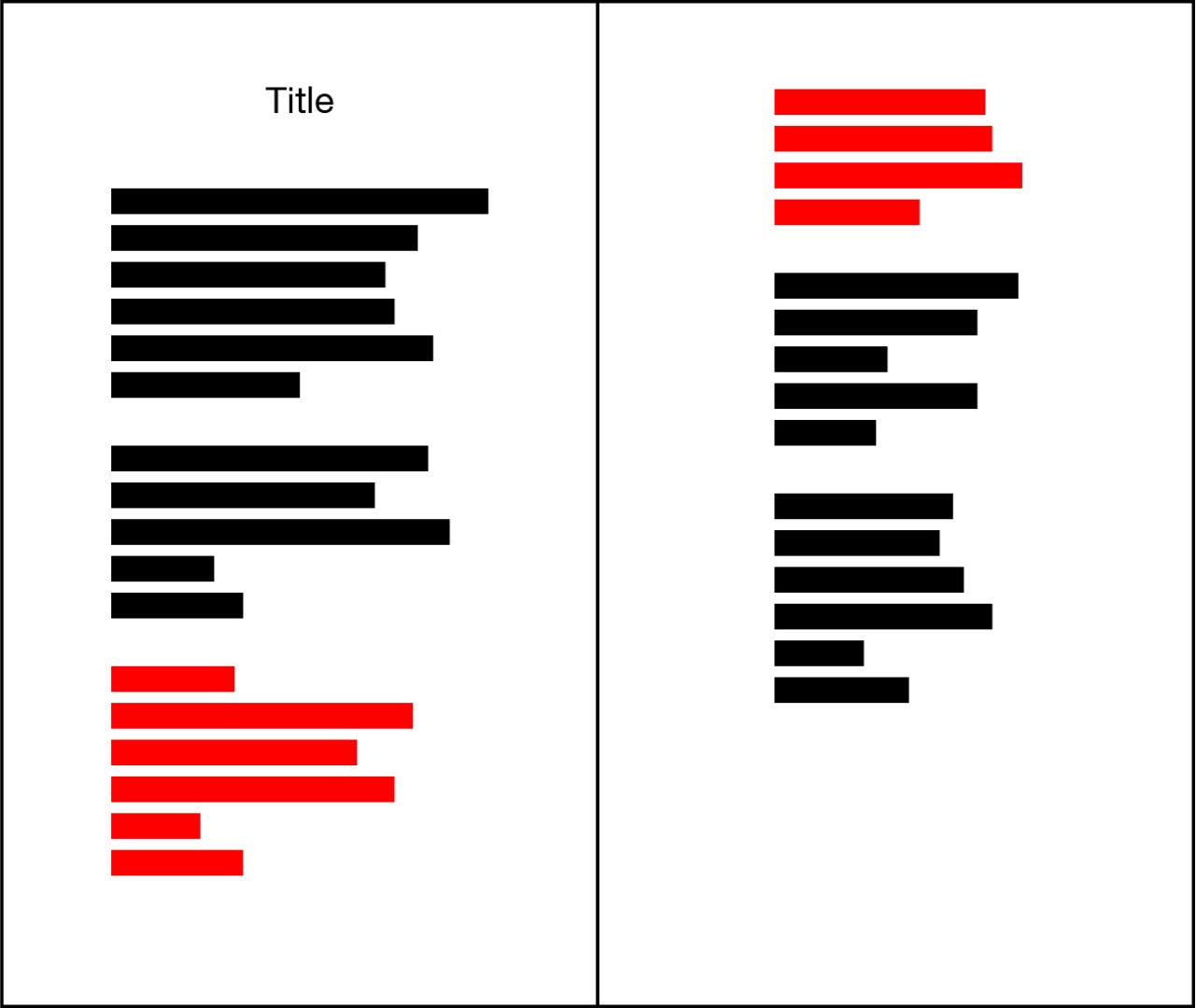
Hopefully this will help. In this example, the paragraph in red runs over two pages, but each page needs a different left indent.

Copiar vínculo al Portapapeles
Copiado
Each line should be a separate paragraph.
When you need extra space between the stanzas, use a different paragraph style that has that extra space.
That way you will be able to control the indents of individual lines within each stanza independently.
Ariel
Copiar vínculo al Portapapeles
Copiado
Thanks, this does seem viable, but I'm surprised this kind of hackery is the best solution going.
Copiar vínculo al Portapapeles
Copiado
Hadn't spotted Michel's suggestion.
> I'm surprised this kind of hackery is the best solution going
Why do you call this 'hackery'?

Copiar vínculo al Portapapeles
Copiado
It seems to me that the simplest solution is to insert a paragraph return at the end of the last line on the page. Then whatever falls on the next page is not affected by the indent of the previous page. Every way that I have ever heard of applies indent to an entire paragraph.
Copiar vínculo al Portapapeles
Copiado
Thanks Bill, yes this is a workable solution, though it will break if the text reflows at all (for example the space between paragraphs increases).
Copiar vínculo al Portapapeles
Copiado
As we talk about poetry and as my very clever friend Ariel said, I suppose each line is a para!
So, it's easy: just select the text on each page and align in 1 click!
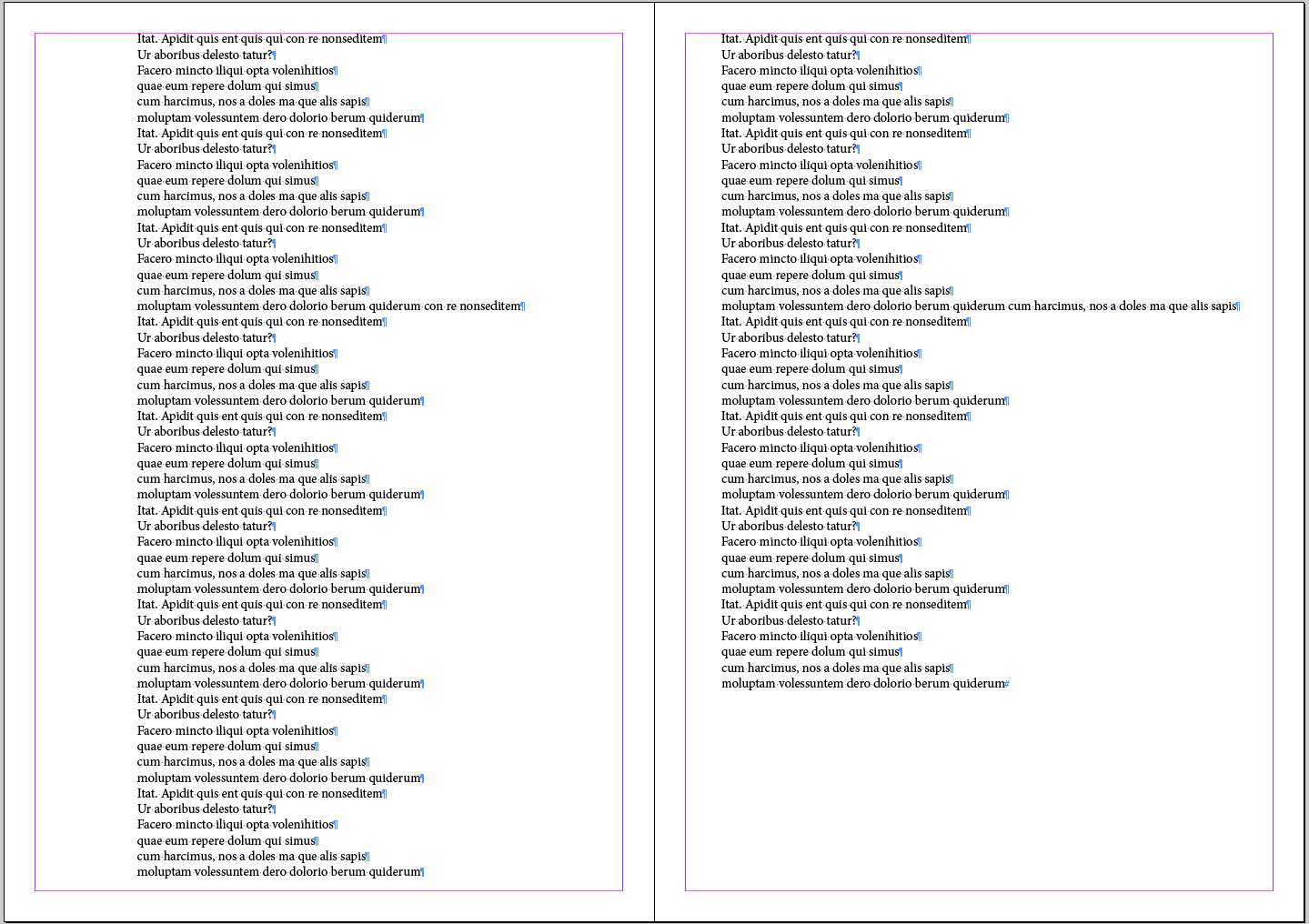
(^/) 
Copiar vínculo al Portapapeles
Copiado
I've had some good fun setting poetry in the past. Most of it can be scripted. As Ariel and Bill mentioned, each line should be a separate paragraph. Then you can left-align the lines and centre the page on the longest line using the following script:
Select a text frame, then run the script
if (app.selection.length && app.selection[0] instanceof TextFrame) {
frame = app.selection[0];
longest = Math.max.apply (null, frame.lines.everyItem().endHorizontalOffset);
indent = (frame.geometricBounds[3]/2) - (longest/2);
frame.lines.everyItem().leftIndent = indent;
}
You'll often find that you need to tweak the alignment because centring on the longest line isn't always optically aligned.
Peter
Copiar vínculo al Portapapeles
Copiado
Nice code, Peter!
Maybe a loop on each page to find each main text frame and a limitation to the "Body" para style could be allow the op to do it in just 1 click on all the doc?
About this kind of discussion, see:
Re: Horizontal alignment of text in InDesign
For memory, the older solution proposed by someone and that I noted a very long time ago is:
Re: Setting poetry (2) Centering frames?
in April 2010, written by … Ariel! [ He certainly forgot it! … and Jong too! ]
(^/)
Copiar vínculo al Portapapeles
Copiado
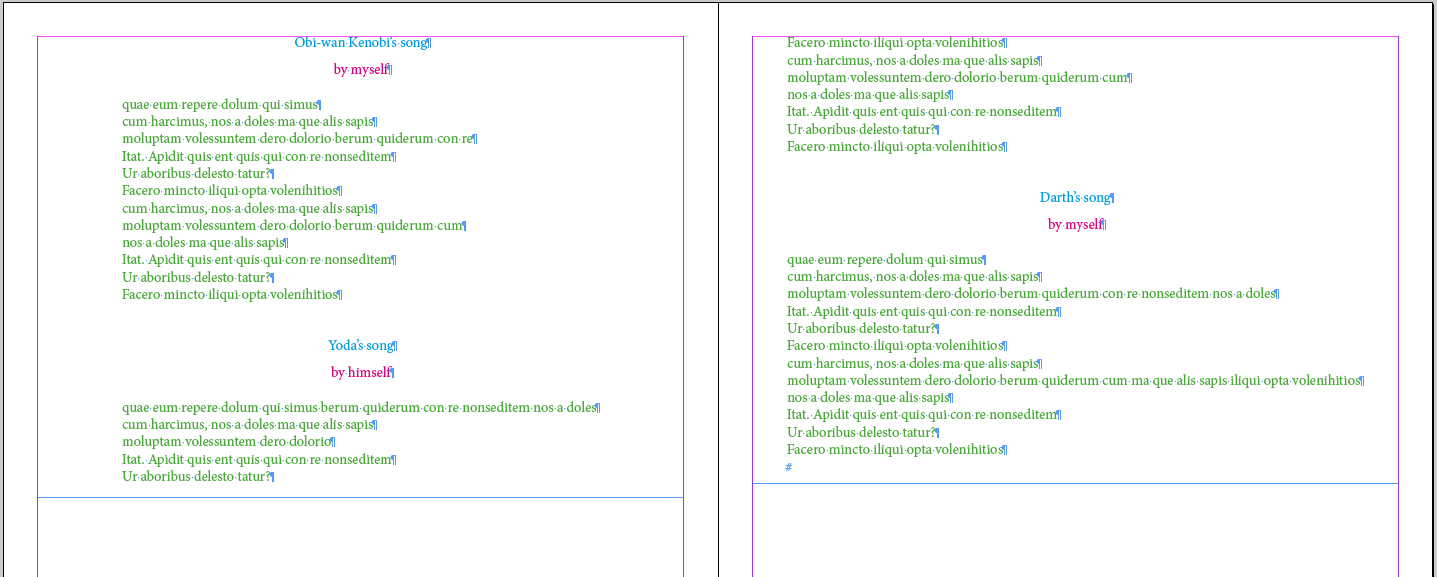
Supposing the op has styled each poem lines as "Body" (in Green), the title, as "Title" (in Blue) and the author, as "Author" (in Red) …
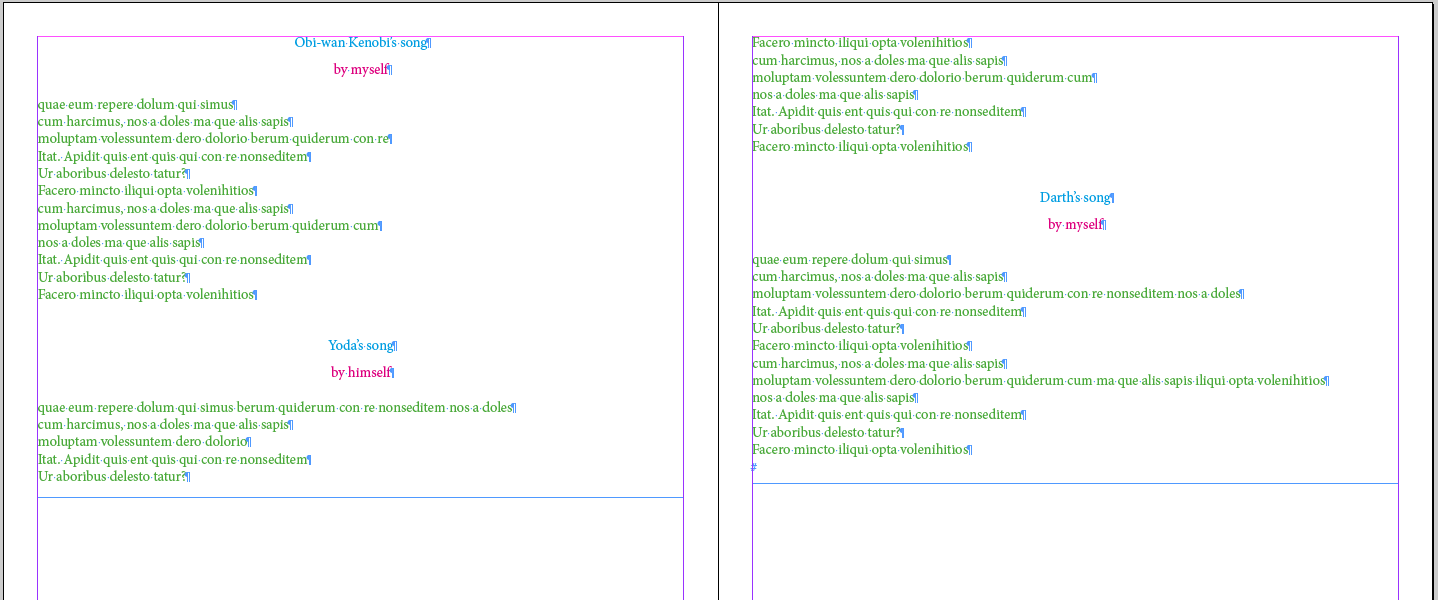
1 click will be enough to get this result: each page is centered-aligned-on-the-poem-longest-line!
/*
0190_PoetryLines_MichelAllio.jsx
based on an orginal code written by Peter Kahrel | See: https://forums.adobe.com/thread/2370094
Written 2017/08/13
*/
app.doScript(main, ScriptLanguage.JAVASCRIPT, [], UndoModes.ENTIRE_SCRIPT, "Poetry Lines! …" );
function main()
{
var myDoc = app.activeDocument,
myPages = myDoc.pages,
P = myPages.length, p;
for ( p = 0; p < P; p++ ){
var myFrames = myPages
.allPageItems,
F = myFrames.length, f;
for ( f = 0; f < F; f++ ) {
var myFrame = myFrames
; if ( myFrame instanceof TextFrame && myFrame.contents.length > 0 ) {
longest = Math.max.apply (null, myFrame.lines.everyItem().endHorizontalOffset);
indent = (myFrame.geometricBounds[3]/2) - (longest/2);
myFrame.lines.everyItem().leftIndent = indent;
}
}
}
var myParas = myDoc.stories.everyItem().paragraphs.everyItem().getElements();
var P = myParas.length, p;
for ( p = 0; p < P; p++ ) myParas
.appliedParagraphStyle != myDoc.paragraphStyles.item("Body") && myParas
.clearOverrides();
}
(^/)

Copiar vínculo al Portapapeles
Copiado
I've been searching for an Indesign script to do just this. However, I can't seem to get yours to work (nothing happens when I run the script). Peter's simple script worked okay, but I needed something that would go through an entire document (sometimes 200+ pages) and do this.
Not sure where the hiccup is...
Copiar vínculo al Portapapeles
Copiado
Nice script, Peter. Especially this line:
longest = Math.max.apply (null, frame.lines.everyItem().endHorizontalOffset);
Copiar vínculo al Portapapeles
Copiado
Hi Peter,
Your script works well for me, but do you know how to set it up so that it would do this for every page in the document? I've tried Obi-Wan's script, but it doesn't seem to work, and not sure why.

Copiar vínculo al Portapapeles
Copiado
Copying your question, prefixed with "InDesign", into Google turned up lots of suggestions, including a Lynda course.
As well as this: adobe indesign - Centring Text On Longest Line - Graphic Design Stack Exchange - no need to answer here and now, then.

Copiar vínculo al Portapapeles
Copiado
I would use the direct select tool to select the right edge of each text frame and use cursor keys to move the edge to the left, make the text frame narrower. Each press of a cursor key moved the frame on unit, as defines in Preferences > Units & Increments. Shift + cursor keys moves ten units, Command or Control + cursor key moves one tenth of a unit. Keep going until you find the narrowest working size. Finally use the Alignment panel to align the frame to the page. Repeat for each page. It’s time consuming, but short of scripting it is the easiest solution I can think of.
Copiar vínculo al Portapapeles
Copiado

Copiar vínculo al Portapapeles
Copiado
Mike_Jensen_TG said: I've tried Obi-Wan's script, but it doesn't seem to work, and not sure why.
Hi Mike,
what exactly does that mean?
Is there an error message?
Is the result not the result you are hoping for?
Something else?
Regards,
Uwe Laubender
( ACP )
Copiar vínculo al Portapapeles
Copiado
Hi Uwe,
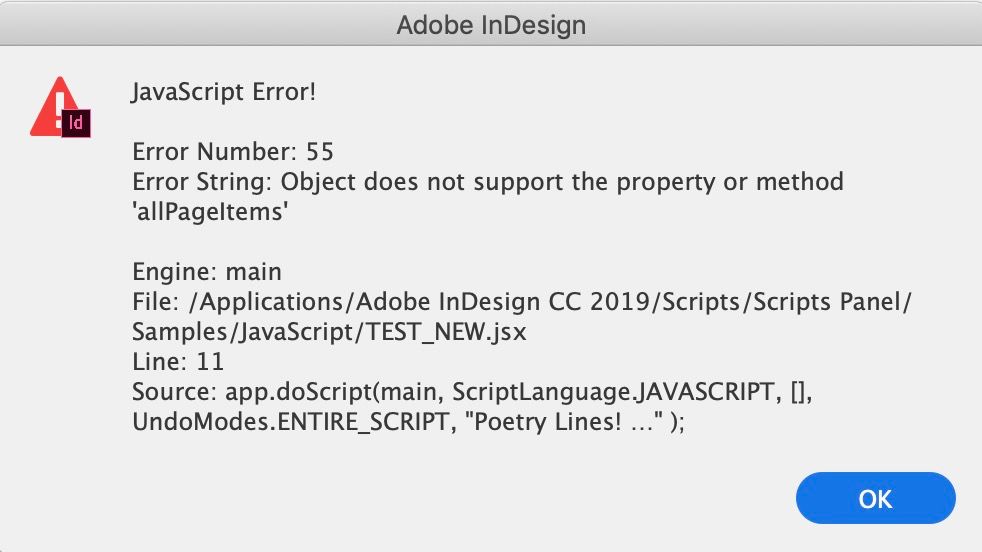
This is the error I get (Indesign CC 2019):
Copiar vínculo al Portapapeles
Copiado
Hi Mike,
that's rather strange. The mentioned object in the error message should be a Page object.
Page objects support property allPageItems . Even if there is no object on the page; then the length of that array is simply 0.
Best post your code using the forum's code markup for JavaScript.
Maybe something is missing…
Regards,
Uwe Laubender
( ACP )
Copiar vínculo al Portapapeles
Copiado
Hi Uwe,
Back at work now, thanks for your help. Here is the code:
/*

    0190_PoetryLines_MichelAllio.jsx

    based on an orginal code written by Peter Kahrel | See: https://forums.adobe.com/thread/2370094

    Written 2017/08/13

*/

app.doScript(main, ScriptLanguage.JAVASCRIPT, [], UndoModes.ENTIRE_SCRIPT, "Poetry Lines! …" );


function main()

{

    var myDoc = app.activeDocument,

    myPages = myDoc.pages,

    P = myPages.length,  p;

    for ( p = 0; p < P; p++ ){

        var myFrames = myPages.allPageItems,

        F = myFrames.length,  f;

        for ( f = 0; f < F; f++ ) {

            var myFrame = myFrames;

            if ( myFrame instanceof TextFrame && myFrame.contents.length > 0 ) {

                longest = Math.max.apply (null, myFrame.lines.everyItem().endHorizontalOffset);

                indent = (myFrame.geometricBounds[3]/2) - (longest/2);

                myFrame.lines.everyItem().leftIndent = indent;

            }

        }

    }

    var myParas = myDoc.stories.everyItem().paragraphs.everyItem().getElements();

    var P = myParas.length,  p;

    for ( p = 0; p < P; p++ ) myParas.appliedParagraphStyle != myDoc.paragraphStyles.item("Body") && myParas.clearOverrides();

}
Copiar vínculo al Portapapeles
Copiado
Hi Mike,
this is the second time in some days where the same error pops up. In different scripts posted here.
Cannot tell if this is by chance or because transferring old code from the old Jive forum to this new one is the cause.
At least something is missing.
This should work:
/*

    0190_PoetryLines_MichelAllio.jsx
    based on an orginal code written by Peter Kahrel | See: https://forums.adobe.com/thread/2370094
    Written 2017/08/13

*/

app.doScript(main, ScriptLanguage.JAVASCRIPT, [], UndoModes.ENTIRE_SCRIPT, "Poetry Lines! …" );

function main()
{
    var myDoc = app.activeDocument,
    myPages = myDoc.pages,
    P = myPages.length,  p;

    for ( p = 0; p < P; p++ )
	{
        var myFrames = myPages[p].allPageItems,
        F = myFrames.length,  f;

        for ( f = 0; f < F; f++ ) {
            var myFrame = myFrames[f];

            if ( myFrame instanceof TextFrame && myFrame.contents.length > 0 )
			{
               var longest = Math.max.apply (null, myFrame.lines.everyItem().endHorizontalOffset);
               var indent = (myFrame.geometricBounds[3]/2) - (longest/2);
                myFrame.lines.everyItem().leftIndent = indent;
            }
        }
    }
}
If all your text in the document should be handled, leave it at that.
If you want to apply this only to text with a distinct paragraph style, you have also to add some of the original code.
The style's name you want to add the changes to is important. In Michel's original code this name is "Body". Change it to your style's name and do not move the style into a style group!
/*

    0190_PoetryLines_MichelAllio.jsx
    based on an orginal code written by Peter Kahrel | See: https://forums.adobe.com/thread/2370094
    Written 2017/08/13

*/

app.doScript(main, ScriptLanguage.JAVASCRIPT, [], UndoModes.ENTIRE_SCRIPT, "Poetry Lines! …" );

function main()
{
    var myDoc = app.activeDocument,
    myPages = myDoc.pages,
    P = myPages.length,  p;

    for ( p = 0; p < P; p++ )
	{
        var myFrames = myPages[p].allPageItems,
        F = myFrames.length,  f;

        for ( f = 0; f < F; f++ ) {
            var myFrame = myFrames[f];

            if ( myFrame instanceof TextFrame && myFrame.contents.length > 0 )
			{
               var longest = Math.max.apply (null, myFrame.lines.everyItem().endHorizontalOffset);
               var indent = (myFrame.geometricBounds[3]/2) - (longest/2);
                myFrame.lines.everyItem().leftIndent = indent;
            }
        }
    }

    var myParas = myDoc.stories.everyItem().paragraphs.everyItem().getElements();
    var P = myParas.length,  p;
    for ( p = 0; p < P; p++ ) myParas[p].appliedParagraphStyle != myDoc.paragraphStyles.item("Body") && myParas[p].clearOverrides();
};
Regards,
Uwe Laubender
( ACP )
Copiar vínculo al Portapapeles
Copiado
It works - thank you!!

Copiar vínculo al Portapapeles
Copiado
Hi there! I'm trying to use this script for a memoir I'm typesetting (with mixed content—some normal paragraph styles, with poems intersperced throughout).
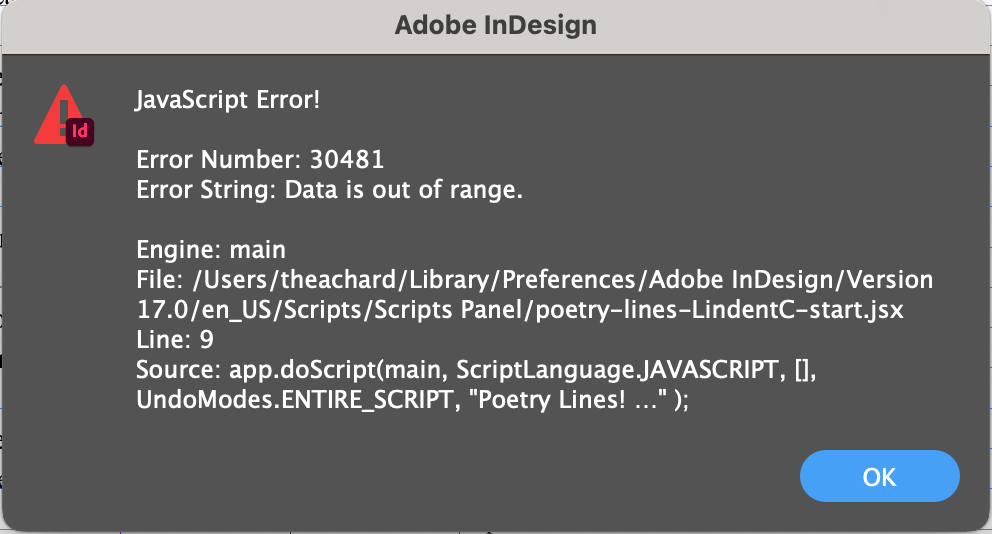
I changed the paragraph style to my own, but when I try to run the script, I'm getting a JavaScript Error:
It seems like something in line 9 is causing the issue and it's probably a simple fix... but this is the ceiling of my JavaScript knowledge. Please help—thank you SO much!
Thanks! Pasting full code below:
/*
0190_PoetryLines_MichelAllio.jsx
based on an orginal code written by Peter Kahrel | See: https://forums.adobe.com/thread/2370094
Written 2017/08/13
*/
app.doScript(main, ScriptLanguage.JAVASCRIPT, [], UndoModes.ENTIRE_SCRIPT, "Poetry Lines! …" );
function main()
{
var myDoc = app.activeDocument,
myPages = myDoc.pages,
P = myPages.length, p;
for ( p = 0; p < P; p++ )
{
var myFrames = myPages[p].allPageItems,
F = myFrames.length, f;
for ( f = 0; f < F; f++ ) {
var myFrame = myFrames[f];
if ( myFrame instanceof TextFrame && myFrame.contents.length > 0 )
{
var longest = Math.max.apply (null, myFrame.lines.everyItem().endHorizontalOffset);
var indent = (myFrame.geometricBounds[3]/2) - (longest/2);
myFrame.lines.everyItem().leftIndent = indent;
}
}
}
var myParas = myDoc.stories.everyItem().paragraphs.everyItem().getElements();
var P = myParas.length, p;
for ( p = 0; p < P; p++ ) myParas[p].appliedParagraphStyle != myDoc.paragraphStyles.item("Poem Body–A (Ljust) START") && myParas[p].clearOverrides();
};

-
- 1
- 2

Encuentra más inspiración, eventos y recursos en la nueva comunidad de Adobe
Explorar ahora
 AdChoices