

straightlife
Inspiring
November 1, 2020
Answered

change background color in indesign

  • November 1, 2020
  • 3 replies
  • 12634 views

I followed a tutorial on how to place a background color in an indesign project.

It doesn't work.

Look at the attached photo...

I created a rectangle over the page, and text disappeared but image, object remained visible

I filled rectangle with a color

I sent the the colored rectange to the background. Nothing changed. (In the tutorial, it changed and the text became visible.)

So I opened text frame options and clicked the box that says "ignore text wrap."

The result was very weird. check the photo.

Maybe the project is corrupted. Again?

Does anybody know a method that works?

Using indesign 2021 on a mac running 10.15.7

Here's a beautiful attachment showing all my steps...
This topic has been closed for replies.
Correct answer rob day

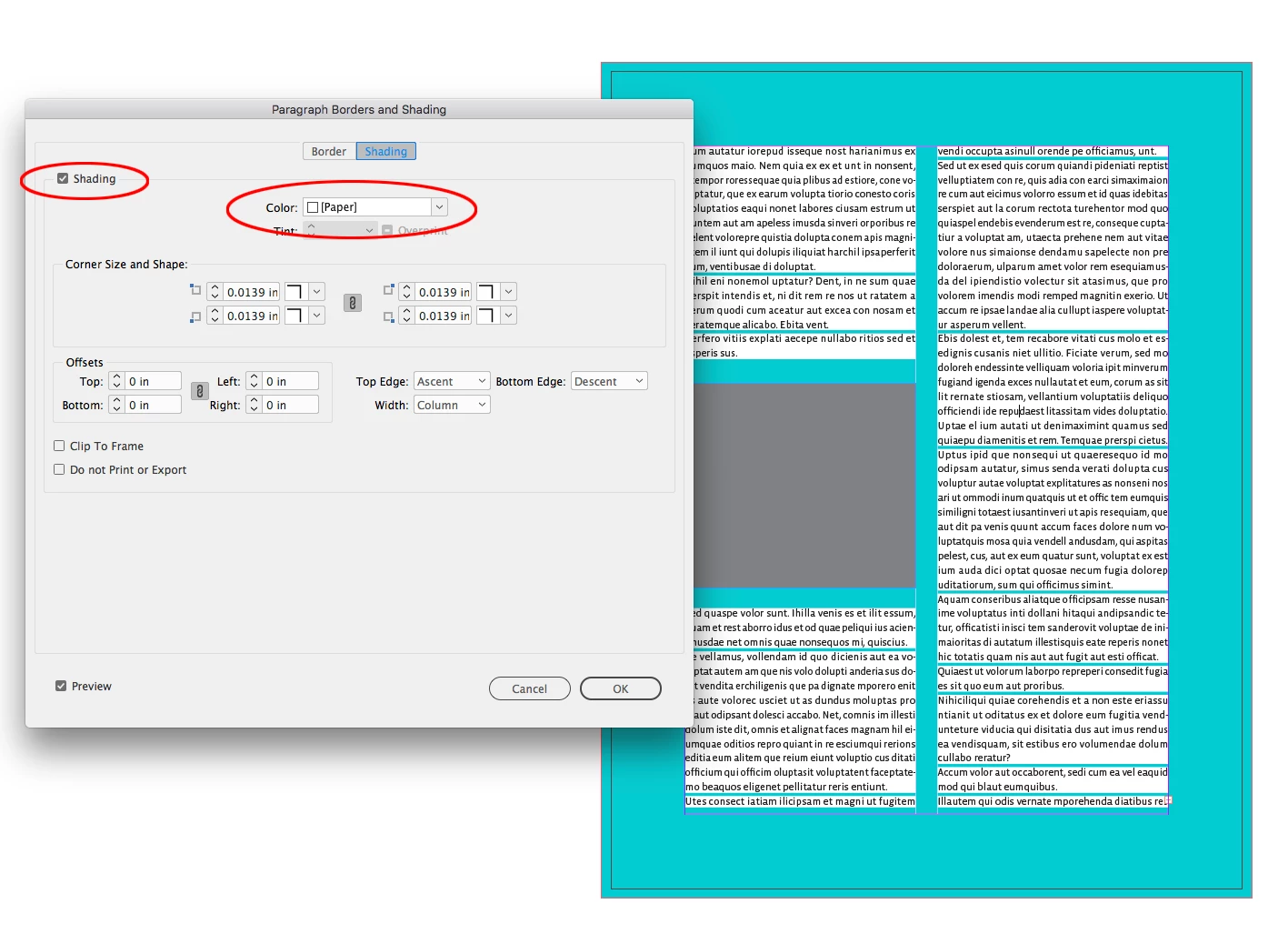
It looks like you might have Paragraph Shading turned on for the text. Select the text and from the Paragraph panel’s fly out menu check Paragraph Borders and Shading>Shading. Paragraph Shading can also be included with the text’s applied Paragraph Style:


3 replies

Adobe Expert
November 1, 2020

Hi @straightlife :


  1. I wish everyone would post such a clear pictorial of their workflow! That was awesome!
  2. Is text wrap on for the blue frame? Select the blue frame and disable it with Window > Text Wrap and click the first button on the top row in place of ignore text wrap in Text Frame Options on the text frames.


~Barb  

straightlife
Inspiring
November 1, 2020

Text wrap turned off....  

straightlife
Inspiring
November 1, 2020

HOWEVER. When I didn't use uploaded text from WORD (it's a long document), Everything worked just as it was supposed too!

Before loading the color I created a text box and typed in it.

Then I placed the photo.

Then I made a rectangle and sent it to the back. That worked.

So....  I can't believe I have to retype all the text directly into Indesign in order to get a colored background....

So, help???????

Is there an alternative way to import text when it won't have a white background?

rob day
Adobe Expert
November 1, 2020

Looks like the fill of your text frame is set to Paper, try setting it to None.


straightlife
Inspiring
November 1, 2020

No. Unfortunately, it is set to none.  

Adobe Expert
November 1, 2020

In the first new screen shot (with the arrow) the text frame isn't selected. Try selecting it and check again.


~Barb 

Adobe Expert
November 1, 2020

It would be better if you share a sample indd file so that someone can look at it and provide some inputs.

-Manan

straightlife
Inspiring
November 1, 2020

wow. Didn't know I could do that! wow. I will look it up for next time.... I think some of the people below might have saved me. gotta check out their fixes!

Here's a dropbox link to a bit of the problem. I don't know the correct way to do this...https://www.dropbox.com/s/o5gh7c1xv15jupj/Archive.zip?dl=0