
kimberlyk91241204
Participant
August 12, 2019
Answered

Change font size in multiple text boxes

  • August 12, 2019
  • 3 replies
  • 17334 views

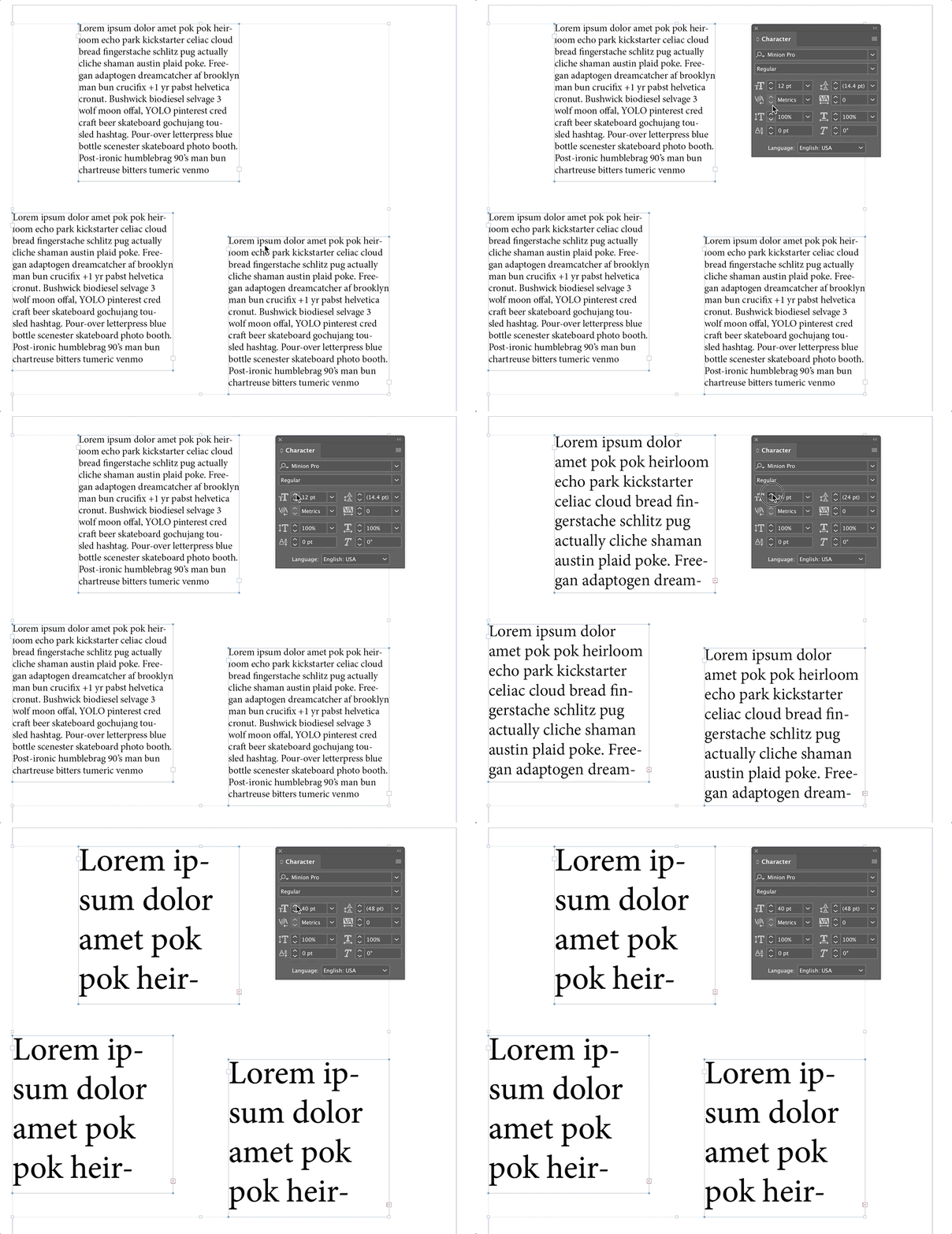
I have several text boxes on one page in InDesign that are the same font and size. I know how to change the font for all at once but I want to change the font size of the text in every text box at once and can't figure out how. Is there a way?
This topic has been closed for replies.
Correct answer Barb Binder

Hi Kimberly:

This is a great reason to use styles, but if you aren't, you can select the all of the text frames with the Selection tool, and then change the type size from the Character panel.

~Barb

3 replies

Known Participant
April 1, 2024

I need to change the text size of multiple paragraphs that use diffrent styles. When I select all of them to try to change the text size of all the text size option is blank and won't let me change the text size of them. Please help

Known Participant
April 1, 2024

Participant
January 21, 2021

Hi How do you chaneg the font/size on 30 pages at once on Indesign? Please kindly be specific? Thanks very much

Participant
January 21, 2021

Ho do you sleect all slides at once for instance? Thanks!

Barb Binder
Community Expert
Barb BinderCommunity ExpertCorrect answer
Community Expert
August 12, 2019

Hi Kimberly:

This is a great reason to use styles, but if you aren't, you can select the all of the text frames with the Selection tool, and then change the type size from the Character panel.

~Barb

~Barb at Rocky Mountain Training
kimberlyk91241204
Participant
August 12, 2019

Thank you, Barb! I haven't used styles but I will try it for my next project.

Barb Binder
Community Expert
Community Expert
August 12, 2019

Great! Let us know if you need a hand.

~Barb

~Barb at Rocky Mountain Training