
Participating Frequently
February 13, 2018
Answered

Change image "resize" frame color

  • February 13, 2018
  • 1 reply
  • 470 views

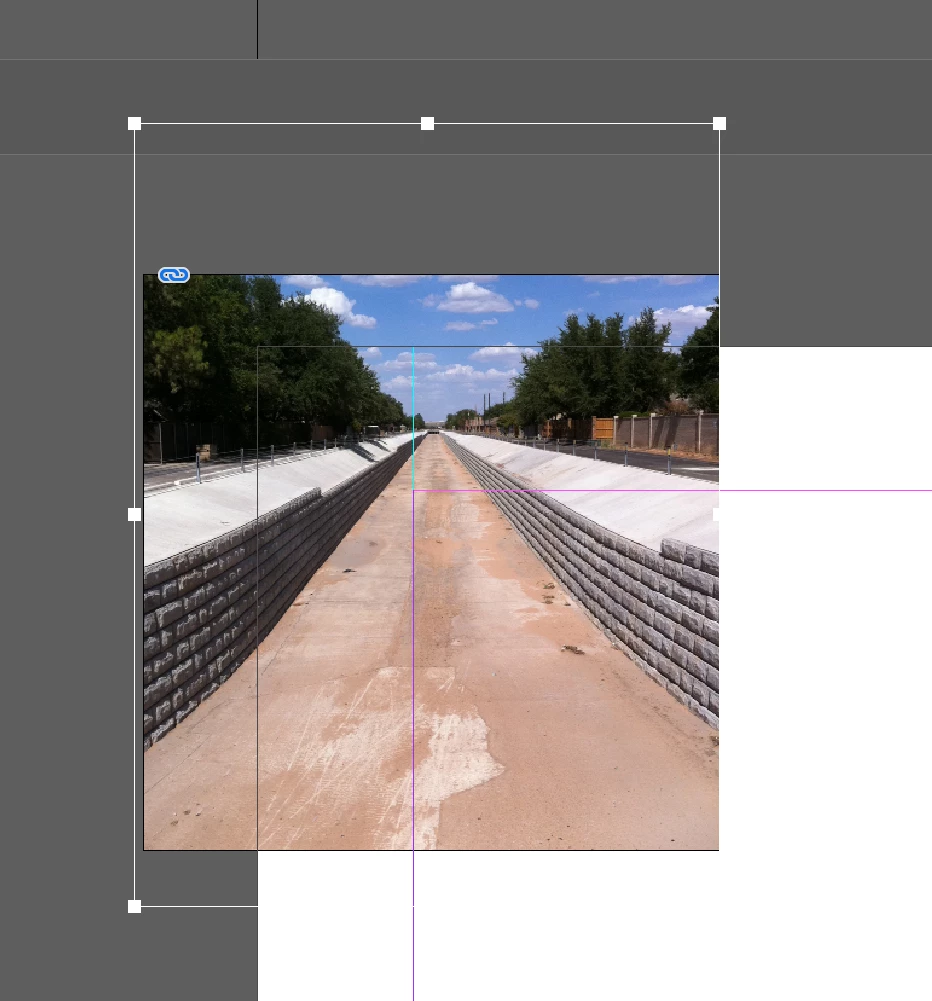
When I double click on an image, the resize frame is white. On a white background, I cannot see the frame to resize the image. Can I change the color of this somehow rather than having to add a temporary colored background?
    This topic has been closed for replies.
    Correct answer Steve Werner

    The color of a graphics frame is the color of your current layer. Open the Layers panel, and observe the default is a light blue color.

    The color of the image frame (within the graphics frame) is the inverse of that color.

    So to the change the image frame color, try a different layer color. Just double-click on the layer or choose Layer Options and pick another color.

    1 reply

    Steve Werner
    Community Expert
    Steve WernerCommunity ExpertCorrect answer
    Community Expert
    February 13, 2018

    The color of a graphics frame is the color of your current layer. Open the Layers panel, and observe the default is a light blue color.

    The color of the image frame (within the graphics frame) is the inverse of that color.

    So to the change the image frame color, try a different layer color. Just double-click on the layer or choose Layer Options and pick another color.