Answered
Change Object Style with Script
I have a bunch of templates that have an applied object style and i need to change the stroke attribute from 1pt black to [None]. How can i achieve this with a script?
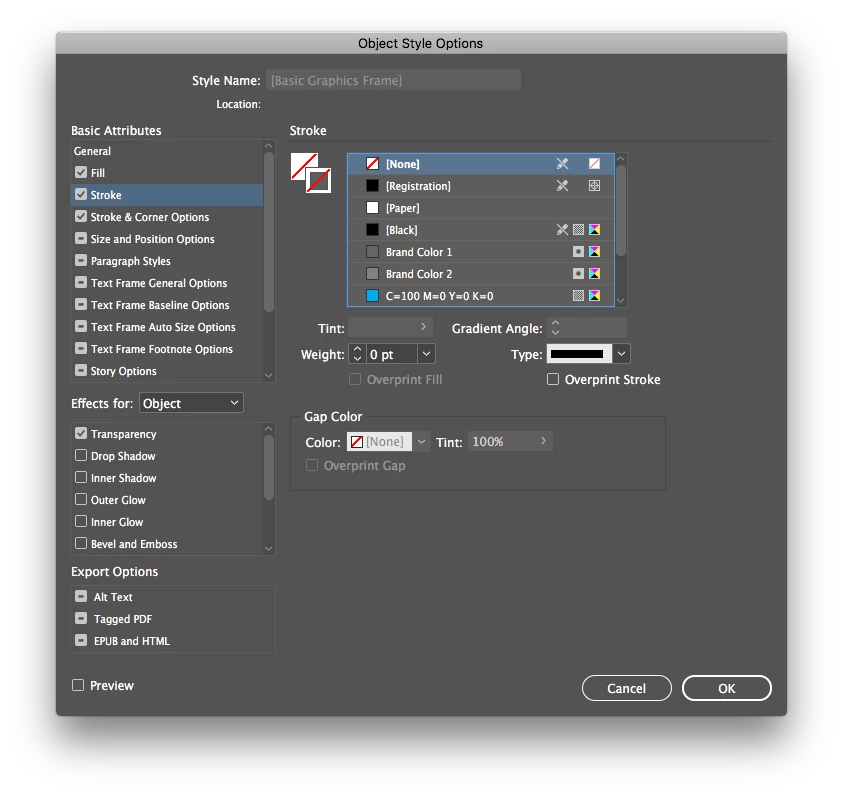

I have a bunch of templates that have an applied object style and i need to change the stroke attribute from 1pt black to [None]. How can i achieve this with a script?
Wouldn't it make more sense to change it from 1pt to 0pt?
I don't know if this will help you, but the script below will remove/make the stroke on all items, on all pages to 0pt:
var doc = app.activeDocument;
for(var i = 0; i < doc.pages.length; i++) {
doc.pages.item(i).pageItems.everyItem().strokeWeight = 0;
}
EDIT: You could also target the Object Style directly, I think that is what you are really looking for, see below:
var doc = app.activeDocument;
for(var i = 0; i < doc.pages.length; i++) {
doc.objectStyles.itemByName("myObjectStyle").strokeColor = "None";
}
Hope this points you in the right direction.
Already have an account? Login
No account yet? Create an account
Enter your E-mail address. We'll send you an e-mail with instructions to reset your password.


 AdChoices