Known Participant
December 1, 2017
Answered

Change text box font, keep ital, bold, etc.

  • December 1, 2017
  • 2 replies
  • 1213 views

A very old problem, discussed often, but there's a particular detail I don't see covered . . .

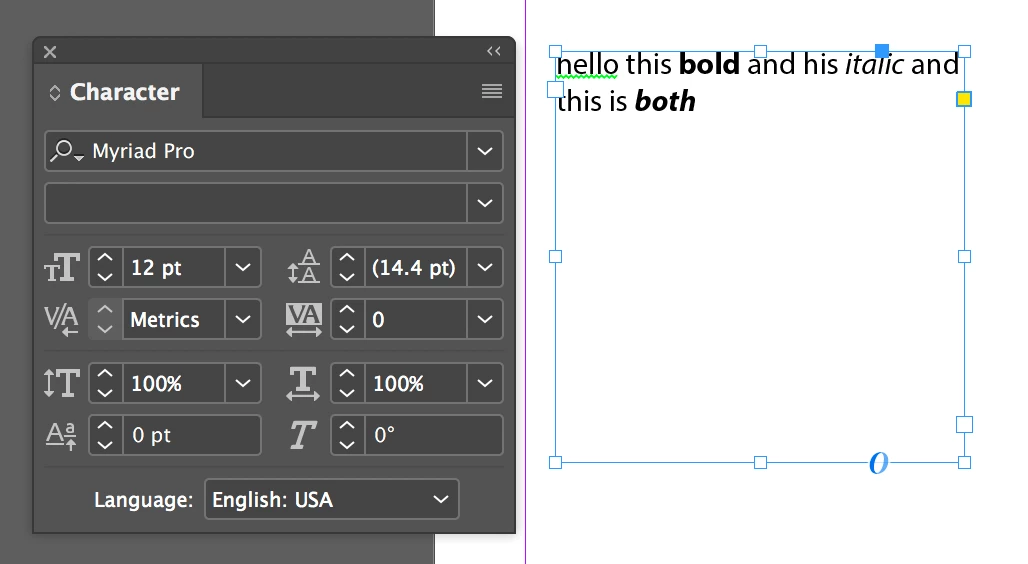
I could swear I used to be able to choose a text box and change the font family without having to choose the format (roman/ital/bold). This kept italics  italics, roman roman, and so on. This hasn't been possible for a long time, though (maybe if it ever was).

Am I misremembering? Is the only way to change the font and keep the italics to go through the bother of making an italics character style, and assign it to all ital?

Thanks for people's patience and help.
This topic has been closed for replies.
Correct answer Barb Binder

You can still do that...

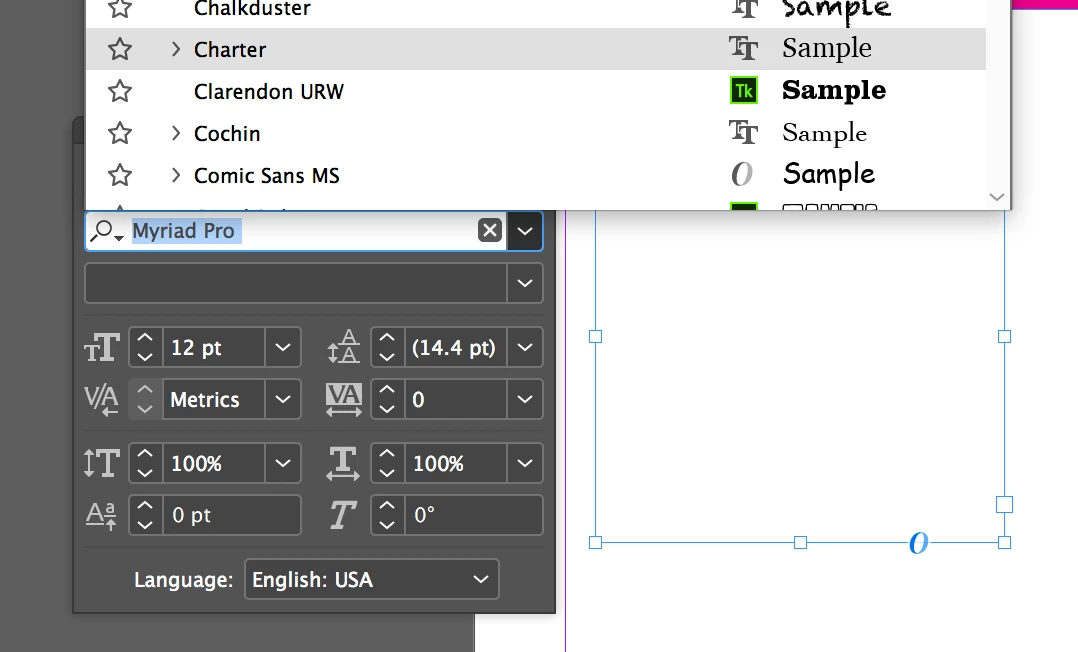
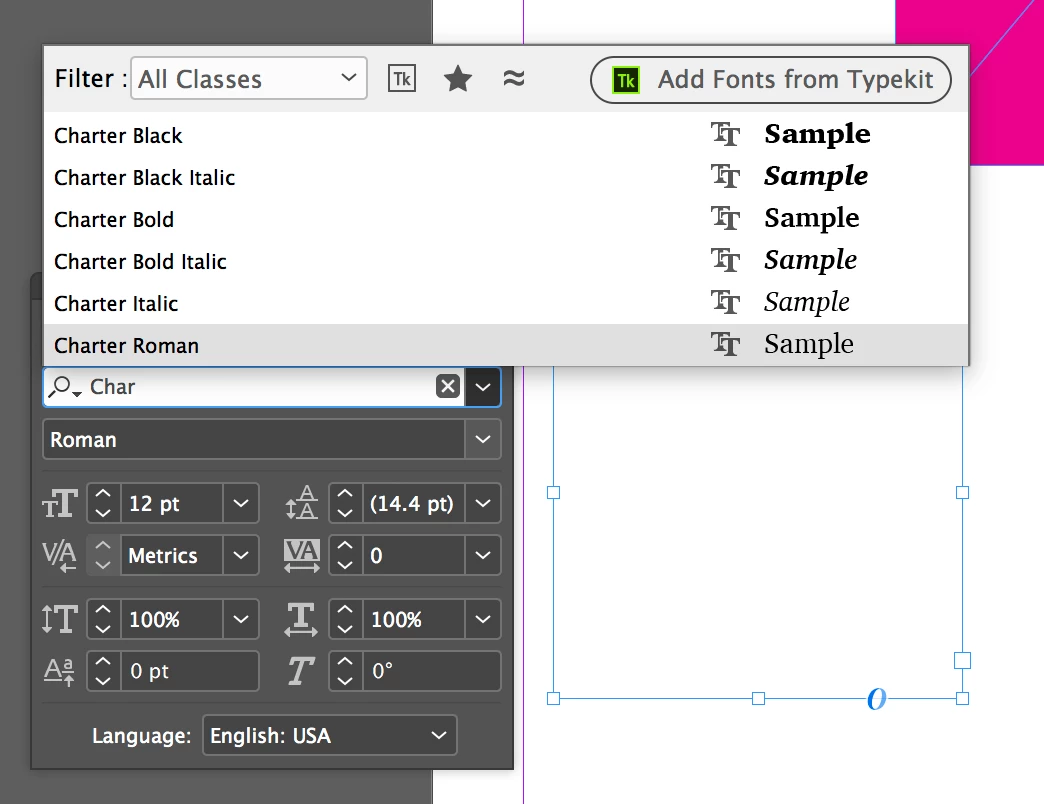
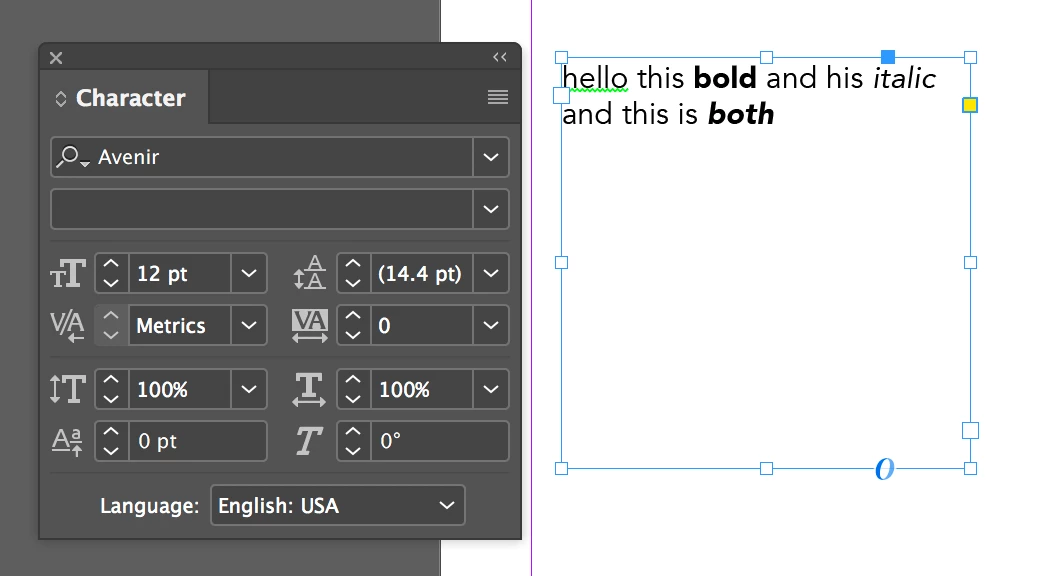
but it matters how you select the font. Be sure you are picking a top level font name (i.e., Charter)

and not specifying a specific style (i.e., Charter Roman), which happens when you start typing the name in the font list.

Finally, it is very quick to create a character style, and apply it via find/change, which is what I normally do.

~Barb

2 replies

Rob EhleAuthor
Known Participant
December 1, 2017

Thanks, Barb.

The problem is typing in the name, I see.

There are still some fonts that are problematic because of their style name, of course. If the current font uses roman and italic, but the new font uses "regular" and italic, all the roman of the new font will be highlighted in pink.

Mike Witherell
Community Expert
Community Expert
December 1, 2017

Character Styles are a good habit. Not all typefaces have an italic form, of course. Book faces generally do; display faces don't. You probably knew that. IF you have fonts that identify as Roman, they might be old PostScript Type 1 fonts. Make an effort to retire/delete all old fonts in favor of mostly depending on OpenType fonts.

Mike Witherell
Barb Binder
Community Expert
Barb BinderCommunity ExpertCorrect answer
Community Expert
December 1, 2017

You can still do that...

but it matters how you select the font. Be sure you are picking a top level font name (i.e., Charter)

and not specifying a specific style (i.e., Charter Roman), which happens when you start typing the name in the font list.

Finally, it is very quick to create a character style, and apply it via find/change, which is what I normally do.

~Barb

~Barb at Rocky Mountain Training