Obi-wan Kenobi
Legend
November 30, 2016
Question

Change text color in tables! …

  • November 30, 2016
  • 1 reply
  • 4721 views

Hi Scripters,

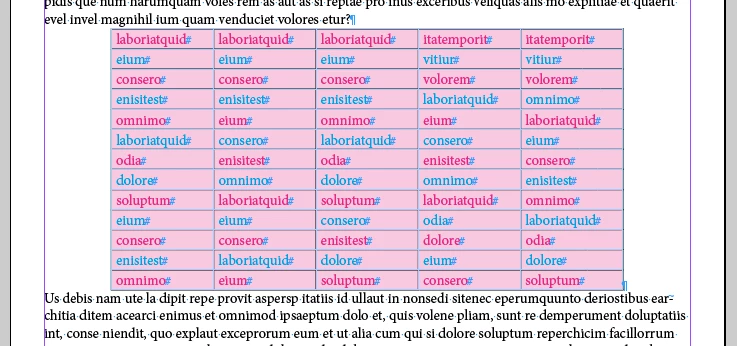
I'm trying to change color of the text in some rows but not all! As:
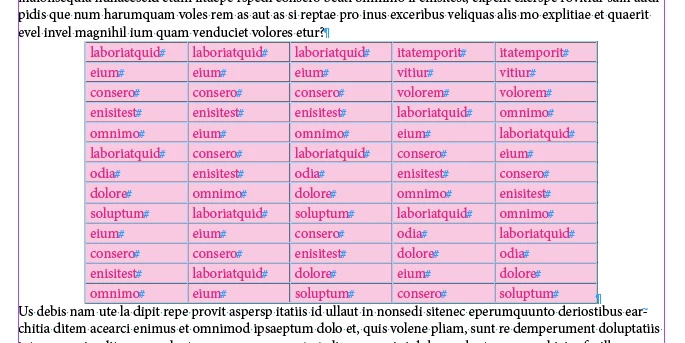
… with this code:

var

myDoc = app.activeDocument, 

myTables = myDoc.stories.everyItem().tables.everyItem().getElements(); 


for ( var t = 0 ; t < myTables.length; t++ ) 

        var myRows = myTables.rows;        

        for ( var r  = 1 ; r  < myRows.length; r += 2 ) 

        { 

                   var myCells = myRows.cells;                   

                   for ( var c = 0 ; c < myCells.length; c++ ) 

                   { 

                    myCells.contents.fillColor = myDoc.colors.itemByName("Blue");

                   } 

        }

}

… But, of course, it doesn't work!

As usual, thanks for your help! 

(^/)

This topic has been closed for replies.

1 reply

Obi-wan Kenobi
Legend
November 30, 2016

… Apparently, my error is at line 13. To be corrected as:

                    myCells.texts[0].fillColor = myDoc.colors.itemByName("Blue");

… But I find this script very slow! 

Is there a different writing to make it faster!

Thanks again! 

(^/)

Peter Kahrel
Community Expert
Community Expert
November 30, 2016

This is probably quicker (it's certainly quicker to type):

app.findGrepPreferences = app.changeGrepPreferences = null;

app.findGrepPreferences.fillColor = 'Black';

app.changeGrepPreferences.fillColor = 'Blue';

app.documents[0].stories.everyItem().tables.everyItem().changeGrep();

Peter

Obi-wan Kenobi
Legend
November 30, 2016

Hi Peter,

Totally right! [ ] … if I wanted to change all "Red" text in "Blue"! …

But it's more complex: To simplify, I've not included a header row, but here I want to change only the "even" rows.

That's why I used 3 "for" loops [see the second one especially]! … surely the reason of the script slowness.

(^/)