Participant
May 18, 2020
Answered

Changing a paragraph to make it Span Columns causes the paragraph to jump to the top of next page

  • May 18, 2020
  • 5 replies
  • 1681 views

I have a span columns all header paragraph style. It works fine a few times, then it causes the paragraph to jump to the top of the next page.
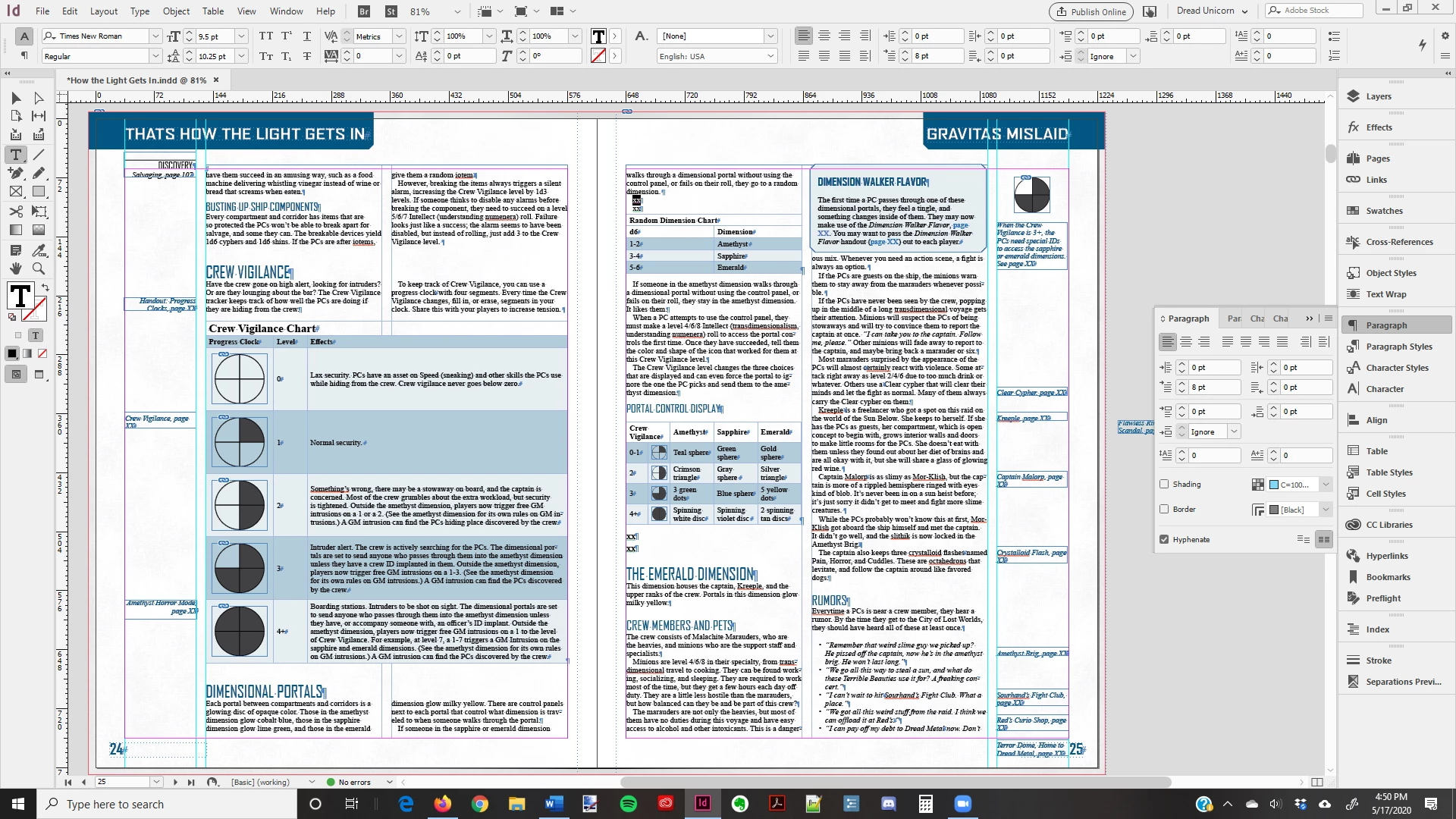
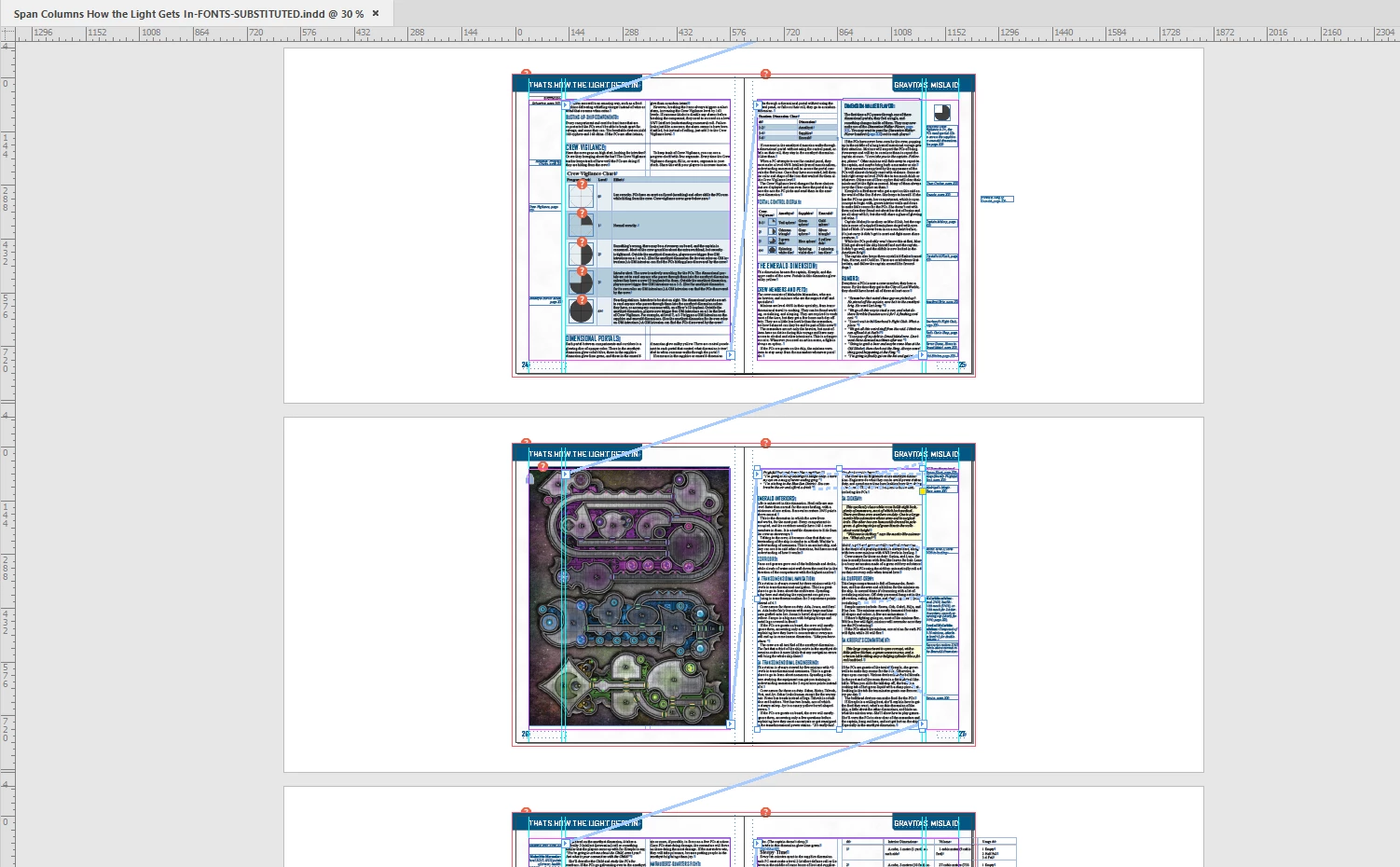
On the left page (above), the text "Crew Vigilance" and "Dimensional Portals" is "span all columns" and it's working fine. The table "Crew Vigilance Chart" also spans columns and is working fine.

On the right page (above), I had to set the text "The Emerald Dimension" to "single column" to get it to stay on the page. Otherwise it jumps to the next page:
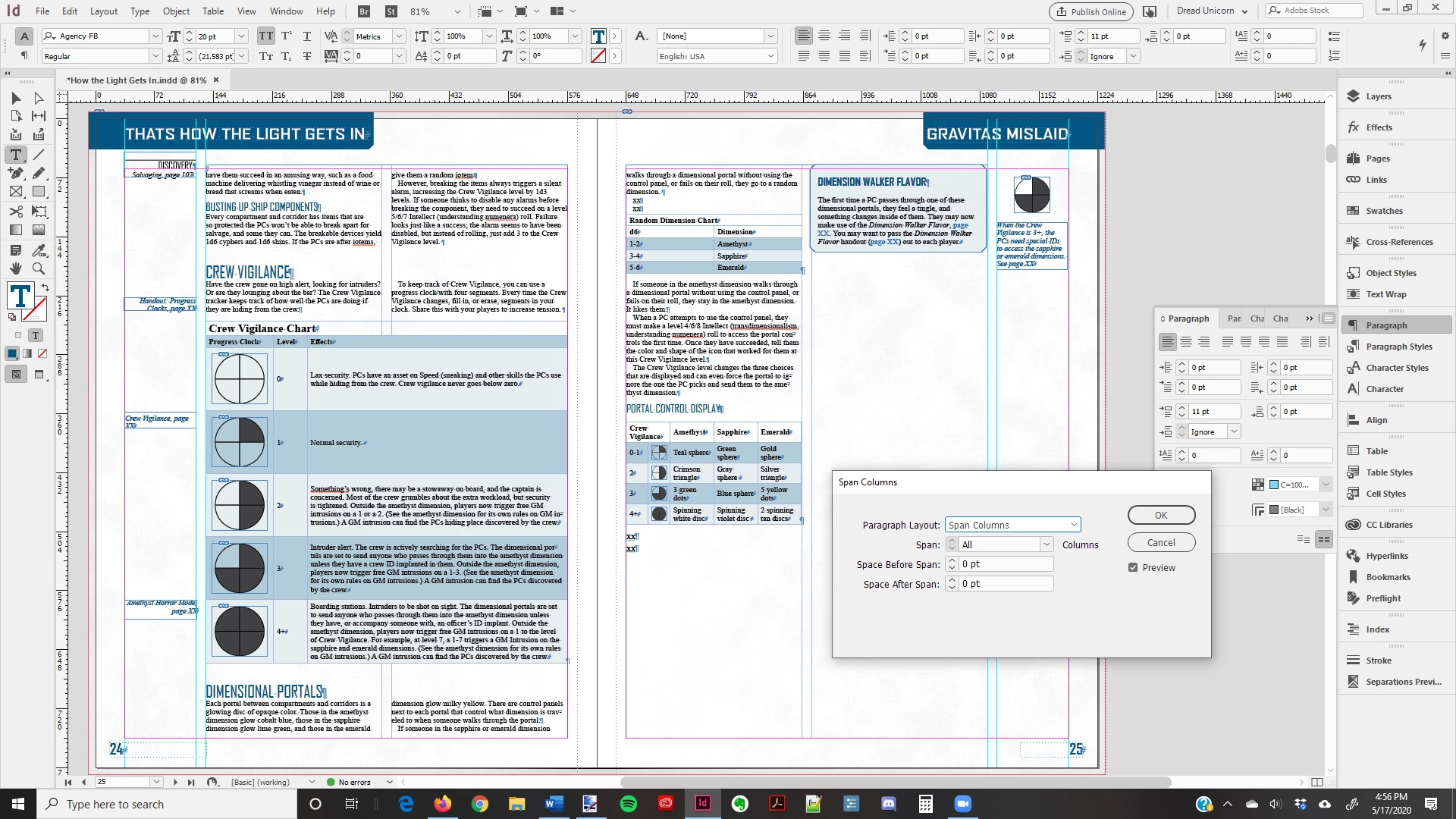
At first I thought it was the paragraph style in question. So I inserted some XXs in both my normal paragraph style and [Basic Paragraph]. If I set any paragraph on the right hand page to "span columns" it jumps to the next page.


I'm kind of stumped here. Any ideas?
This topic has been closed for replies.
Correct answer Laubender

Hi John,

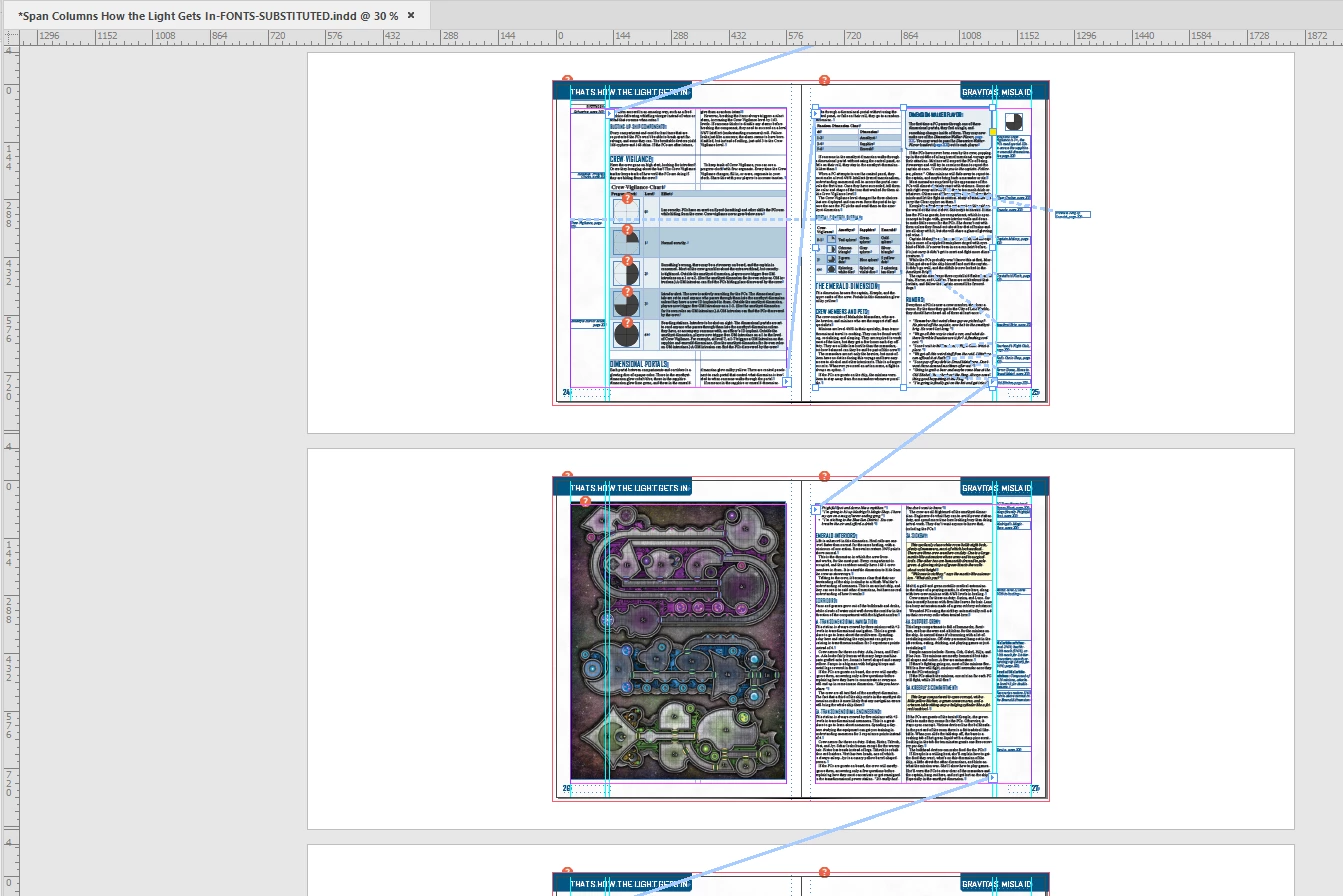
As far as I can see, the cause of this issue is on page 26:

A placed image with a frame that is set to text wrap.


I see two solutions:

[1] Remove the text frame stacked below the graphic frame on page 26.

[2] Anchor the graphic frame on page 26 to the main text flow.


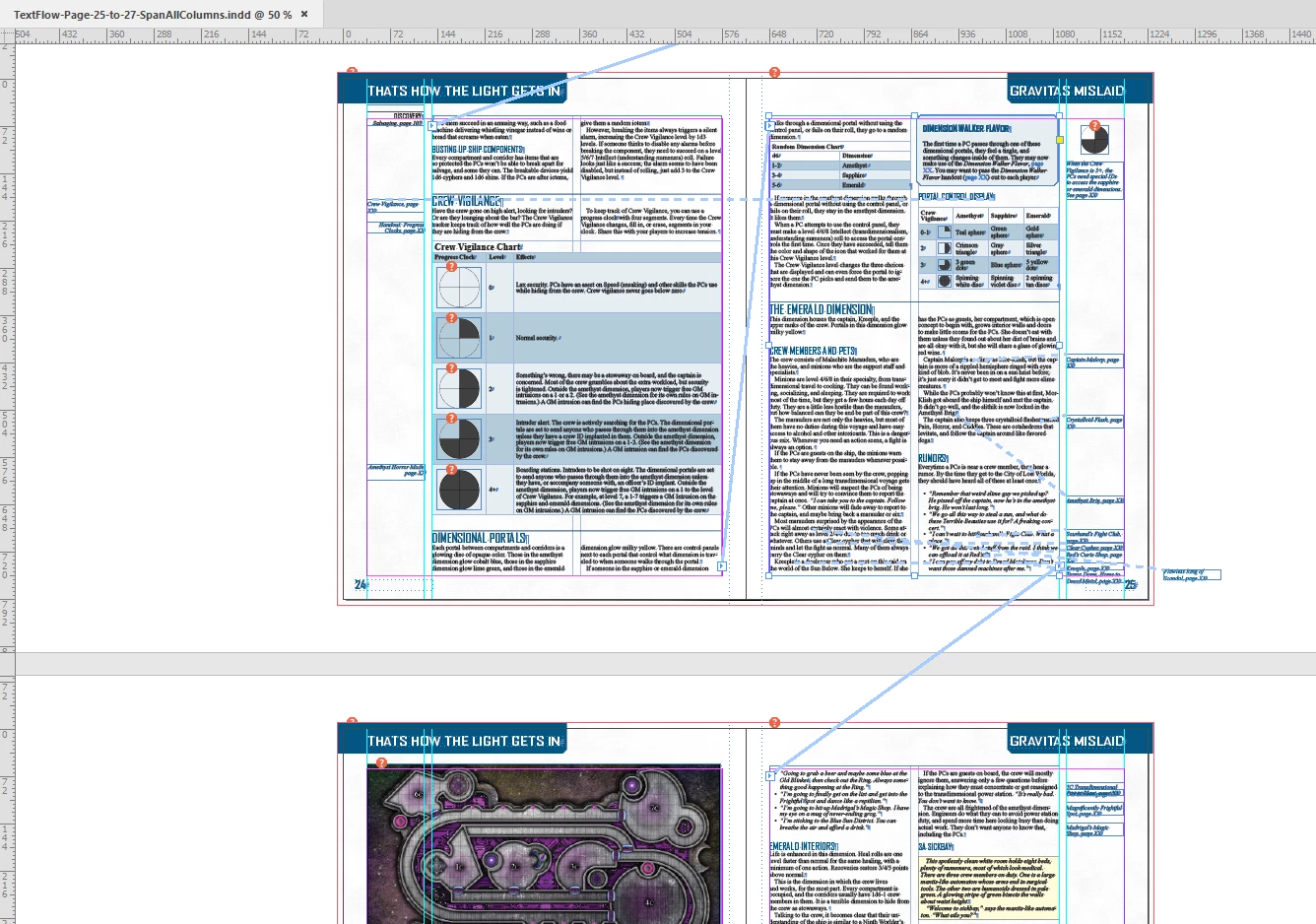
Solution [1] in screenshots:


Text frame on page 26 removed, text flows from page 25 to 27:


Span Columns changed to Span All on page 25:


Regards,
Uwe Laubender

( ACP )

5 replies

Community Expert
May 19, 2020

Hi John,

I assume the reason for this is the complexity of the task.

To really know why InDesign is behaving this way we have to ask the developers.


Best do a feature request at InDesign UserVoice:

https://indesign.uservoice.com/

Please come back when done and post the link so that we can vote for it.


Regards,
Uwe Laubender

( ACP )

LaubenderCommunity ExpertCorrect answer
Community Expert
May 18, 2020

Hi John,

As far as I can see, the cause of this issue is on page 26:

A placed image with a frame that is set to text wrap.


I see two solutions:

[1] Remove the text frame stacked below the graphic frame on page 26.

[2] Anchor the graphic frame on page 26 to the main text flow.


Solution [1] in screenshots:


Text frame on page 26 removed, text flows from page 25 to 27:


Span Columns changed to Span All on page 25:


Regards,
Uwe Laubender

( ACP )

Participant
May 18, 2020

Thank you so much.


Just so I know how to deal with such problems in the future, what is the reason for this? Is it because the entire page is  covered by the image with text wrap?


In any case, thank you again!!!

Community Expert
May 18, 2020

Hi John,

downloaded your attached InDesign document and can see your issue.


If I change the formatting of paragraph "The Emerald Dimension" to span all columns that paragraph will jump to the next available page. First, I was irritated that "Dimension Walker…" stayed in the same corner, but then realised that this frame is stand-alone and not anchored to the main text flow.


Doing some tests right now, but InDesign is hardly reacting.

Maybe I have to zap it from my Task-Manager.


Regards,
Uwe Laubender

( ACP )

Barb Binder
Community Expert
Community Expert
May 18, 2020

John, where did you post the link? I don't see it. Or did you send it to Steve directly?


~Barb

~Barb at Rocky Mountain Training
Steve Werner
Community Expert
Community Expert
May 18, 2020

I don't know who he sent it to. But now I see a little blue link at the bottom of the original post.


I didn't know we could now actually link files in the forums.

Steve Werner
Community Expert
Community Expert
May 18, 2020

It's not immediately apparent to me by looking at your screen capture. Can you post a copy of the file so others could test it?


Participant
May 18, 2020

Done. Page 25 has the error. Thanks for taking the time to look at it.