


Inspiring
October 23, 2025
Answered

Changing from single page view to facing pages.
  • October 23, 2025
  • 3 replies
  • 652 views

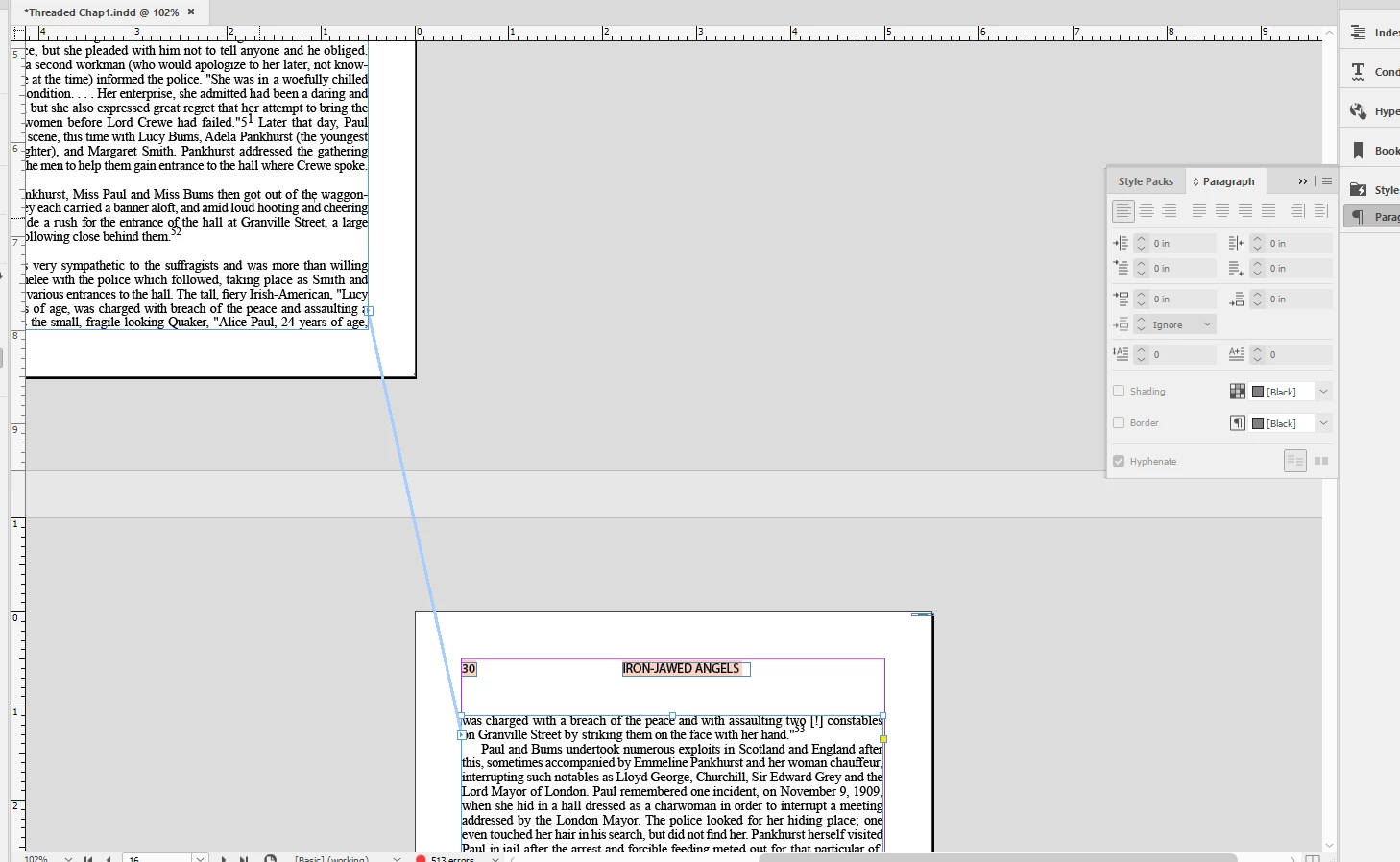
I want to change a single page view to facing pages.  When I go to document setup and choose facing pages I get single pages which are shifted but not facing (see above).  What must I do to correct this?


Thanks,


Ira Glunts

Correct answer BobLevine

OK.  Do you mean the section markers that are triangles on the pages panel?  If so, how do remove them?


Right click the page in the pages panel. Choose Numbering and Section Options. Uncheck Start Section from the dialog box that will appear.

3 replies

Willi Adelberger
Community Expert
Community Expert
October 24, 2025

In the page panel select all page thumbs and in the panel menu select Allow shuffle pages.

Mike Witherell
Community Expert
Community Expert
October 24, 2025

If the document had been designed as single pages, then 2 steps change it to facing pages:

1. File > Document Setup > Facing Pages turned ON

and

2. Go to the Pages panel and select the Parent page. Alt/Option click it or otherwise choose Pages panel menu button > Parent Options and choose number of pages: 2; ok.

Mike Witherell
BobLevine
Community Expert
Community Expert
October 24, 2025

Can you show us your pages panel with the parent pages visible? 

Inspiring
October 24, 2025

I guess I need to add another parent page. Correct?  I added another blank parent page but that apparently is not all that is required. 

How do I add the appropriate second parent, if I am understanding this correctly.

Again, thanks for the help.

Ira

BobLevine
Community Expert
Community Expert
October 24, 2025

First things first because selecting facing page should have given you the spreads view, remove those section breaks and open the pages panel menu and choose allow document pages to shuffle and allow selected spreads to shuffle.


Should look like this:


Community Expert
October 24, 2025

Possibly maybe there is no 2nd page in the Parent Page section.

Inspiring
October 24, 2025

Thanks.  You are correct.  I created a parent B page but that was not enough.  How do I add the appropriate second parent?  Thanks.

Ira