
Inspiring
March 11, 2020
Answered

Changing highlighted text color when making copy changes

  • March 11, 2020
  • 3 replies
  • 645 views

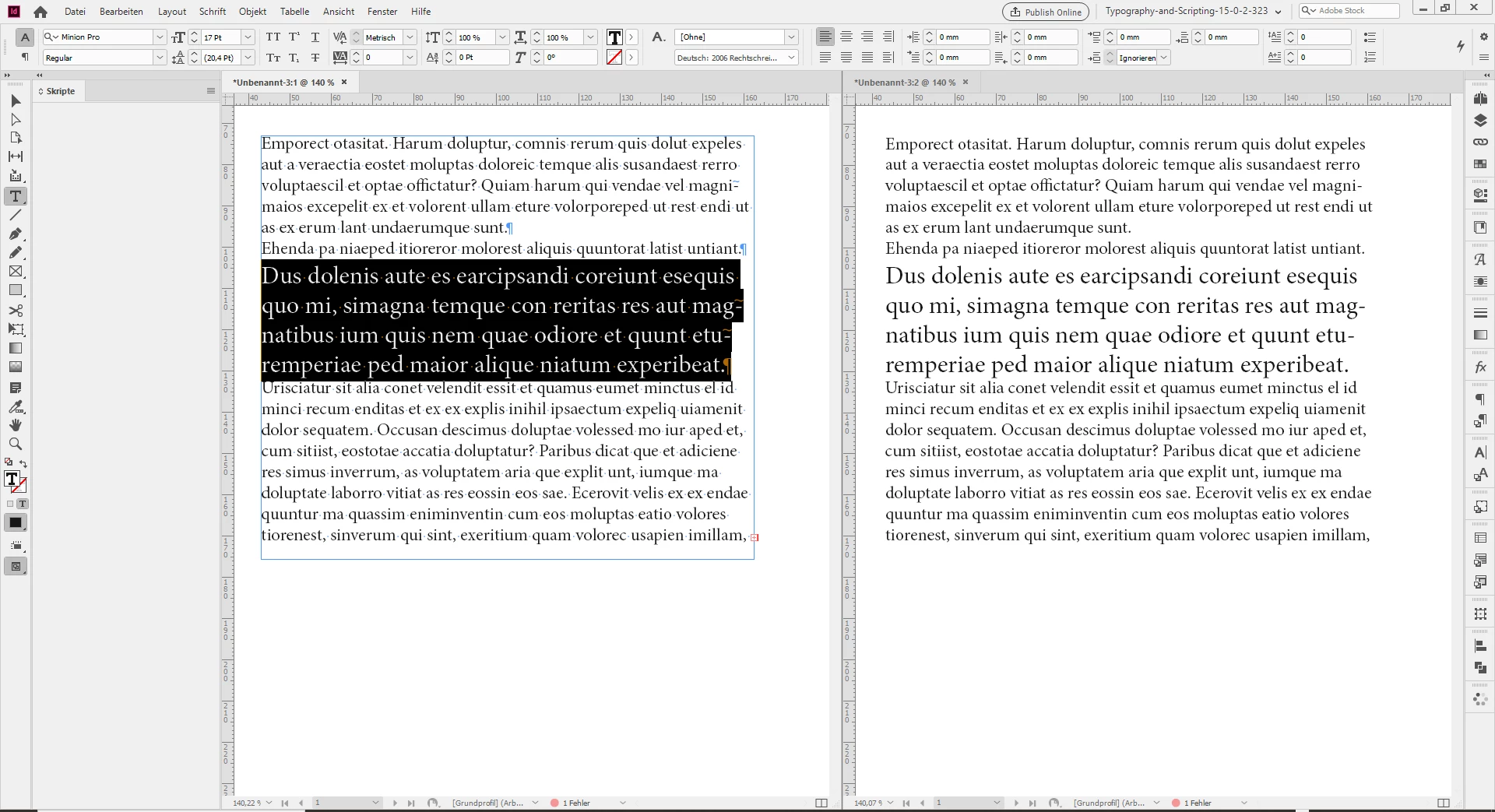
I am using InDesign CC on the Mac. In layout mode, when I select a block of text with the text tool (to make a correction for example) the highlight color of the selected text is Black and that makes the selected text virtually invisible. I’ve searched preferences for a place to change the color of this and can not find it. Anybody know where it’s hiding?
    This topic has been closed for replies.
    Correct answer Laubender

    Hi Suz_S,

    maybe you need a second view of the same page?


    You could open a second layout window for the same document. Side by side.

    In one window you can view your selected text, in the other window you see what happens to that text without looking at the destracting highlight color.


    See menu:

    Window > Arrange > New Window for "Document Name"


    Regards,
    Uwe Laubender

    ( ACP )

    3 replies

    LaubenderCommunity ExpertCorrect answer
    Community Expert
    March 11, 2020

    Hi Suz_S,

    maybe you need a second view of the same page?


    You could open a second layout window for the same document. Side by side.

    In one window you can view your selected text, in the other window you see what happens to that text without looking at the destracting highlight color.


    See menu:

    Window > Arrange > New Window for "Document Name"


    Regards,
    Uwe Laubender

    ( ACP )

    rob day
    Community Expert
    Community Expert
    March 11, 2020

    You could try making edits in Story Editor:


    jmlevy
    Community Expert
    Community Expert
    March 11, 2020

    Hi, there is no such preferences. But the text should be reversed and displayed in white…