Hi, thanks for the replies.
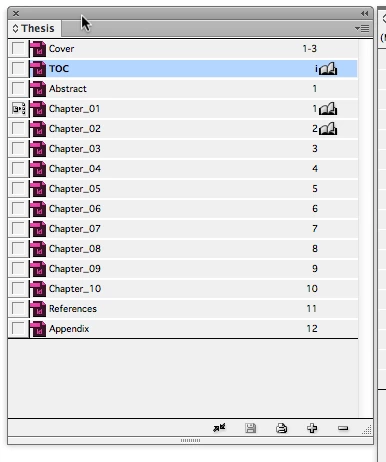
So, I've just checked the Chapter number in my Chapter_01 document, which is number 4, which I presume is because its forth in the list (see my book list from my original post)?
So, do I change this to 1, then add a Chapter Title Text Variable to my master page?
What about Chapter_02, 03, 04, etc. Do I need to change their numbers also?
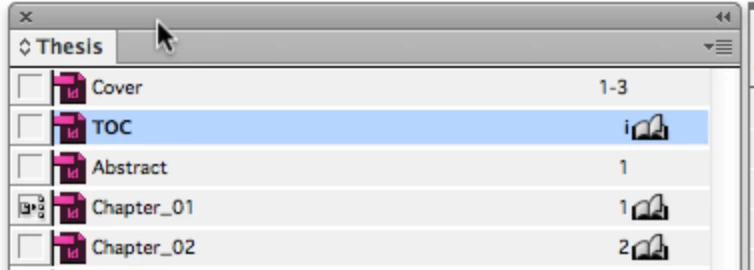
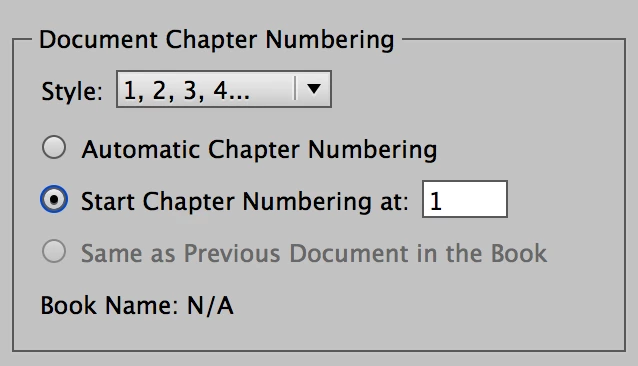
The Document Chapter Numbering for Chapter_01 looks like this: Start at 1
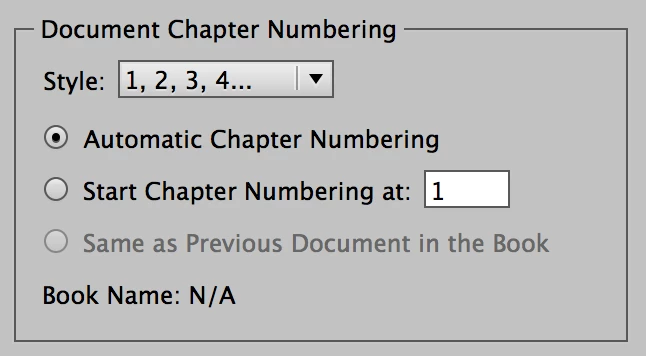
The Document Chapter Numbering for 02 to 10 looks like this: Automatic
In addition, create the text variable as Barbara showed you, for the Chapter Header
Text > Text Variables > Define > New > Give it a name and define it

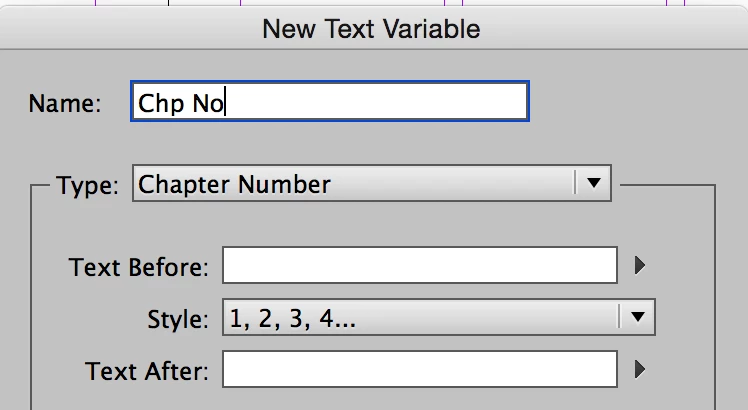
After it is defined, you can insert it into a text frame on your Master and / or to the insertion point in the Heading on page 1, for instance.
If something doesn't work, you can keep tweeking it until it does. Redefine the variable. Change the Document Numbering. Et cetera.
Ask here if it doesn't work perfectly. If you reorder any chapter except 01, the others update.


 AdChoices