maxwithdax
Community Expert
Community Expert
January 3, 2019
Answered

Character style between brackets

  • January 3, 2019
  • 2 replies
  • 7316 views

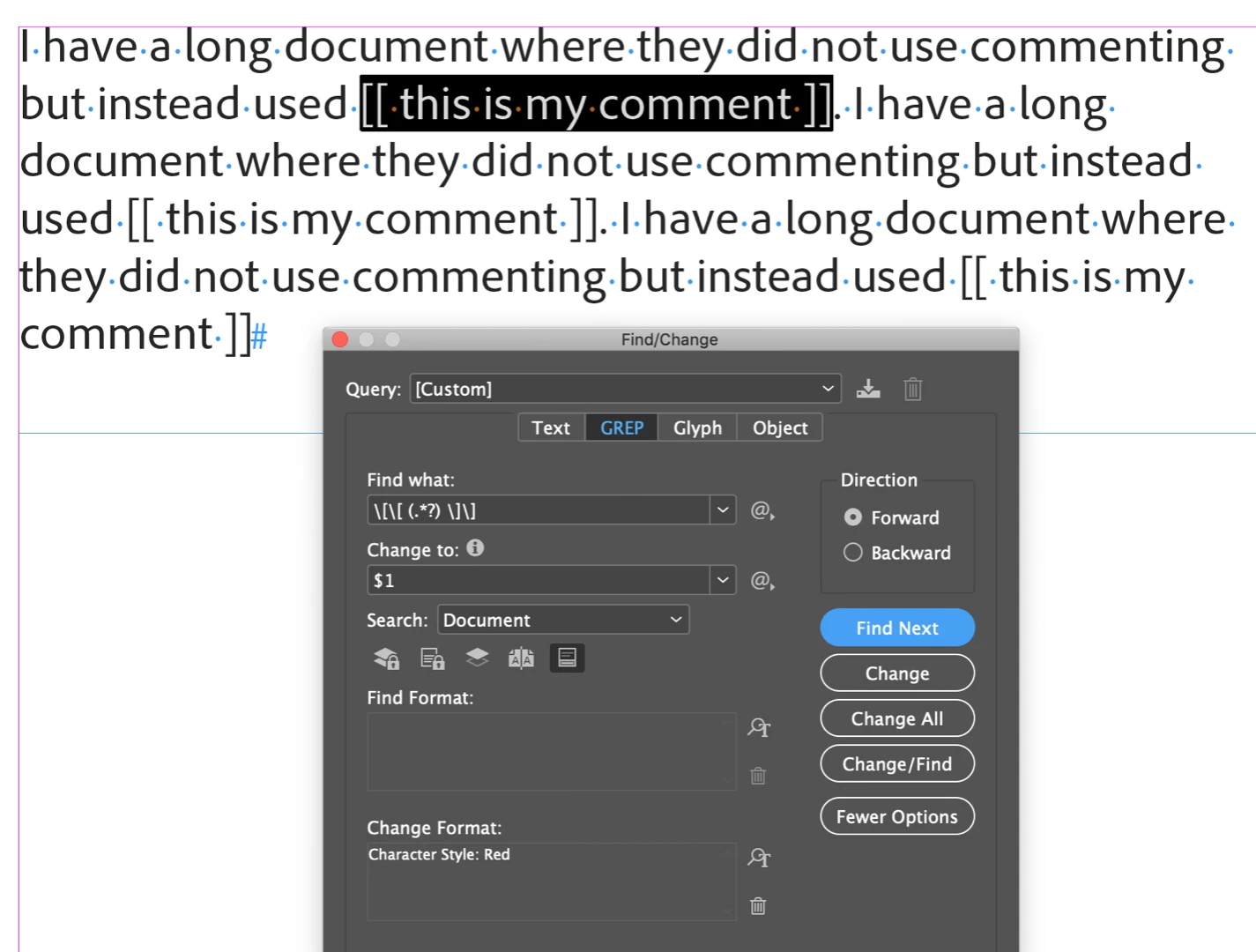
I have a long document where they did not use commenting but instead used [[ this is my comment ]]

Is there a way to script/GREP InDesign so that I can apply a character style (color:red) to everything between the brackets?

Also if there are any good GREP learning sites out there, let me know. It is something I really want to get better at for 2019

Thanks

Dax
This topic has been closed for replies.
Correct answer Barb Binder

Hi Dax:

You can use a Grep Find/Change

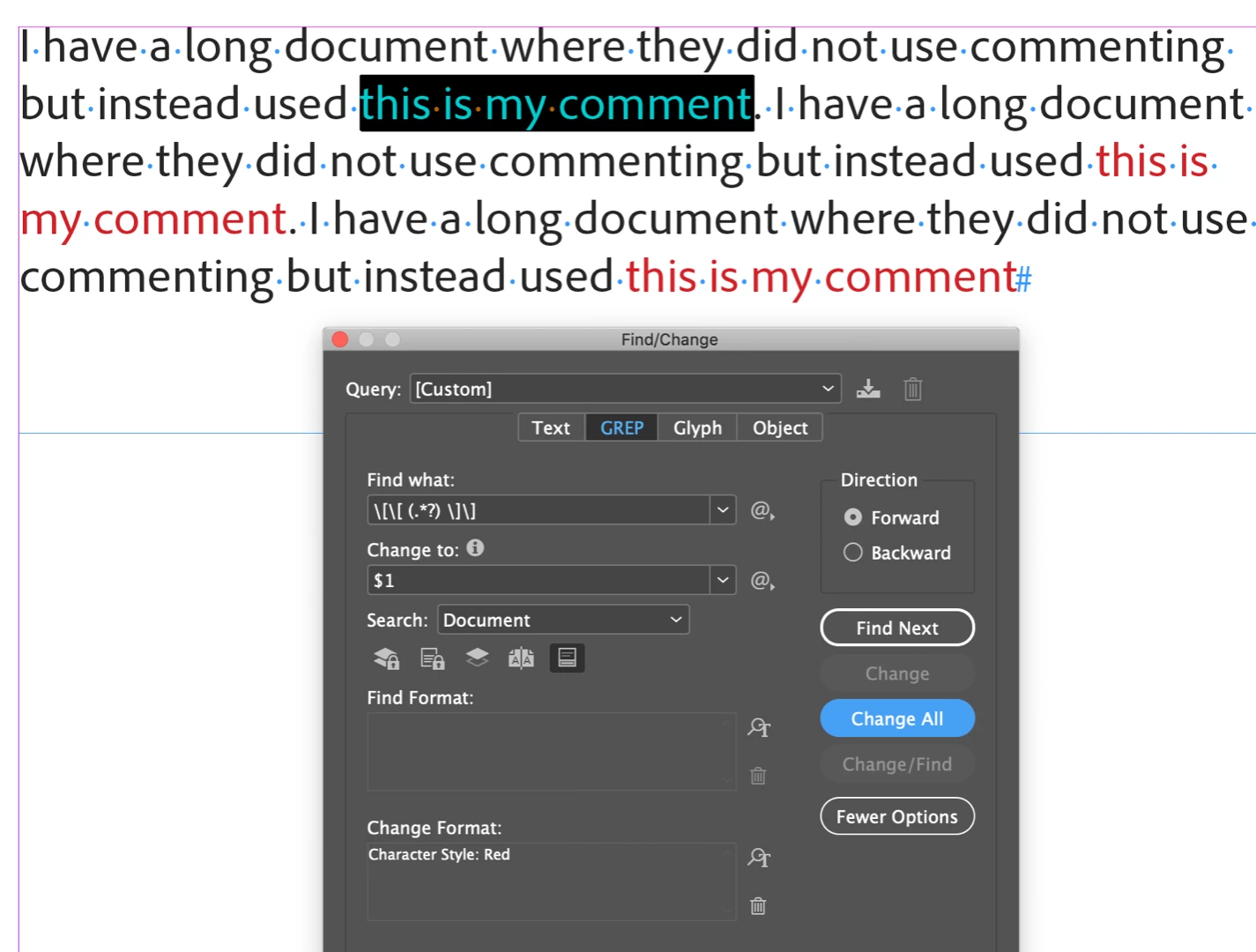
  1. Find what: \[\[ (.*?) \]\]
  2. Change to: $1
  3. Change Format: Red

~Barb

2 replies

Barb Binder
Community Expert
Community Expert
January 3, 2019

As for how to get started, I recommend fellow ACI Peter Kahrel's book from O'Reilly, fellow ACI [Jongware]'s online resources and Michael Murphy's GREP class on Lynda.com as a start.

Peter's book: GREP in InDesign [Book]

[Jongware]'s resources:

Adobe InDesign CS6 (8.0) Object Model JS: FindGrepPreference

Adobe InDesign CS6 (8.0) Object Model JS: ChangeGrepPreference

Lynda: Learning GREP with InDesign

And of course, ask here. I'm just a GREP newbie. There are some other talented folks who will respond here, in addition to the ones already mentioned.

~Barb

Edit: [Jongware] are those the right links?

~Barb at Rocky Mountain Training
Peter Kahrel
Community Expert
Community Expert
January 3, 2019

Thanks for the links, Barb. Small update: there's a new edition of my GREP title:

https://indesignsecrets.com/now-available-grep-in-indesign-3rd-edition.php

P.

Barb Binder
Community Expert
Community Expert
January 3, 2019

Bookmarking it now, Peter! Thanks for the update.

~Barb

~Barb at Rocky Mountain Training
Barb Binder
Community Expert
Barb BinderCommunity ExpertCorrect answer
Community Expert
January 3, 2019

Hi Dax:

You can use a Grep Find/Change

  1. Find what: \[\[ (.*?) \]\]
  2. Change to: $1
  3. Change Format: Red

~Barb

~Barb at Rocky Mountain Training
maxwithdax
Community Expert
Community Expert
January 3, 2019

Hmm... I want to keep all the text and the brackets. I just want to make it all red.

winterm
Legend
January 3, 2019

No problem - just leave Change to field blank. Also the round brackets from Find what may be omitted - they do nothing in this case:

\[\[ .*? \]\]

And additionally I'd recommend a very practical and useful (updated recently!) [Jongware]'s script WhatTheGrep.

Handy when you want to find out on the fly 'what that regex mean'...